Before an interview, the recruiter types your name into a search engine. Up come a forum username you forgot, a photo a friend tagged ten years ago and a product review that mentions your home town. That same week, a pair of running shoes you looked at once keeps reappearing in ads on unrelated sites. Neither of these is a hack. Both are your digital footprint at work.
This post explains what a digital footprint is, the difference between the parts you leave on purpose and the parts collected quietly, who can see them, how to look at your own, how to shrink it and what you cannot erase. It is written for ordinary internet users; there is no code to run.
What is a digital footprint?
A digital footprint is everything about you that is recorded as you use the internet, by you or by the services you use. Some of it is public, like a profile photo or a review. Much of it is not: it sits in server logs, account histories and advertising databases you never see.
The name fits because a footprint is left as you walk, not as a deliberate act. One trace says little on its own, but a few dozen together can show where you live, what you do for work and what you care about.
What is the difference between an active and a passive digital footprint?
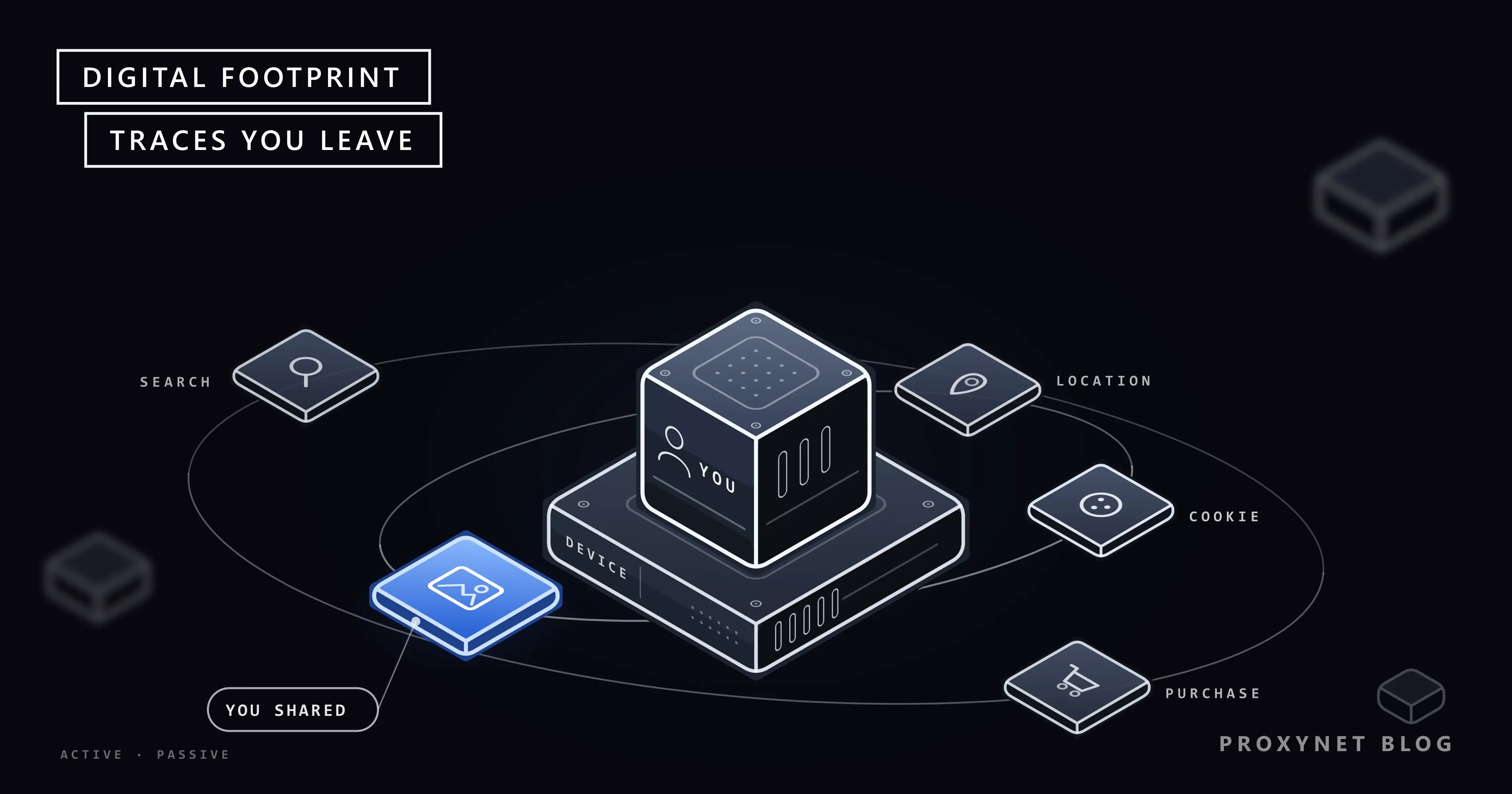
An active footprint is what you put online knowingly; a passive footprint is what is collected about you while you do something else. Posting a holiday photo is active. The app noting where and when you posted it is passive.
| Trace | Type | Who usually sees it |
|---|---|---|
| Social media post or photo | Active | Your audience, often anyone |
| Product review or forum comment | Active | Anyone, search engines |
| Online form or sign-up | Active | The company and its partners |
| Pages you visit | Passive | The site, its ad and analytics partners |
| Cookies and device data | Passive | The site and third-party trackers |
| Location history | Passive | The app or phone maker |
| Purchases and loyalty cards | Passive | The shop, sometimes data brokers |
The passive side is usually the larger one and the harder one to see, because nothing on the screen tells you it is happening. The active side is easier to control, but it is the part strangers find first.
How does a digital footprint build up?
A footprint grows in layers, and the first layer forms before you type anything. Here is what happens on an ordinary visit to an online shop:
- Your device asks for the page. The request carries your IP address, the numeric address of your connection. From it, a site can usually tell your internet provider and an approximate area, at best the city, but not your name; What Is an IP Address? explains the limits.
- The server writes a log line. Along with the IP, it stores the page, the time, your browser and system, your language and the page that sent you there.
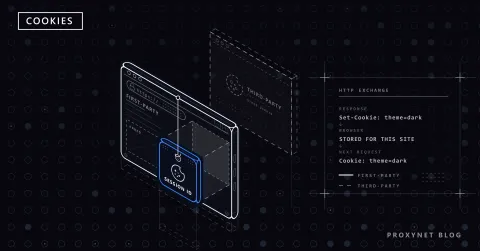
- A cookie is set. A cookie is a small text file the site stores in your browser so it can recognise you on the next visit.
- Third parties load. Ad, analytics and social media scripts on the page set their own cookies, so the same companies see you on many other sites too.
- You sign in or buy. Now the visit is tied to your name, email address and card.
- The data travels. Depending on the privacy policy, it may be shared with partners, used for ad targeting or combined with data from other sources.
On our test machine, we started a tiny web server on 127.0.0.1 and sent it a request with browser-like headers. Its single log line held the IP address, the page with its ?ref=newsletter tag, the browser and system string, the preferred language and the referring page; the next request carried back the cookie the server had set, linking the two visits.
Who can see your digital footprint?
Different people see different slices of it, and no single party sees all of it:
- The websites and apps you use. They see what you do on their own service, in detail, and keep it according to their privacy policy.
- Ad networks and analytics companies. Their code runs on many sites, so they can follow you from one to the next and build a profile of interests that decides which ads you see. How to Stop Targeted Ads covers the settings that limit it.
- Data brokers. These companies collect information from public records, purchases, apps and other sources, combine it into profiles and sell or license it. You usually have no direct relationship with them.
- Employers, landlords and schools. They mostly see the public part: what a search for your name returns and your public profiles.
- Scammers and attackers. They use public details, such as your employer or your pet's name, to write convincing phishing messages or guess security answers. Data leaked in a breach also ends up with them.
How do you check your own digital footprint?
Start with what strangers see, then look at what companies hold. A "digital footprint checker" is mostly these steps done by hand:
- Search your name. Use a private window, so your own search history does not shape the results, and try variations: with your city, your employer, an old username, your email address and your phone number.
- Use Google's "Results about you". This tool finds Google Search results that show your phone number, home address or email address, lets you request their removal and can alert you when new ones appear. Google's help page explains how to open it.
- Look at your account activity. In your Google Account, Data & privacy > My Activity shows saved searches, YouTube history and app activity, and Google Takeout (takeout.google.com) downloads a copy of your data.
- Download your social media data. On Facebook, Meta's help page gives the path: Settings and privacy > Settings > Accounts Centre > Your information and permissions > Export your information. Most large platforms offer a similar export.
- Check signed-in devices and connected apps. Each major account has a security page listing active sessions and apps with access; remove what you do not recognise.
- Check for breaches. Many password managers and browsers warn you when a saved password appears in a known data breach.
You can also ask any company that holds your data for a copy. Under the EU's General Data Protection Regulation (GDPR), Article 15 gives you the right of access, including a copy of the personal data the company processes.
How do you reduce your digital footprint?
You reduce a footprint by collecting less from now on and removing what you can from the past:
- Tighten privacy settings. Make social profiles private or friends-only, turn off location tagging on photos and limit who can find you by phone number or email.
- Delete accounts you no longer use. Old shops, forums and apps keep your data as long as the account exists, and they are a common source of breaches. Download what you want first, then delete the account rather than just deactivating it.
- Clean up what you posted. Remove or archive old posts and reviews that say more than you want, and untag yourself from other people's photos.
- Remove pages at the source. Ask the site owner to take the page down; once it is gone, search engines drop it over time. A removal from search results alone does not delete the page.
- Use your legal right to erasure. In the EU, GDPR Article 17 lets you ask a company to erase your data when it is no longer needed, when you withdraw consent or when it was processed unlawfully, and the company must answer within one month. Türkiye's KVKK (Law No. 6698) gives a similar right in Article 11, with a 30-day answer period. This is a summary, not legal advice.
- Ask for delisting where the law allows it. The "right to be forgotten" lets you ask a search engine to remove results for searches of your name. Google's legal help page says it weighs the public interest against your rights, and notes that Türkiye, Serbia and Quebec have similar rights.
- Limit tracking in the browser. Block third-party cookies, clear cookies regularly and keep extensions to a minimum. Sites can also recognise a browser by its settings and hardware, a technique called browser fingerprinting, which cookie settings do not stop.
- Share less from here on. Use a separate email address for shopping, skip optional form fields and review which apps can read your location.
Data brokers are the slowest part. Many have an opt-out page, and in the EU you can send them an erasure request, but each one has to be contacted separately.
What part of a digital footprint cannot be erased?
Anything someone else has already copied is outside your reach. A screenshot, a repost, an archived copy of a page or a news article about you stays where it is unless that person or site removes it.
The right to erasure has limits too. GDPR Article 17 does not apply where keeping the data is needed for freedom of expression and information, a legal obligation, public health, archiving or research, or legal claims. A bank may be required by law to keep your transaction records, and a court record is not erased on request. Backups also take time to roll over.
The realistic goal is not a blank slate. It is a footprint where the public part is what you chose to show and the private part is as small as the services you use allow.
Does a proxy or VPN hide your digital footprint?
A proxy or VPN hides your IP address from the sites you visit, but it does not hide who you are once you sign in. The site sees the proxy's address instead of yours, so your home connection's IP stays out of that site's logs.
Everything else stays the same. Your accounts, cookies, browser fingerprint and posts still identify you, and an ad network that knows you by a cookie keeps knowing you after the IP changes. Some people route their browsing through a Residential Proxy, which gives the site an address from a home connection in a country they choose; that keeps their own IP out of logs, but it does not make them anonymous.
What does a digital footprint mean for a business?
A company has a footprint too: its domains, its staff's public profiles, job ads that reveal the software it uses, forgotten pages and credentials leaked in breaches. Attackers read all of it before a targeted phishing attempt, so security teams map their own organisation's footprint first and close what they can. That research usually runs from separate infrastructure, so the team's corporate IP does not appear in the logs of the suspicious sites it examines; our data security page describes the setup.
Where you meet digital footprints
When you apply for a job and the employer searches your name. When you rent a flat or meet someone from a dating app. In the ads that follow you after you look at a product. When a bank flags a login from an unusual place. When an account recovery form asks about details you once shared. And in the scam message that knows your employer's name.
Common mistakes
- Deactivating instead of deleting. A deactivated account usually keeps all its data and can be restored.
- Assuming private mode hides you. A private window does not save history on your device, but the sites, your network and your internet provider still see the visit.
- Removing a result but not the page. A delisted page still exists and can be found through other searches.
- Reusing one username everywhere. It lets anyone link your accounts across sites in a few searches.
- Answering "fun" quizzes. Questions about your first pet or first car are classic security questions.
Decision guide
| Your goal | What to do first |
|---|---|
| See what strangers find | Search your name in a private window |
| Remove your phone, address or email from Google | Use "Results about you" |
| See what a company holds | Download your data or send an access request |
| Remove an old account | Download what you need, then delete it |
| Remove a page about you | Ask the site owner, then request delisting |
| Have a company erase your data | Send an erasure request (GDPR or KVKK) |
| Fewer targeted ads | Turn off ad personalisation, block third-party cookies |
| Keep your home IP out of site logs | Use a proxy or VPN; it does not hide signed-in activity |
Frequently asked questions
Can you completely delete your digital footprint?
No. You can delete accounts, posts and many search results, and ask companies to erase your data, but copies other people made, public records, archives and data a company must keep by law stay. You can make the visible part small and accurate.
How do I check my digital footprint for free?
Search your name and its variations in a private window, run Google's "Results about you", open your Google Account's My Activity page and download your data from the platforms you use. Together these show most of what strangers and the big services can see.
What are examples of a digital footprint?
Active examples are social media posts, photos, product reviews, forum comments and online sign-ups. Passive examples are browsing history, cookies, IP address logs, location history, app usage and purchase records.
Does incognito mode leave a digital footprint?
Yes. Incognito mode stops your own browser from keeping history and cookies after you close the window, but the websites you visit, your network and your internet provider still see the visit, and anything you do while signed in is recorded by that service.
How long does a digital footprint last?
As long as the copies exist. A deleted post is gone from the platform, but backups, archives, screenshots and data already shared can last for years.
Why does a digital footprint matter when applying for a job?
Because many employers search candidates' names and look at public profiles. Old posts or a public photo can shape that first impression, so check what a name search returns before you apply.
Summary
A digital footprint is every trace you leave online: the posts and profiles you share on purpose, and the IP addresses, cookies, location and activity that services collect quietly. Check yours by searching your name, using Google's "Results about you" and downloading your account data. Shrink it by tightening privacy settings, deleting unused accounts, removing pages at the source and using your right to erasure where the law gives you one. A proxy keeps your IP out of a site's logs but not your identity once you sign in; sharing less and deleting more does far more than any tool.