


































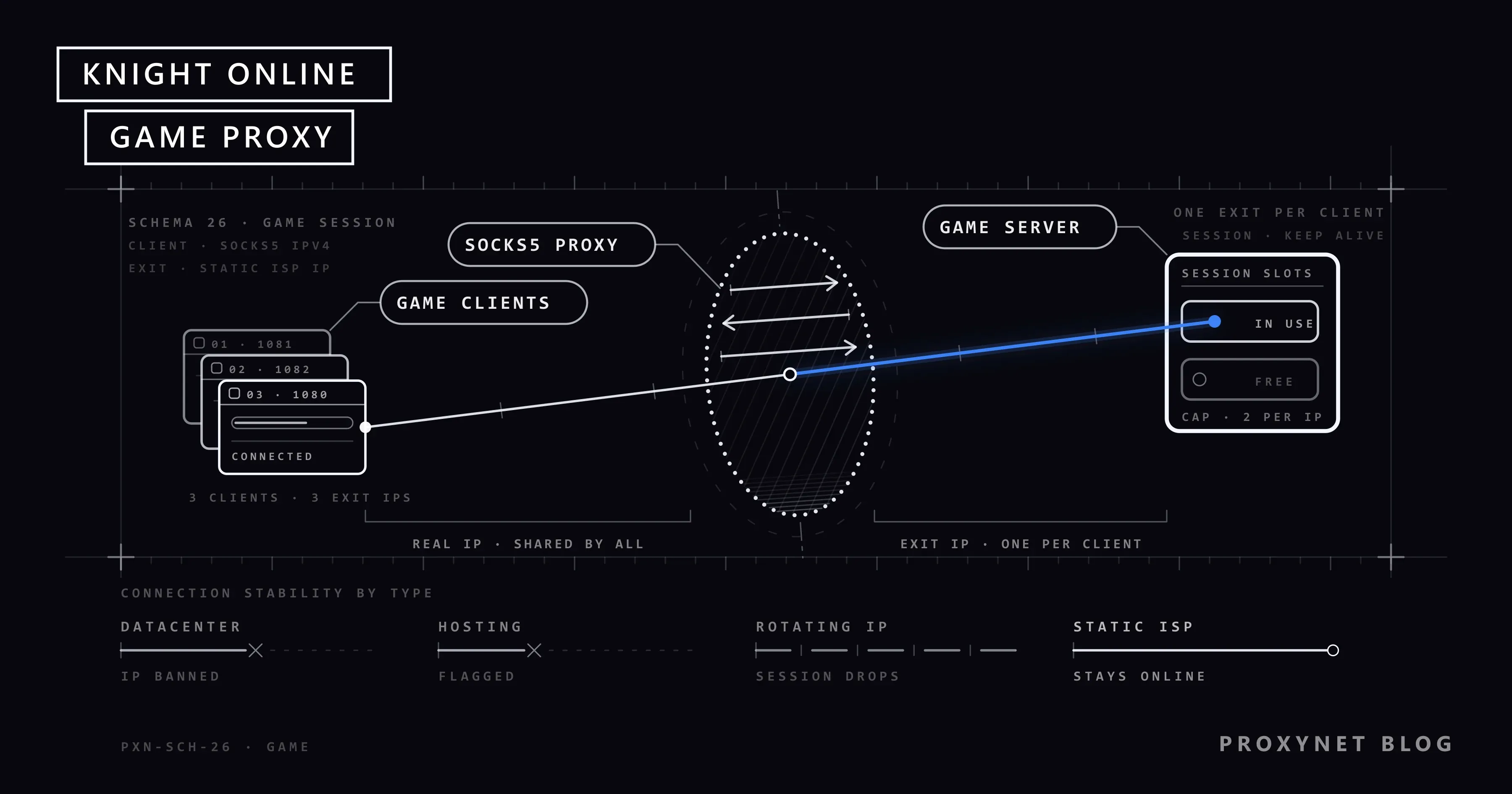
Knight Online is a desktop client game, so it talks to the game servers over a plain TCP connection and works with SOCKS5 and IPv4 proxies. A proxy sits between your machine and those servers, and players reach for one for a handful of concrete reasons rather than a single one. Below is what each of them actually solves, and which proxy type survives the game's own checks — see our Knight Online proxy page for the product side.
Getting past per-IP login limits
Most servers cap how many clients may connect from one IP address — two accounts per IP is a common figure, though the limit changes from server to server and is sometimes lowered without notice. If you run more clients than the cap allows, the extra ones are refused or disconnected.
Assigning a different proxy to each client makes every session look like it comes from its own address, so the cap applies per client instead of per household. This is also the reason a shared IP is a poor fit: if someone else on the same address is already at the limit, your client pays for it.
Reducing ping and latency
Route quality matters more than raw distance in an MMORPG. A proxy in a data centre with a direct path to the game server can shorten the route your packets take, avoiding a congested hop on your ISP's default path. The result is a lower and, more importantly, a steadier ping.
This is not guaranteed: if your ISP already has a clean route to the server, a proxy adds a hop and can make things slightly worse. Test the latency before you commit a whole set of accounts to a location.
An extra layer against DDoS
Routing game traffic through a proxy keeps your home IP address out of the connection the other side sees. Players who get hit with repeated attacks on their own address use this to take themselves out of the line of fire — the proxy address absorbs it, and it can be replaced.
Reaching a region-locked server
Some Knight Online servers refuse connections from certain countries, or an entire country's IP ranges are blocked at the network edge. Connecting through an IP in the region the server accepts removes that block.
Anonymity
A proxy masks your real IP address from the game and from other players, which limits what anyone can learn about your connection or your location from a packet capture. It is a privacy measure, not an invisibility cloak: your account, your behaviour and your client are all still identifiable.
Which proxy type works for Knight Online
Datacenter and hosting IPs are the ones the game's automated checks and its manual reviews flag first, because their ASN says "server", not "home". They are cheap, and they are the most likely to earn an IP ban.
Residential Proxy addresses come from real home connections — Turkcell, Vodafone, Cogent, AT&T and the like — and an IP lookup returns ISP or cable rather than hosting, which is why they pass where a datacenter IP does not.
Rotating residential proxies change address on every request, though, and in a game that holds one long TCP session an address change means a disconnect. What you want is a static address on a residential ASN: ISP Proxy, or the static option on a residential IP in the Proxynet panel. That keeps the home-connection profile and the stable session at the same time.
For the connection itself, SOCKS5 Proxy is the right protocol for a desktop client: it forwards TCP as-is, with no HTTP layer in between.
In short
Knight Online players use proxies to run more clients than one IP allows, to steady their ping, to keep their home address out of reach and to connect to servers that block their region. The type matters more than the count: a static residential or ISP address passes the game's checks, and a datacenter IP usually does not.
You can order from the ISP proxy pricing page and see your proxies in the panel straight away.


