An API's documentation shows a one-line curl command for creating an order. You paste it, add your key, press Enter, and the server answers 415 Unsupported Media Type, or 400 with "invalid JSON" although the JSON looks fine. On a colleague's Linux laptop the same line works. Nothing is wrong with the API: the command sent a different body or a different Content-Type than you think, and on Windows the shell removed the quotes from your JSON before curl saw it.
This post covers form data with -d, JSON with --json or -H plus -d, bodies from files, uploads with -F, headers and authentication, when -X POST is needed, reading the response, and quoting in cmd and PowerShell. Every command was run with curl 8.22.0 on Windows 11, in cmd and Windows PowerShell 5.1, against a small echo server on our own machine that printed the method, the Content-Type header and the body it received.
What is a POST request?
A POST request is an HTTP request that carries data in its body and asks the server to do something with it: create an order, save a form, start a job. RFC 9110, the HTTP standard, defines POST as a request for the target resource to process the representation enclosed in the request by its own rules.
GET only asks for something and carries no body. POST is also not idempotent: the same POST sent twice can create two orders. If requests, endpoints and status codes are new to you, start with What Is an API and How Does It Work?.
Two parts of a POST matter most. The body is the data. The Content-Type header tells the server how to read it: as form fields, JSON or a multipart upload. Most curl POST problems are a mismatch between the two.
How does curl send a POST request?
curl switches to POST by itself when you give it a body option; you describe the data and curl works out the method:
- You add a body option.
-d,--data-binary,--data-urlencode,--jsonor-Fmakes the request a POST. - curl picks a
Content-Type. The-dfamily sendsapplication/x-www-form-urlencoded,--jsonsendsapplication/json,-Fsendsmultipart/form-datawith a boundary. - curl prepares the body. It joins several
-dparts with&, strips line breaks from files read with-d @, and keeps files exact with--data-binaryand--json. - It sends the request.
POST /orders HTTP/1.1, the headers includingContent-Length,Content-Typeand your-Hvalues, then the body. - The server reads
Content-Typefirst. A JSON API that receives form-typed data refuses it with 415 or fails to parse it with 400. - curl prints the response body. Status and headers stay hidden unless you ask with
-i,-vor-w.
Which curl option should you use for the request body?
Pick the option that matches what the server expects. This is what each one made our echo server receive:
| Option | Content-Type sent | Body handling | Use it for |
|---|---|---|---|
-d / --data | application/x-www-form-urlencoded | As typed; @file loses line breaks | HTML-style forms |
--data-urlencode | application/x-www-form-urlencoded | Value percent-encoded | Values with spaces or & |
--data-binary | application/x-www-form-urlencoded | Byte for byte | Files that must stay exact |
--json | application/json | Byte for byte, adds Accept | JSON APIs (7.82.0+) |
-F / --form | multipart/form-data | Split into named parts | File uploads |
All of them are described in the curl manual, the reference for every option in this post.
How do you send form data with -d?
-d sends a string as the body and labels it as form data, the format a browser uses for a simple HTML form:
curl -d "name=Ada&city=Paris" https://api.example.com/signupOur server received POST, Content-Type: application/x-www-form-urlencoded and name=Ada&city=Paris. Several -d options are joined with &, so -d "a=1" -d "b=2" arrived as a=1&b=2.
-d sends text as typed, so a value with a space, & or = splits into the wrong fields. --data-urlencode encodes the value for you:
curl --data-urlencode "q=red shoes & bags" https://api.example.com/searchThe server received q=red+shoes+%26+bags, one field with the ampersand intact. If an endpoint wants the fields in the address instead, add -G: -G -d "q=shoes" -d "page=2" became GET /search?q=shoes&page=2 with no body.
How do you POST JSON with curl?
Use --json on curl 7.82.0 or later, or set the header yourself on older versions. -d alone never says "this is JSON":
# Wrong for most JSON APIs: JSON body, form-data label
curl -d '{"sku":"A-100","qty":2}' https://api.example.com/orders

# Works on every curl version
curl -H "Content-Type: application/json" -d '{"sku":"A-100","qty":2}' https://api.example.com/orders

# curl 7.82.0 and later
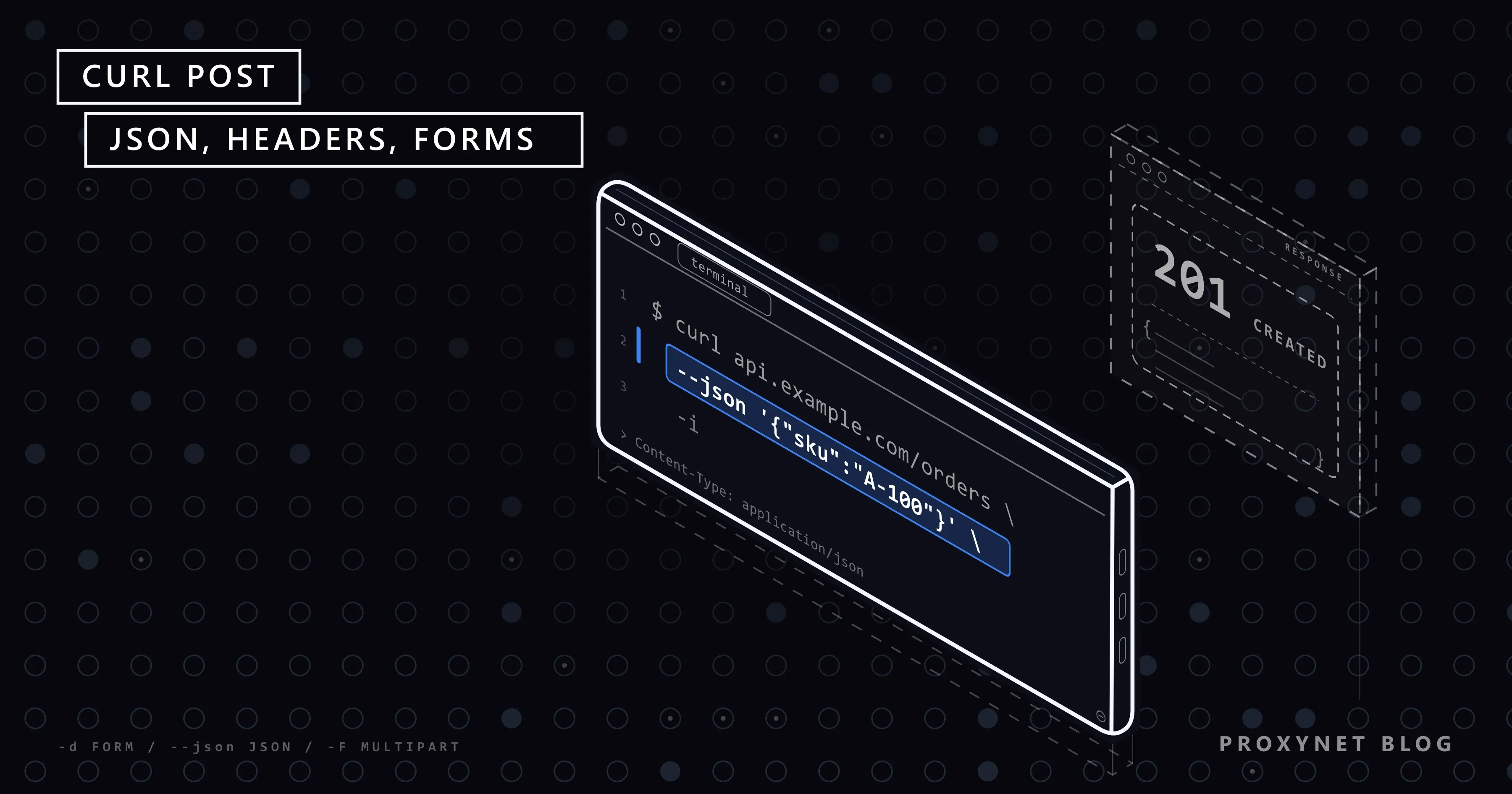
curl --json '{"sku":"A-100","qty":2}' https://api.example.com/orders
On our test machine the first command arrived as application/x-www-form-urlencoded, and our JSON-only test endpoint rejected it with 415. The second arrived as application/json with Accept: */*; the third with Accept: application/json as well, and the endpoint answered 201 Created.
--json stands for --data-binary plus those two headers, and a header you set with -H replaces the one it would add. Check your version with curl --version: Ubuntu 22.04, for example, ships curl 7.81.0, one release before --json, so scripts for older servers should keep the -H form.
How do you send JSON from a file?
Pass the file with @: --json @order.json on new versions, --data-binary @order.json with a Content-Type header on old ones. Avoid -d @order.json when the bytes must stay exact:
curl --json @order.json https://api.example.com/orders
curl -H "Content-Type: application/json" --data-binary @order.json https://api.example.com/orders
With a four-line order.json, -d @order.json delivered 29 bytes on one line, because curl strips carriage returns and newlines from files read this way. --data-binary and --json delivered all 33 bytes. A JSON parser does not mind, but a signed request or a CSV file does.
A file also ends most quoting problems, because the shell never touches the JSON. @- reads the body from standard input, so a script can generate it: python make_order.py | curl --json @- https://api.example.com/orders.
How do you add headers to a curl POST request?
Give each header its own -H "Name: value"; repeat it as often as you need:
curl --json @order.json \
  -H "Idempotency-Key: 7f3c9a10" \
  -H "X-Request-Source: nightly-sync" \
  https://api.example.com/orders
A header you set replaces curl's own header of the same name, which is how you change Accept or User-Agent. An empty value removes it: with -H "Content-Type:" our server received no Content-Type at all.
-H headers are sent again after a redirect. curl holds back Authorization and Cookie when the redirect leads to another host, but a key in a header such as X-API-Key goes along, so take care when you add -L.
How do you upload a file with curl -F?
Use -F with @ before the file name. curl then sends multipart/form-data, the format of an HTML form with a file field:
curl -F "title=Q3 report" -F "file=@report.pdf" https://api.example.com/uploadsEach -F becomes a named part. We uploaded a text file, report.txt, and our server saw a text part title and a file part file with filename="report.txt" and Content-Type: text/plain, which curl guessed from the extension. Set the type when the guess is wrong: -F "file=@scan.bin;type=application/pdf".
< instead of @ puts a file's content into a plain text field, as in -F "notes=<notes.txt". -F and -d cannot be combined: our curl stopped with You can only select one HTTP request method! before sending anything. The field name must match the API's documentation.
How do you authenticate a POST request with curl?
Send what the API asks for: -u user:pass for Basic authentication, or an Authorization header for a token. With -u user:pass our server received Authorization: Basic dXNlcjpwYXNz, only the Base64 form of user:pass, so use it over HTTPS only.
For a bearer token, read it from an environment variable so it stays out of your shell history:
export API_TOKEN="your-token-here"
curl --json @order.json -H "Authorization: Bearer $API_TOKEN" https://api.example.com/orders
--oauth2-bearer "$API_TOKEN" builds the same header. Some APIs want the key in a header of its own, such as X-API-Key.
When do you need -X POST?
Almost never with a body option. With -v our curl printed Note: Unnecessary use of -X or --request, POST is already inferred. for -X POST -d "x=1"; the manual says -X only changes the word in the request line. It is useful for other methods with a body: curl -X PUT --json '{"qty":3}' ... arrived as a PUT with the JSON.
-X becomes harmful with -L (follow redirects). We posted to an address that answered 302 Found:
- With
-L -d "x=1", curl followed with a GET and no body, as the manual describes for 301, 302 and 303. - With
-L -X POST -d "x=1", the next request was a POST with an empty body: the method was forced, the data was not. - With
-L --post302 -d "x=1", the next request was a POST with the original body.
So when a POST must survive a redirect, use --post301, --post302 or --post303, or post to the final address directly.
How do you see the response status and headers?
Add -i for the status line and response headers, -v for the request and the response, or -w for chosen values only:
curl -i --json @order.json https://api.example.com/orders
curl -s -o /dev/null -w "%{http_code}\n" --json @order.json https://api.example.com/orders
The first printed HTTP/1.1 201 Created before the JSON. The second printed only 201: -s hides the progress meter, -o /dev/null discards the body (-o NUL on Windows). "%{http_code} %{content_type} %{time_total}s\n" gave us 201 application/json 0.001347s.
In scripts, add --fail-with-body: curl exits with an error on status 400 or higher but still prints the server's message. For a request that behaves oddly, use -v; the lines starting with > are exactly what curl sent.
How do you write curl POST commands on Windows?
Windows 10 and 11 ship real curl as curl.exe, but in Windows PowerShell 5.1 the word curl is an alias for the Invoke-WebRequest cmdlet. On our machine, curl -d "x=1" ... typed in PowerShell 5.1 failed with A positional parameter cannot be found that accepts argument 'x=1'. Type curl.exe, as curl's page on the Windows build also advises.
The bigger problem is quoting. Single-quoted JSON, the form every Linux example uses, behaves differently in each shell:
| Shell | Form that worked | What the naive form sent |
|---|---|---|
| cmd.exe | -d "{\"sku\":\"A-100\"}" | '{sku:A-100}' |
| PowerShell 5.1 | --json '{\"sku\":\"A-100\"}' | {sku:A-100} |
| PowerShell 7.3+ | --json '{"sku":"A-100"}' | Not tested here |
| Any shell | --json "@order.json" | The file, unchanged |
In cmd, single quotes are not quote characters, so they became part of the body and the inner double quotes vanished. In PowerShell 5.1, '{"sku":"A-100","qty":2}' reached our server as {sku:A-100,qty:2} and the JSON endpoint answered 400. Escaping each inner quote as \" fixed both.
Microsoft's about_Parsing reference explains why: PowerShell 7.3 changed how arguments with embedded quotes reach programs such as curl.exe, a breaking change from 5.1. PowerShell 7 was not installed on our test machine, so that row follows the documentation. In PowerShell, quote anything that starts with @, as in "@order.json"; in a .cmd batch file, write %%{http_code} for -w. The safest habit on Windows is the file: the shell has nothing left to break.
How do you send a curl POST request through a proxy?
Add -x with the proxy address; the body options stay the same:
curl -x http://user:pass@pr.proxynet.io:8000 \
  --json @order.json https://api.example.com/orders
For an HTTPS target curl first asks the proxy for a CONNECT tunnel, then sends the POST inside the encrypted connection, so the proxy sees the host name but not your JSON. SOCKS5, environment variables and .curlrc are covered in cURL with Proxy.
A proxy helps when the request must leave from a particular address or country, for example to see how your own checkout answers a shopper in another region. An HTTPS Proxy takes exactly these flags, with a username and password or your server's IP on the whitelist.
When the test needs household connections in a chosen country or city, a Residential Proxy uses the same -x line, with the country and session in the username.
Where are curl POST requests used?
Developers try an API with a curl POST before writing code, because the command hides nothing. Support teams ask for the failing curl command, since it reproduces the problem on any machine. Webhook receivers are tested by posting a sample event to your own endpoint. Deploy scripts call internal APIs to start jobs or publish releases, and monitoring jobs post a test order to a staging system and alert when the answer is no longer 201.
Common curl POST errors and how to fix them
- 415 Unsupported Media Type. JSON sent with
-dand a form label. Use--jsonor-H "Content-Type: application/json". - 400 Bad Request with a JSON parse error. Quotes stripped by the shell or a typo in the JSON. Check with
-v, or move the JSON to a file. - The POST arrives as a GET. A 301, 302 or 303 redirect with
-L. Post to the final URL or use the--post30xoptions. - An empty body after a redirect.
-X POSTwith-L; drop-X. - 401 or 403. Missing or wrong token, or
$API_TOKENempty in this shell. Print the variable first. A positional parameter cannot be found.curlin PowerShell 5.1 reachedInvoke-WebRequest; typecurl.exe.- Part of a header is treated as a second address.
-H Content-Type: application/jsonwithout quotes splits at the space. Quote every-Hvalue. --jsonis rejected as unknown. curl older than 7.82.0; use-Hplus--data-binary.
Decision guide
| Need | Recommendation |
|---|---|
| Submit form fields | -d "a=1" -d "b=2" |
Form value with spaces or & | --data-urlencode |
| Send JSON, curl 7.82.0+ | --json @file.json |
| Send JSON, older curl | -H "Content-Type: application/json" --data-binary @file.json |
| Upload a file | -F "file=@name.ext" |
| Token authentication | -H "Authorization: Bearer $API_TOKEN" |
| PUT or PATCH with a body | -X PUT --json ... |
| POST that must survive a redirect | -L --post302 (or 301/303) |
| Status code only | -s -o /dev/null -w "%{http_code}\n" |
| JSON on Windows | curl.exe with a file and @ |
Frequently asked questions
How do I send a POST request with curl?
Give curl a body and it sends a POST: curl -d "name=Ada" https://api.example.com/form for form data, or curl --json '{"name":"Ada"}' https://api.example.com/users for JSON. -X POST is not needed.
What is the difference between -d and --json in curl?
The labels differ. -d sends Content-Type: application/x-www-form-urlencoded and strips line breaks from files; --json sends Content-Type: application/json plus Accept: application/json and keeps files exact. --json needs curl 7.82.0 or later.
How do I POST a JSON file with curl?
Use curl --json @data.json https://api.example.com/items. On curl older than 7.82.0, use -H "Content-Type: application/json" --data-binary @data.json. Avoid -d @data.json when the exact bytes matter.
How do I see the response headers of a curl POST request?
Add -i to print the status line and headers before the body, or -v to see request and response headers together. For the status code alone, use -s -o /dev/null -w "%{http_code}".
Why does my curl POST work on Linux but fail in PowerShell?
In Windows PowerShell 5.1 curl means Invoke-WebRequest, and 5.1 strips the double quotes inside single-quoted JSON before curl.exe receives it. Type curl.exe, escape inner quotes as \", or pass the JSON from a file.
How do I convert a curl POST command to Python?
Map each part: --json becomes json=, -d becomes data=, -H becomes headers= and -F becomes files=. A full mapping with tested examples is in How to POST JSON with Python Requests.
Summary
curl sends a POST as soon as it has a body: -d for form data, --json for JSON on 7.82.0 and later, -H "Content-Type: application/json" with --data-binary on older versions, -F for uploads. Most failures come from the label, not the data: JSON sent as form data returns 415, -d @ drops line breaks, and -X POST with -L sends an empty POST after a redirect. Check what went out with -v. On Windows, type curl.exe and keep JSON in a file; when the request must come from a particular address or country, add -x and leave the rest unchanged.