Someone in accounting reuses a password that leaked from an old shopping account. An attacker tries it on the company VPN, it works, and the laptop on the other end now sits "inside" the network. From there the file server, the HR database and the backup console all answer, because the network was built on one assumption: whoever got past the front door belongs here. The attacker never had to break anything a second time.
Zero trust is the security model built to remove that assumption. This post covers what it means, why the perimeter model stopped working, NIST's seven principles, the parts of a zero trust architecture, how it compares with a VPN, where proxies and IP allowlists fit, and how a small team can start.
What is zero trust?
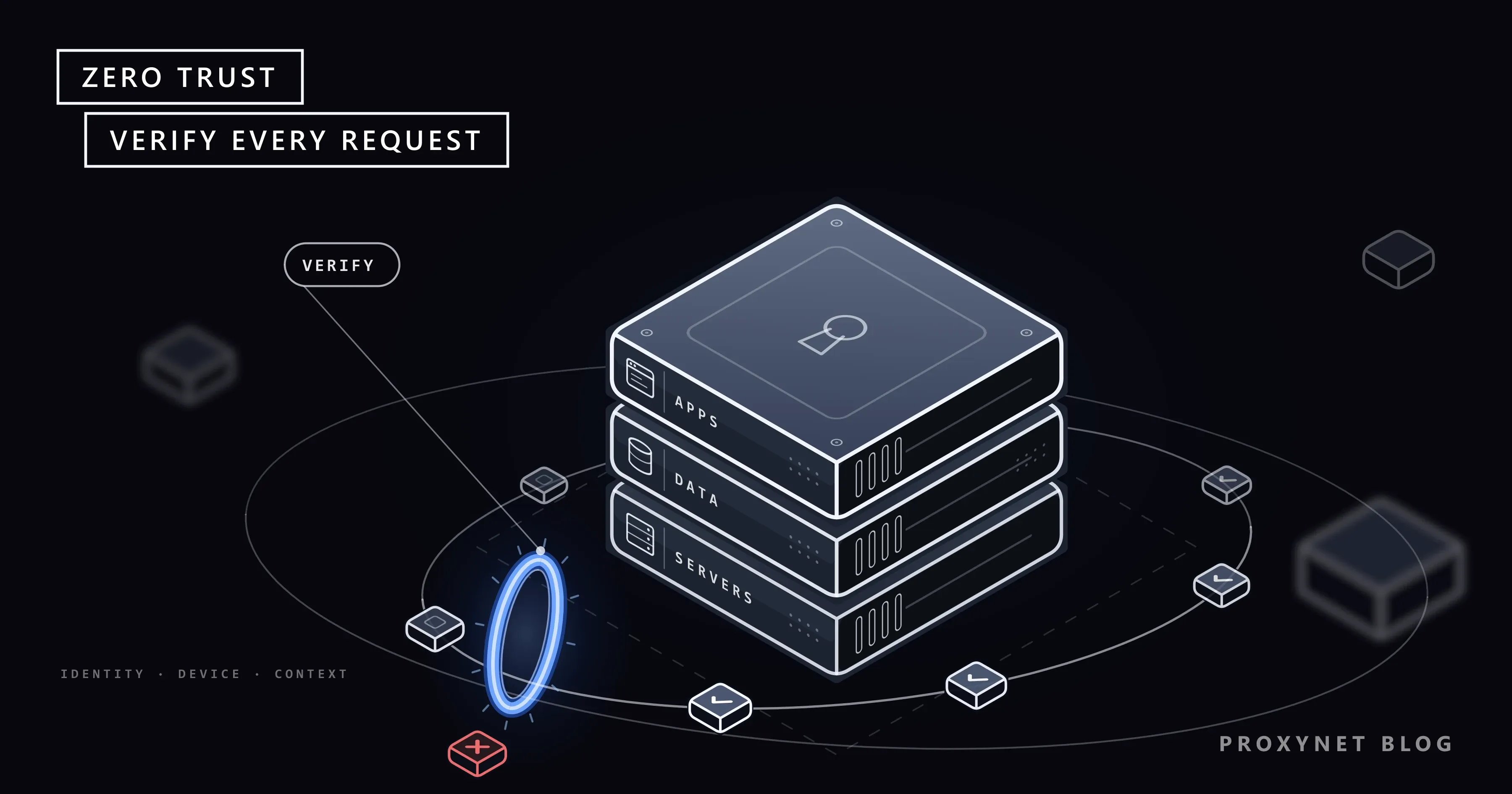
Zero trust is a way of designing security in which being on the company network earns nothing; each request must prove it should be allowed. The US National Institute of Standards and Technology (NIST) describes it in SP 800-207, Zero Trust Architecture as a set of ideas for making accurate, least-privilege, per-request access decisions while treating the network as already compromised.
Three phrases carry the idea. "Never trust, always verify" means no request is waved through because of where it comes from. "Least privilege" means each person, device or program gets only the access its task needs. "Assume breach" means you design as if an attacker is already inside, so one stolen account cannot open everything.
The term is older than most of the products sold under it. NIST traces the thinking to the Jericho Forum, which argued in 2004 against relying on one network boundary, and credits John Kindervag with coining "zero trust" while he was an analyst at Forrester. Google described how it moved its own staff off a privileged internal network in a 2014 paper, BeyondCorp: A New Approach to Enterprise Security, one of the first large deployments of the idea.
Why did the castle-and-moat model stop working?
The older model, often called castle-and-moat, protects a network edge and trusts whatever is inside it. A firewall guards the boundary, a VPN lets remote staff cross it, and once a device is in, it can usually reach most internal systems.
It rested on a clear inside and outside, and four changes blurred the line:
- Remote work. Staff connect from home networks, hotels and cafés that the company does not control.
- Cloud services. Email, files and business applications now live with providers outside the company network, so the "inside" no longer holds the data.
- Personal and partner devices. Contractors and employees use laptops and phones the company did not set up.
- Stolen credentials. Phishing and leaked passwords give attackers valid logins. A valid login at the edge looks exactly like the real employee.
The last point is the expensive one. Inside a flat network, an attacker can move from machine to machine, which security teams call lateral movement, until they reach something valuable. Zero trust limits what one stolen account or one infected laptop can reach.
What are the core principles of zero trust?
NIST SP 800-207 lists seven tenets, and they are the closest thing to an official definition. In plain words:
- Everything is a resource. Databases, cloud services, printers and personal devices that reach company data all need protecting.
- All communication is secured wherever it happens. A request from the office network meets the same rules as one from a café: authenticated and encrypted.
- Access is granted per session. Signing in to one application does not open the next one.
- Access is decided by dynamic policy. The decision uses the user's identity, the application, the device's state and signals such as time, location and unusual behaviour.
- Device health is monitored. No device is trusted just because the company owns it; its patches and settings are checked.
- Authentication and authorization are strict and repeated. Identity is checked before access, often with multi-factor authentication (MFA), and again when risk changes.
- The company collects data to improve. Logs about devices, traffic and access requests feed back into better policy.
The US Cybersecurity and Infrastructure Security Agency (CISA) repeats the same seven tenets in its Zero Trust Maturity Model, whose version 2.0 dates from April 2023.
How does zero trust work?
Zero trust works by putting a checkpoint in front of each resource and letting a separate decision service judge every request against policy. NIST names three logical parts: the policy engine (PE), which makes the decision; the policy administrator (PA), which carries it out; and the policy enforcement point (PEP), the gate that actually opens or closes the connection. The engine and administrator together form the policy decision point (PDP).
A single request moves through them like this:
- A user or program asks for a resource, for example a sales manager opening the customer database from a laptop.
- The enforcement point stops the request in front of the database and passes the details to the decision side.
- The policy engine gathers signals: the user's identity and MFA result, the laptop's patch level and security software, the time, the location and recent behaviour of the account.
- The engine compares them with policy and decides: allow, allow with less access (read but not export, say), ask for another factor, or deny. It logs the decision either way.
- The administrator opens a narrow path to that one resource for this session only, often with a short-lived token.
- The session is watched. If the laptop's security software stops reporting or the account starts downloading unusual volumes, the decision can be revoked mid-session.
NIST explains the problem with a comparison: everyone past an airport security checkpoint mixes freely in the departure area, trusted to the level of that one check. Zero trust shrinks that "implicit trust zone" by moving the checkpoints as close to each resource as possible.
What are the building blocks of a zero trust architecture?
A zero trust architecture combines several controls rather than one tool. CISA's model groups them into five pillars, each of which matures separately:
| Pillar | Question it answers | Example control |
|---|---|---|
| Identity | Who is asking? | Single sign-on with MFA |
| Devices | Is this device healthy? | Patch and disk-encryption checks |
| Networks | What can it reach? | Small segments, encrypted traffic |
| Applications and workloads | Is this app access allowed? | Per-app access instead of full network access |
| Data | How sensitive is it? | Labels, access rules, logging of exports |
Across all five, CISA adds three cross-cutting capabilities: visibility and analytics, automation and orchestration, and governance. It also describes four maturity stages, from Traditional through Initial and Advanced to Optimal, so an organisation can measure progress pillar by pillar.
Identity and MFA come first in most projects because stolen passwords are the usual way in. A second factor, such as an authenticator app or a hardware security key, means a leaked password alone does not open an account; our two-factor authentication guide explains how those factors work.
Device posture is the current security state of the device: operating system version, whether disk encryption is on, whether security software is running. A correct password from an unpatched, unknown laptop can still be refused.
Micro-segmentation divides the network into small zones, sometimes down to a single application or server, with rules between them. If one machine is compromised, the damage stays in its zone.
Least privilege keeps permissions narrow and, where possible, temporary. An administrator gets admin rights for the change window, not permanently.
Continuous verification and logging close the loop: decisions are recorded, unusual patterns flagged and policy tuned from the logs.
Zero trust vs VPN: what is the difference?
A VPN connects a device to the network; zero trust connects a user to one application after checking them. A remote-access VPN builds an encrypted tunnel to the company network, and once it is up, the device usually gets the same broad reach as a desk in the office. How the tunnel itself works is covered in What Is a VPN and How Does It Work?.
Zero trust network access (ZTNA) is the product category that applies zero trust to remote access. The user signs in to a broker, which checks identity and device and connects the user only to the applications policy allows. Unchecked visitors often cannot even see those applications.
| Remote-access VPN | Zero trust access (ZTNA) | |
|---|---|---|
| What you connect to | The whole network | Specific applications |
| When trust is checked | At login | On every request or session |
| Device health | Often not checked | Part of the decision |
| After a stolen login | Broad internal reach | Only what that account may use |
A VPN is not automatically "not zero trust". Many companies keep one for legacy systems and add identity, device checks and segmentation behind it; what matters is whether the tunnel itself grants trust.
Where do proxies and IP allowlists fit in?
A proxy can serve as one enforcement point, and an IP allowlist is one signal; neither one is zero trust on its own. For outbound web traffic, many companies send staff browsing through a forward proxy or secure web gateway, a proxy that authenticates the user, applies policy per user and device, and logs where requests go. That turns "the office can reach the internet" into "this person, on this device, may reach these sites". Proxy vs Firewall explains how relaying traffic differs from filtering it.
An IP allowlist, a list of source addresses a service will accept, still has a place. NIST names network location as one attribute a policy can use, next to identity, device state, time and behaviour. What zero trust rejects is letting the address decide alone: a request from the office IP carrying a stolen password is still a stolen password.
Our own proxy service shows the trade-off on a small scale. Customers authenticate with a username and password or by adding up to 10 source IP addresses to an IP whitelist. The whitelist is convenient for a fixed server, but it trusts every program running on that machine; separate credentials per tool or job can be changed and revoked one at a time.
The same thinking works in the other direction. When a partner's API accepts calls only from allow-listed addresses, a ISP Proxy gives your integration a dedicated address that does not change, so it can sit on the partner's list as one check next to the API key, not instead of it.
How do you start with zero trust in a small team?
Start with an inventory and one important workflow, not with a purchase. NIST puts a survey of users, devices, assets and data flows before any deployment, because a policy engine that does not know what exists blocks real work. A practical order:
- List who and what you have. People, service accounts, laptops and phones, cloud apps, servers and where sensitive data lives.
- Turn on MFA everywhere, starting with admins. Email, the identity provider, cloud consoles, the password manager and remote access come first.
- Bring sign-ins under one identity provider. Single sign-on gives you one place to enforce MFA and remove a leaver's access in one step.
- Check device health before access. Require a supported operating system, disk encryption and screen lock for devices that reach company data.
- Cut standing access. Remove old accounts, shared admin passwords and "everyone can see everything" folders; grant admin rights for a task, then remove them.
- Put the most sensitive application behind per-app access instead of the general VPN, and segment the network around servers that hold customer data.
- Run new rules in report-only mode first. NIST suggests watching logs for a while before enforcing, because first-draft policies often block accounts that need access.
The NIST SP 1800-35 practice guide, finalised in June 2025, documents 19 example zero trust builds put together with commercial technology partners, for teams that want to see complete designs.
Where you meet zero trust
Most people meet zero trust as an extra prompt. A work account that asks for an authenticator code on a new laptop, or refuses a phone without a screen lock, is applying identity and device checks. Company apps that open in the browser after a sign-in page, with no VPN, usually sit behind a zero trust access broker.
Governments push it too. In January 2022 the White House Office of Management and Budget told US federal agencies, in memo M-22-09, to meet specific zero trust goals by the end of fiscal year 2024, and CISA revised its maturity model to match.
Common mistakes
- Treating zero trust as a product. No single purchase makes a company zero trust; NIST describes it as guiding principles that are adopted step by step.
- MFA for everyone except administrators. Admin accounts are the most valuable targets, and exemptions "for convenience" usually end up there.
- Checking once, trusting all day. A morning sign-in that grants access until evening ignores everything that changes in between.
- Forgetting service accounts and APIs. Programs talk to each other with keys and tokens that need the same least privilege as people.
- Letting the IP address decide. An allowlisted address is a useful signal, not proof of who is behind it.
- Enforcing before observing. Strict rules on day one block real work and push staff toward workarounds.
Decision guide
| Your situation | Where to start |
|---|---|
| Small team, everything in cloud apps | One identity provider with MFA, device checks |
| Staff use a VPN to reach everything | Move the most sensitive app to per-app access |
| A shared admin password exists | Personal admin accounts, MFA, time-limited rights |
| Flat office network with servers on it | Segment servers holding customer data |
| A partner API trusts your IP only | Keep the IP, add a key or certificate check |
| Rules keep blocking real users | Report-only mode, review logs, then enforce |
Frequently asked questions
Can you buy zero trust?
No. You can buy tools that help, such as an identity provider, device management or a zero trust access broker, but zero trust is the way they are combined and the policies behind them. NIST says moving to it cannot be done by wholesale replacement of technology.
Does zero trust replace a VPN?
Often, for access to applications. Zero trust access connects users to specific apps after checking identity and device, which removes the main reason for a network-wide VPN. Some legacy systems still need a tunnel, and that is fine as long as the tunnel does not grant trust by itself.
What is the difference between ZTNA and SASE?
ZTNA is one function: zero trust access to private applications. Secure access service edge (SASE) is a broader package that delivers several networking and security services from the cloud, usually including ZTNA, a secure web gateway and firewall functions, under one policy.
Is zero trust only for large companies?
No. MFA on every account, one sign-in provider, healthy devices and narrow permissions cover much of the identity and device pillars at little cost. Large organisations simply have more systems to map.
Does zero trust mean the company does not trust its employees?
No. It means the system does not trust a login, a device or a network address without checking them. The checks protect employees too: if someone's password leaks, the damage an attacker can do with it stays small.
How long does it take to implement zero trust?
Years, for most organisations. CISA calls the path to zero trust an incremental process that may take years, with each pillar moving at its own pace. Steps such as MFA and removing standing admin rights take weeks.
Summary
Zero trust replaces "inside the network means trusted" with a check on every request: who is asking, from which device, in what state, and whether this task needs this resource. NIST's seven tenets and CISA's five pillars describe the same idea from two sides, and the practical start is an inventory, MFA everywhere, healthy devices, narrow permissions and policies tried in report-only mode first. Proxies and IP allowlists fit as one enforcement point and one signal, never as the whole decision. Security teams that research threats on the open web also keep that traffic apart from the corporate network, as described on our data security page.