A video call where people keep talking over each other, a web page that stays blank for a moment, an API that answers in 40 ms most of the time and in 900 ms now and then. All three are latency problems, and a faster internet plan fixes none of them. Latency is the waiting time before data arrives, and it behaves differently from the download speed a provider advertises.
Below: what latency is, where it comes from, how it differs from ping and bandwidth, how to measure it with ping and curl (real output from our test machine), good values, ways to lower it and what a proxy changes.
What is latency?
Latency is the delay between data being sent and it arriving, or between a request and its answer. It is measured in milliseconds; 1,000 ms make one second. When you click a link, the request travels to a server and the reply travels back, and each leg adds waiting time before the page can start to appear.
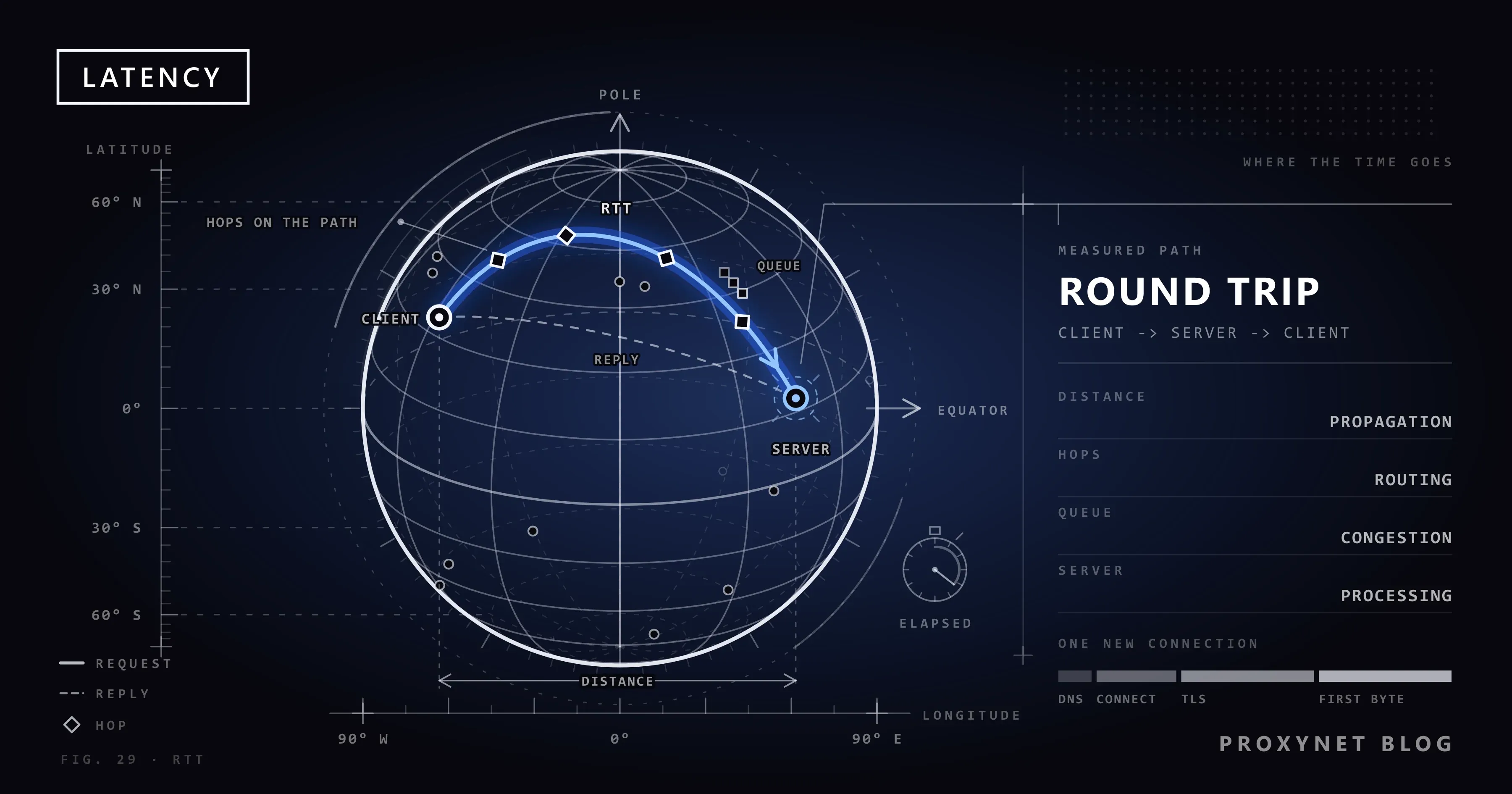
One-way latency is the trip from A to B alone; it is hard to measure, because the clocks on both machines would have to agree to the millisecond. Round-trip time (RTT) is the trip there and back, timed by the sender's own clock. RFC 2681, the IETF's round-trip delay metric, defines it as the time from sending a test packet until the reply has fully arrived. Ping, speed tests and most tools report RTT, so in everyday use "latency" means a round trip.
What causes latency?
Five things add up to the latency you measure, and the first sets a floor that no setting can remove.
- Distance. A signal in optical fibre travels at about two-thirds of the speed of light in a vacuum. The ITU's planning recommendation G.114 counts 5 microseconds per kilometre of fibre: 5 ms per 1,000 km one way, 10 ms for the round trip, before any equipment adds its share. Cables seldom run in straight lines, so real routes are longer than the map distance. For a geostationary satellite link, G.114 lists about 260 ms one way for the trip through space alone.
- Hops and routing. Between you and a server sits a chain of routers, each one a hop. The route decides how far a packet travels, and traffic between two nearby cities can detour through a distant exchange point. What Is Traceroute? shows how to list the hops and see where the time grows.
- Queues on busy links. A router that receives packets faster than it can send them on holds them in a buffer, a waiting line. When a cloud backup or a large upload fills your connection, every other packet waits behind it. Latency that rises only while the line is busy is called bufferbloat.
- Wi-Fi and mobile radio. Wi-Fi is a shared radio channel: your devices and neighbouring networks take turns on it, and frames lost to interference are sent again. Each wait and retry adds delay that changes from moment to moment. Mobile data adds its own radio link to the cell tower.
- Server time. The server has to prepare the answer: read a database, build the page, call other services. That time is latency to you, and nothing on your side shortens it.
A new connection to a website also costs several round trips before any content moves: a DNS lookup to turn the name into an address (unless cached), the TCP connection, the TLS handshake that secures HTTPS, then the request itself. A new HTTPS connection to a server 100 ms away therefore needs at least three round trips, about 300 ms, before the first byte arrives.
Latency vs bandwidth, throughput, jitter and packet loss
These terms describe different sides of one connection: latency is how long data waits, bandwidth how much could flow, throughput how much actually flows, jitter how much latency varies and packet loss how much never arrives.
| Term | What it measures | Unit | How you notice it |
|---|---|---|---|
| Latency | Delay before data arrives | ms | A pause before pages or replies start |
| Bandwidth | Most data the line can carry per second | Mbps | How big downloads feel |
| Throughput | Data per second you actually get | Mbps | The real download speed |
| Jitter | How much latency varies | ms | Choppy call audio |
| Packet loss | Share of packets that never arrive | % | Freezes, retries, dropped calls |
Think of a motorway: bandwidth is the number of lanes, latency the driving time, and more lanes do not shorten the drive. A tiny icon and a large video wait the same latency for their first byte; only the rest of the transfer depends on bandwidth. Our guide to bandwidth covers the capacity side.
What is the difference between ping and latency?
Latency is the delay itself; ping is a tool that measures one kind of it. The ping command sends small ICMP echo requests (ICMP is the internet's protocol for control and error messages) and times each echo reply. Speed tests borrowed the name, so "Ping 12 ms" means a round-trip latency of 12 ms.
Ping measures the network path and little else. A browser also waits for DNS, connection set-up, TLS and the server, so a page takes several times the ping. Some servers ignore echo requests altogether and still serve pages normally.
How do you measure latency?
Two commands that come with Windows, macOS and Linux cover most needs: ping for the network round trip and curl for the whole request, stage by stage. Run them several times against the server you actually use.
Measure the round trip with ping
On Windows, type cmd into the Search box on the taskbar, open Command Prompt and run:
ping example.comOur Windows 11 test machine printed this on 15 November 2026:
Pinging example.com [104.20.23.154] with 32 bytes of data:
Reply from 104.20.23.154: bytes=32 time=11ms TTL=50
Reply from 104.20.23.154: bytes=32 time=10ms TTL=50
Reply from 104.20.23.154: bytes=32 time=12ms TTL=50
Reply from 104.20.23.154: bytes=32 time=11ms TTL=50

Ping statistics for 104.20.23.154:
    Packets: Sent = 4, Received = 4, Lost = 0 (0% loss),
Approximate round trip times in milli-seconds:
    Minimum = 10ms, Maximum = 12ms, Average = 11ms
Each time= value is one round trip. Windows sends four requests by default; -n 20 sends 20, and -t keeps going until you press Ctrl+C. The times are short because example.com is served by a content delivery network, which answers from a server near the visitor. On a Mac or Linux, run ping -c 4 example.com in Terminal; without -c, ping runs until you press Control-C.
See where the time goes with curl
curl fetches a web address and, with the -w option, reports how long each stage took. It comes with Windows 10 and 11, macOS and most Linux systems. In Command Prompt:
curl -o NUL -s -w "dns lookup: %{time_namelookup}\nconnect: %{time_connect}\ntls: %{time_appconnect}\nfirst byte: %{time_starttransfer}\ntotal: %{time_total}\n" https://example.comOn a Mac or Linux, write -o /dev/null instead of -o NUL and put the text after -w in single quotes; in Windows PowerShell, type curl.exe, because there curl names a different command. One of our runs printed:
dns lookup:  0.005060
connect:     0.017101
tls:         0.036621
first byte:  0.056354
total:       0.056403
The values are seconds, each counted from the start of the request, as the curl manual defines them. Subtract each line from the next to see one stage:
- DNS lookup, 5 ms. Finding the address; short because the name had just been looked up.
- Connect, 12 ms more. The TCP connection, one round trip, close to the ping.
- TLS, 20 ms more. The handshake that sets up encryption for HTTPS.
- First byte, 20 ms more. The request, the server's work and the first byte back.
Only the last 20 of 56 ms went to the request itself; the rest was set-up.
p50 and p95: why one measurement is not enough
Latency changes from request to request, so one figure says little. We ran the same curl request 20 times and sorted the "first byte" times. The median, or p50, was 70 ms: half the requests were faster, half slower. The p95, the value 95 % of requests stay under, was 91 ms, the 19th of 20 sorted values. The slowest took 199 ms and pulled the average up to 76 ms.
That is why monitoring tools and API targets use percentiles: p50 shows the typical case, p95 and p99 how slow the slow tail gets.
What is a good latency?
There is no single number; the few published thresholds each apply to a specific use.
- Voice and video calls. ITU-T G.114 says that below 150 ms of one-way delay most applications, speech and non-speech, feel essentially interactive, and it treats 400 ms one way as the upper limit for network planning. That budget covers the whole chain from microphone to speaker, so the network's share must be smaller.
- Web pages. Google's guidance on time to first byte, the same moment as curl's "first byte", gives 0.8 seconds or less as a rough goal for most sites and calls more than 1.8 seconds poor.
- APIs and other services. No general standard exists. Teams set their own target as a percentile, such as "p95 under a set number of milliseconds", and get an alert when it slips.
- Trading terminals, remote desktops and cloud apps. Lower and steadier is better; jitter matters as much as the average.
Otherwise, read a ping against your own history: if a server that answered in 11 ms yesterday takes 60 ms today, something changed on the path.
How do you lower latency?
Distance cannot be beaten, but you can remove the delay you add yourself and cut the number of round trips. The first steps cost nothing.
- Use a cable for the device that matters. An Ethernet cable takes Wi-Fi's turn-taking and retries out of the path; otherwise, move closer to the router.
- Keep the line free of heavy uploads. Cloud backups and large uploads fill the queue and raise everyone's latency. Pause them during calls, or turn on the traffic-priority setting many routers call QoS (quality of service).
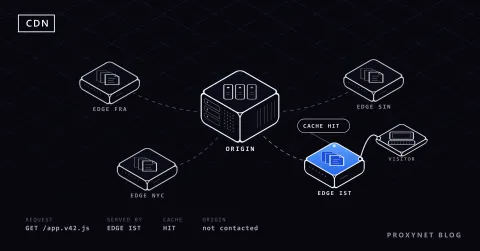
- Use servers close to your users. A content delivery network keeps copies of a site near its visitors, so most requests travel a short way; our CDN guide explains how.
- Check your DNS resolver. A slow resolver delays every new name; if lookups are slow on every site, another resolver can help.
- Make fewer round trips. HTTP keep-alive sends request after request over one open connection, and HTTP/2, defined in RFC 9113, carries many requests at once over a single one. When curl fetched example.com twice over one connection, the second request skipped DNS, TCP and TLS, and its first byte came after 21 ms instead of 71 ms.
- Give your provider evidence. If latency stays high on a cable with nothing else running, send ping and traceroute results to support.
How does a proxy affect latency?
A proxy adds one stop: your request goes to the proxy server, which opens the connection to the site and relays the answer. How much that costs depends mostly on where the exit sits and how you use the connection.
- Choose an exit on the way, not a detour. Every request travels from you to the proxy, on to the site and back. An exit in the site's country or city keeps the last leg short; one on a third continent adds two long legs to every round trip.
- Reuse connections. Each new HTTPS connection through a proxy repeats the set-up: the connection to the proxy, the tunnel to the site and the TLS handshake. Keep-alive and HTTP/2 pay that once, and a sticky session keeps the same exit for the time you choose, from 1 to 60 minutes.
- Expect more variation on home and mobile lines. Residential and mobile exits sit on real consumer connections, so their latency varies more than that of exits in data centres.
To measure, run the curl command through the proxy with -x and compare it with a direct run:
curl -x http://user:pass@pr.proxynet.io:8000 -o NUL -s -w "connect: %{time_connect} tls: %{time_appconnect} first byte: %{time_starttransfer}\n" https://example.comThrough a proxy, "connect" is the connection to the proxy itself, "tls" also includes the proxy opening the tunnel to the site, and the DNS lookup drops to almost nothing because the proxy resolves the name; we checked this with a local test proxy. Real numbers depend on the exit you pick, so compare medians of 20 runs.
A Residential Proxy lets you choose the exit country and city, so you can place the exit near the site you work with.
For steady timings from fixed addresses, such as checking an API from one location every few minutes, a Datacenter Proxy keeps its exits in server networks.
Where latency matters
- Web pages and online shops: every new connection and blocking file adds round trips before the page appears.
- Video and internet phone calls: delay makes people talk over each other; jitter makes audio choppy.
- APIs: one click can start a chain of calls, and their latencies add up.
- Trading terminals: the time between a price change and the order reaching the exchange.
- Remote desktops and cloud apps: every keystroke makes a round trip.
- Web scraping and monitoring: thousands of requests multiply each round trip.
Common mistakes
- Buying a faster plan to fix delay. More Mbps rarely changes latency; Wi-Fi, a busy line or distance usually cause it.
- Judging from one ping. Run 20 or more and compare the median with the slowest values.
- Testing against the wrong server. A speed test picks a server near you; the site you use may be far away.
- Reading an unanswered ping as an outage. Some servers ignore echo requests and still serve pages.
Decision guide
| What you see | Likely cause | What to do |
|---|---|---|
| High ping on Wi-Fi, low on cable | Wi-Fi | Use a cable or move closer |
| Latency jumps during uploads | Full queues (bufferbloat) | Pause uploads, turn on QoS |
| One distant site is slow | Distance or route | Use a nearer server or a CDN |
| First visit slow, later ones fast | DNS and connection set-up | Check DNS, reuse connections |
| Slow only through a proxy | Distant exit, new connections | Exit near the site, keep-alive |
| High latency everywhere, on cable | Your provider's network | Send ping and traceroute results |
Frequently asked questions
What is a good latency for internet?
It depends on the use. For calls, ITU-T G.114 says most applications feel essentially interactive below 150 ms one way, end to end, so a ping well below that leaves room for the devices. For web pages, Google suggests a time to first byte of 0.8 seconds or less. Above all, compare with your own baseline.
What does low latency mean?
Low latency means data arrives with little waiting, so replies feel immediate. What counts as low depends on the job and the distance, and a connection deserves the name only when the delay is short and steady.
Does more bandwidth reduce latency?
Usually not. Bandwidth decides how much data fits through per second; latency comes from distance, routing, queues and the server. The exception is a line that is often full: there, extra capacity shortens the queues.
What are idle, download and upload latency in a speed test?
Idle latency is measured before the test, while the line is quiet. Download and upload latency are measured while the test fills the line in each direction. A large gap between idle and loaded values points to bufferbloat.
Why is my latency higher on Wi-Fi than on a cable?
Wi-Fi is a shared radio channel: devices take turns and resend frames lost to interference, which adds delay and makes it vary. Distance, walls and busy neighbouring networks make it worse; a cable removes that part of the path.
Does a proxy or VPN increase latency?
Usually a little, because traffic makes an extra stop. The increase stays small when the exit sits near the target and grows with a detour; run the same curl command with and without it to see the difference.
Summary
Latency is the time data waits on its way, usually reported as a round trip in milliseconds. Distance, routing, queues, Wi-Fi and the server cause it, and bandwidth does not cure it. Measure it with ping and curl -w, read the median and p95 instead of one value, and lower it with a cable, nearby servers and fewer round trips. When your requests must leave from a particular country or city, compare the exit options on our proxy products page.