A monitoring team checks 400 client landing pages every fifteen minutes from twelve countries: does the page load, is it the right language version, is the certificate valid, how long does the first byte take. None of that needs a home internet connection. It needs addresses in the right countries that are online around the clock, fast, and cheap enough to keep for a year. Then someone points the same addresses at a marketplace's search page and gets a verification screen on the third request. Both results come from the same product working as designed: a datacenter proxy.
This post explains what a datacenter proxy is, how a request travels through it and how websites recognise its address. It compares shared with dedicated, IPv4 with IPv6, and datacenter with ISP and residential proxies, then covers where it is enough and where it is not, pricing, subnets and reputation, common mistakes, a decision guide and six short answers.
What is a datacenter proxy?
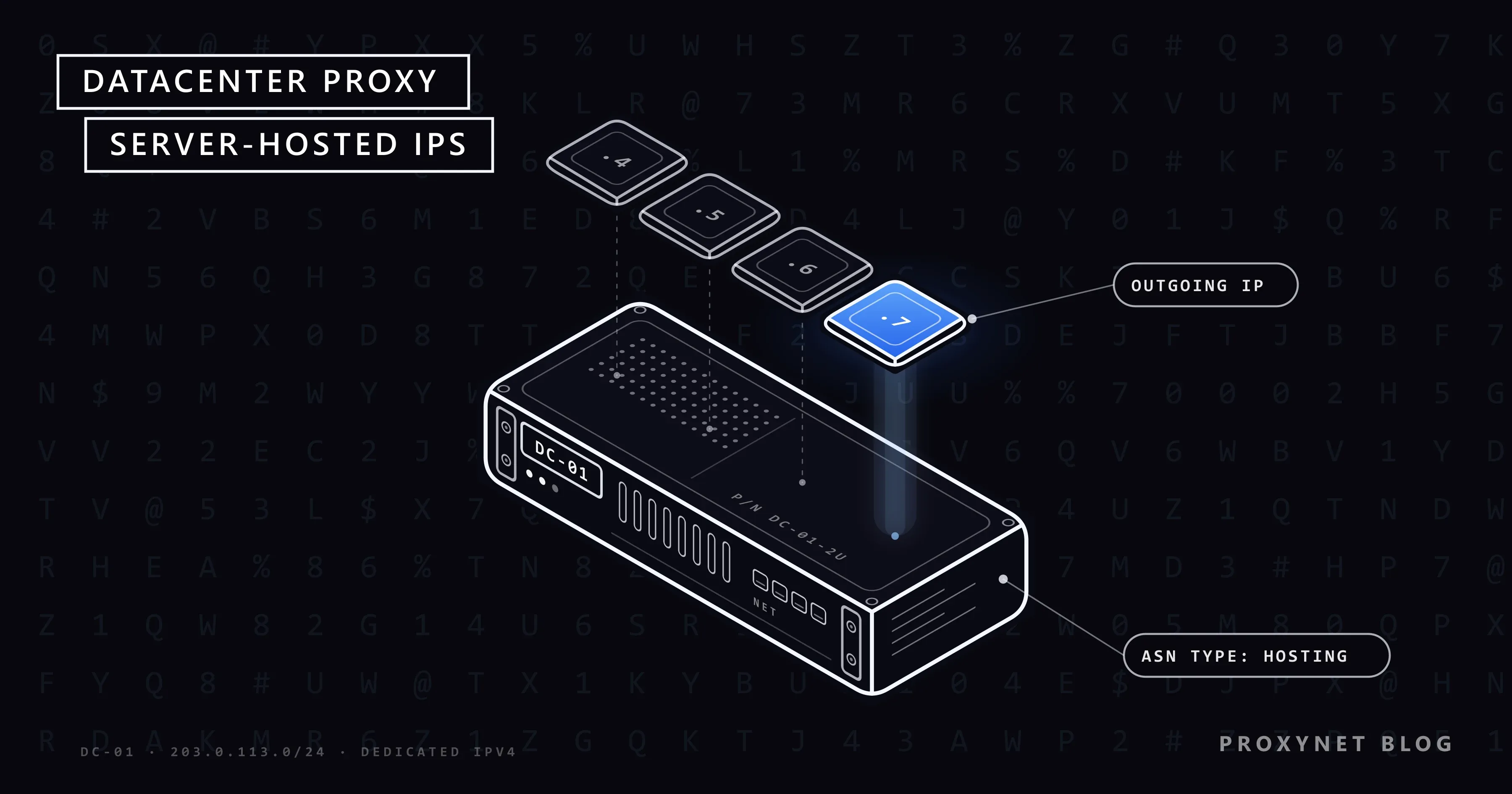
A datacenter proxy is a proxy whose public IP address is registered to a hosting provider, a cloud platform or a server company and is announced from a data center. Any proxy, sometimes called a network proxy, is a server that forwards your requests and returns the answers; the word "datacenter" only describes where its address comes from.
A residential proxy, by contrast, exits through an address an internet service provider gave to a household, and a mobile proxy through a mobile operator's network. A datacenter proxy has no subscriber behind it: the address sits on a server in a rack, with a fibre uplink and power that stays on at night.
Our Datacenter Proxy product works this way: more than 2,000,000 dedicated IPv4 addresses in more than 50 countries, hosted in TIER 3+ data centers. Tier III is the Uptime Institute's level for a facility that is "concurrently maintainable": any component can be taken offline for maintenance while the servers keep running.
How does a datacenter proxy work?
A datacenter proxy relays your request from its own address, so the target site sees the proxy's IP instead of yours. The path has five steps:
- Your client connects to the proxy. A browser, script or monitoring tool sends the request to the proxy's host and port over HTTP, HTTPS or SOCKS5.
- The proxy checks who you are. You authenticate with a username and password, or by adding your own public IP to an allowlist of up to 10 addresses (IP whitelist).
- The proxy opens the connection. It connects to the target from its datacenter address. For an HTTPS page it builds a tunnel and passes the encrypted bytes through, so the page content stays between your client and the site.
- The site looks up the address. It sees an IP registered to a hosting company in a given country and applies its own rules to the request.
- The answer comes back the same way. The response travels to the proxy, then to you.
A datacenter address is static: the same IP stays assigned to you for the whole rental. When people search for a "rotating datacenter proxy", they usually mean a list of such addresses that a tool or gateway cycles through. The addresses themselves do not change; only the order in which they are used does.
How do websites recognise a datacenter IP?
Websites recognise a datacenter IP from public records about the address, not from anything your request contains. Four sources are used, usually together.
The registry record. Every public address block is registered through a regional internet registry and routed by a network with an autonomous system number (ASN), a number that identifies one network with its own routing policy. A lookup shows that the block belongs to "Example Hosting Ltd" rather than a broadband provider. We explain the number and how to look one up in What Is an ASN?.
IP intelligence databases. Commercial databases turn those records into a type. MaxMind, for example, documents a user type field with values such as residential, cellular, business and hosting, and says the type is derived from registration information, traffic and usage patterns. Its definition of hosting is simply an IP used by a web hosting provider.
Published cloud ranges. Large cloud platforms publish the address ranges they use. AWS documents a JSON file of its current IP address ranges and states that you can use it to identify traffic from AWS and to allow or deny that traffic.
Reverse DNS. A reverse DNS (PTR) record maps an address back to a hostname. Home lines often carry names that mention the provider and the customer pool; server addresses often carry names like server-203-0-113-7.example-hosting.net or none at all.
Behaviour adds a weaker fifth signal: an address that sends steady traffic at three every morning does not look like a household. None of this is a verdict. It is a label, and each site decides what it means for its own pages.
Shared or dedicated: who else uses the address?
A shared datacenter proxy is used by several customers at the same time; a dedicated one is assigned to you alone. Shared costs less; dedicated is predictable.
On a shared address you inherit your neighbours' behaviour. If another customer floods a site you also use, the site may block the address before your first request, and you will not know why. A shared address also cannot go on an allowlist, because whatever you allow, you allow for everyone on it.
A dedicated address answers only for what you do. That is what you need for an API key restricted to your IP, a firewall rule on your own server, or a long-running monitoring job. Our datacenter addresses are dedicated. As with all our per-IP products, they are delivered for the target site you name when ordering; using them on all websites is a paid add-on called "Access to all websites".
IPv4 or IPv6 datacenter proxies?
IPv4 datacenter proxies work with almost every site but are scarce and priced per address; IPv6 proxies are plentiful and cheap but only reach sites that support IPv6.
IPv4 has about four billion addresses, and the registries have handed out nearly all of them. The RIPE NCC, the registry for Europe, the Middle East and parts of Central Asia, ran out of IPv4 space on 25 November 2019; members that never received IPv4 now join a waiting list for a single /24 block of 256 returned addresses. That scarcity is why an IPv4 address has a monthly price of its own.
IPv6 removes the scarcity but brings two limits. A site without an IPv6 address cannot be reached from an IPv6-only exit at all. And because the IPv6 standard leaves the last 64 bits of an address to the device, one network segment, a /64, holds an enormous number of addresses; rate limits and blocklists therefore often count a whole /64 as one visitor, the way they would count one IPv4 address. A thousand addresses from one /64 look like one address to those sites.
Datacenter vs ISP vs residential proxy: the comparison
The three types differ in who owns the address, and almost every practical difference follows from that.
| Datacenter | ISP (static residential) | Residential | |
|---|---|---|---|
| IP registered to | Hosting or cloud company | Consumer ISP | Consumer ISP |
| Machine behind it | Server in a data center | Server in a data center | Real home connection |
| Type seen by sites | Hosting | ISP / residential | ISP / residential |
| Speed and uptime | High, stable | High, stable | Depends on the line |
| Address changes? | No, fixed per rental | No, fixed per rental | Per request or session |
| Billing | Per IP | Per IP | Per GB |
| Typical jobs | APIs, own sites, monitoring | Accounts, allowlists | Local results at scale |
The ISP column is the middle ground: an address registered to a consumer provider but hosted on a server, so it looks like home internet and behaves like a datacenter line. Ours is the ISP Proxy, sold per IP like the datacenter product.
The full two-way comparison, with the signs that a datacenter address is falling short on a site, is in Residential vs. Datacenter Proxy: The Difference.
When is a datacenter proxy enough?
A datacenter proxy is enough whenever the target accepts traffic from servers. Typical jobs:
- APIs that allow it. Public APIs, partner APIs and data feeds care about your key and your rate, not your address type. Many of them let you restrict a key to fixed IPs, which needs a dedicated address.
- Your own sites and staging. Checking your production site, a staging server behind a firewall or a CDN configuration from outside your office network.
- Uptime and latency checks from many regions. Is the page up in Singapore, how long does the first byte take from Frankfurt, does the certificate chain validate everywhere.
- Large file transfers. Builds, media files and backups move quickly over data center bandwidth, and per-IP billing does not charge by the gigabyte.
- SEO crawls of your own site. Crawling your own pages to find broken links, redirect chains and missing tags.
- Ad and landing page checks on sites that do not filter. Confirming that the right landing page, language and tracking parameters load in each country.
In each case the job is about reaching a page reliably and fast, not about being treated as a particular kind of visitor.
When is a datacenter proxy not enough?
A datacenter proxy is not enough when the site scores the type of address and treats hosting traffic as automated. You meet this on login pages, checkouts, ticketing queues, search results, large marketplaces and social platforms: the site sees the hosting label and adds a verification step, slows the request down or refuses it.
That is the site's policy, and the respectful response is to accept it. When your job legitimately needs to be seen as an ordinary customer, for example to check which prices and stock a shopper in a given city sees or to run your own seller account every day, choose an address of that kind: a static ISP address for one stable identity, or a Residential Proxy for local results in many places, with country and city targeting. And when a site's terms forbid automated access, no proxy type changes that.
How are datacenter proxies priced?
Datacenter proxies are priced per IP for a period, usually a month, not per gigabyte of traffic. The provider's main cost is the address itself, which is scarce for IPv4, while bandwidth inside a data center is comparatively cheap.
That makes the arithmetic simple. A job that moves 2 TB a month through 20 addresses pays for 20 addresses; the same traffic on a per-GB plan is billed as 2,000 GB. The more data each address carries, the more per-IP billing favours you. The reverse is also true: if you need thousands of different addresses for a few requests each, per-IP billing becomes the expensive option.
On our side, bandwidth on datacenter proxies is unlimited, subject to the fair-use policy, and the per-IP rate goes as low as $0.70 a month, depending on your wallet balance. The balance does not expire, and there is no subscription.
Why do IP reputation and subnets matter?
A datacenter address is judged by its own history and by its neighbours', because sites often act on whole blocks rather than single addresses. A subnet is a block of consecutive addresses; a /24 is the 256 addresses that share their first three numbers, such as 203.0.113.0 to 203.0.113.255.
When a site sees abuse from several addresses in one /24, blocking the whole block is cheaper than chasing addresses one by one. For you, that means a job built on 50 addresses in one /24 can stop at once if someone else in the block misbehaved. Ask how your addresses are spread across subnets before you plan a job around them, and keep monitoring work and anything heavier on separate addresses.
Reputation also works the other way: what you send from an address becomes part of its record. Keep request rates human-sized, respect robots.txt and rate limits, and check a new address against public blocklists before putting it into production. How scores are built and how they recover is covered in What Is IP Reputation and Why Proxies Get Blocked.
Common mistakes
- Pointing a datacenter address at a site that scores IP type. A clean address does not change its type; for those sites the product, not the provider, is wrong.
- Comparing a shared price with a dedicated price. The cheapest rows on many price lists are shared addresses. Compare like with like.
- Buying all addresses in one /24. To many sites, 50 addresses in one block behave like one.
- Using IPv6 for a target that has no IPv6 address. The request cannot reach the site at all. Check before you buy.
- Forgetting the target-site restriction. A per-IP address delivered for one site fails on another. Order "Access to all websites" if the job spans many sites.
- Reading "unlimited" without the footnote. Unlimited bandwidth runs under a fair-use policy; read it before you plan a heavy transfer.
Decision guide
| Need | Recommendation |
|---|---|
| API calls from a fixed, allowlisted IP | Dedicated datacenter IPv4 |
| Uptime and latency checks in many countries | Datacenter, one or more IPs per country |
| Large file transfers | Datacenter (per IP, not per GB) |
| Crawling your own site | Datacenter |
| One stable identity for an account | Static ISP proxy |
| What shoppers see in many cities | Residential with city targeting |
| Site that challenges hosting traffic | ISP or residential, not datacenter |
| Target reachable over IPv6, huge volume | IPv6 datacenter |
Frequently asked questions
Is a datacenter proxy detectable?
Yes, as a datacenter address. The registry record, IP intelligence databases and published cloud ranges all show that the address belongs to a hosting company, and nothing in your request changes that. Whether a site acts on it depends on the site: many do not care, some challenge or refuse hosting traffic.
What is the difference between a datacenter and a residential proxy?
A datacenter proxy exits from a server address registered to a hosting company; a residential proxy exits from an address an ISP gave to a household. Datacenter is faster, stable and billed per IP; residential is accepted on more consumer sites, offers city targeting and is billed per gigabyte.
Are datacenter proxies legal?
Yes. A proxy is a standard network tool, used every day for monitoring, testing and API work. What makes an activity lawful or not is what you do through it: the site's terms, data protection law and the rules of the country you work in still apply.
Should I buy shared or dedicated datacenter proxies?
Buy dedicated addresses when the job needs predictability: an allowlist entry, a long session, monitoring you rely on. Shared addresses are cheaper but carry other customers' history, and you cannot allowlist an address that others also use.
Why is my datacenter IP blocked on one site but not on another?
Each site sets its own rules. One site may refuse all hosting addresses, another may have blocked your subnet after abuse from a neighbour, and a third may be reacting to your own request rate. With per-IP products, also check that the address was ordered for that site: a target-site restriction makes requests to other sites fail.
Can I choose the country of a datacenter proxy?
Yes, you choose the country when you order, because the address sits in a data center in that country. City-level choice is not typical for datacenter addresses; if you need a specific city, residential and mobile proxies offer city targeting.
Summary
A datacenter proxy is a server address owned by a hosting or cloud company: fast, stable, static and billed per IP. Sites can see that type from public records, so it is the right tool where the target accepts servers (APIs, your own sites, monitoring, large transfers) and the wrong one where a site treats hosting traffic as automated. Choose dedicated addresses spread across subnets, prefer IPv4 unless the target supports IPv6, and move to an ISP or residential proxy when the job needs to be seen as an ordinary visitor.