

































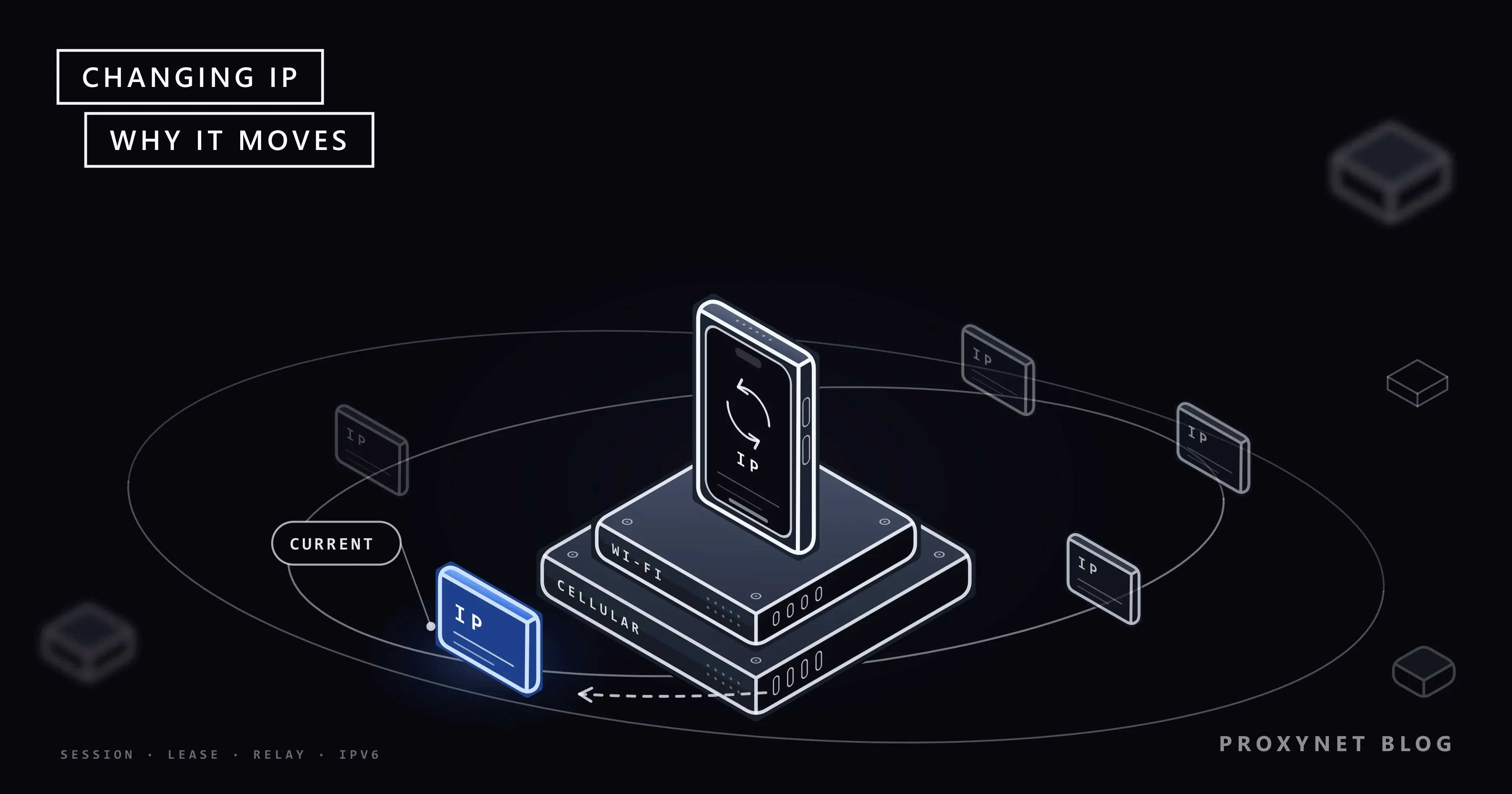
You open a "what is my IP" page on your iPhone in the morning and note the address. At lunch the same page shows a different one, sometimes in another city. Later your banking app asks you to confirm a sign-in, or a work dashboard that accepts only one address turns you away. Nothing is broken: the iPhone did not pick a new address, the network handed it one.
This post explains which address is changing and why: mobile data and shared carrier addresses, switching between Wi-Fi and cellular, router leases at home, iCloud Private Relay, IPv6 privacy addresses, and the Private Wi-Fi Address setting that people often mistake for an IP setting. It then covers when a changing address matters and how to keep one steady. Menu names follow the current English interface of iOS.
Is it normal for an iPhone IP address to change?
Yes. Almost every home and mobile connection uses dynamic addresses, which the network lends to a device and may replace later. An IP address is the number that tells the internet where to send replies, and whoever runs the network decides which number you get.
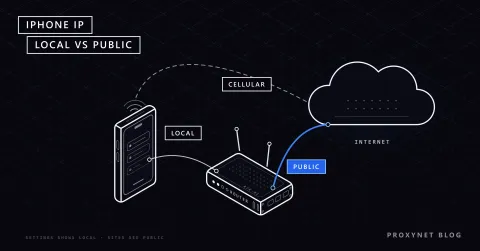
Your iPhone also has several addresses at once, which is why two checks can disagree:
- Local address. Your router gives the phone an address valid only inside your Wi-Fi, such as
192.168.1.23. Websites never see it. - Public address on Wi-Fi. The address of your home or office line, shared by every device on it.
- Public address on mobile data. Your carrier assigns it, and on most networks many customers share it.
- IPv6 addresses. Long addresses such as
2a02:…that follow their own rules.
Where each one appears on the phone is shown in our guide to finding your iPhone's IP address. This post is about why they change.
How does an iPhone get its IP address?
The phone asks for an address every time it joins a network, and the answer depends on that network:
- The phone joins a network: a Wi-Fi network or a mobile data session with the carrier.
- The network lends it an address. A router hands out a local address for a set period; a carrier assigns one for the data session.
- Traffic leaves through a public address. At home the router translates the local address into your line's public address; on mobile data the carrier's equipment does the same with a shared address.
- The website sees only that public address and guesses a location from it.
- The session ends. Leaving the network, losing signal or restarting closes it, and the next session may get a different address.
Every cause below is a variation on step 5, or on who owns the public address in step 3.
Why does the IP change on mobile data?
On mobile data the address belongs to the data session, so it usually changes when the session restarts. Airplane mode, a tunnel without signal, a reboot, switching SIM or eSIM lines, or a reset on the carrier's side can all start a new session with a new address.
The address is also rarely yours alone. Carriers have far more phones than public IPv4 addresses, so they use carrier-grade NAT (CGNAT): many phones share one public address while the carrier's equipment tracks which reply belongs to whom. The standards even reserve a separate range for this layer, 100.64.0.0/10, in RFC 6598.
How to tell whether you are behind it is covered in our CGNAT explainer.
Sharing has two side effects. The location an IP page shows can be a distant city, because it belongs to the carrier's equipment. And a site that limits attempts per address may count other people's traffic against you.
Why does it change when you switch between Wi-Fi and cellular?
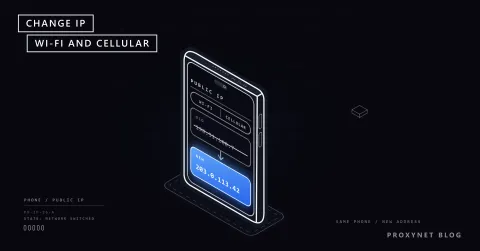
Wi-Fi and mobile data are two networks with two public addresses, so every switch changes the IP websites see. Leaving the house moves the phone from your home line to the carrier; a café moves it to the café's line.
A quieter version happens while you are still on Wi-Fi. Connectivity Assist under Settings > Wi-Fi (it replaced the older Wi-Fi Assist in Cellular settings) uses cellular data when Wi-Fi is slow or unusable, as Apple describes it. On weak Wi-Fi some requests can leave over mobile data, so an IP page loaded at that moment may show your carrier's address.
Why does the IP change on the same Wi-Fi network?
Two things can change on the same Wi-Fi: the local address the router gives your phone, and the public address your provider gives the router.
The local address comes from DHCP, the system routers use to hand out addresses. RFC 2131, the DHCP standard, describes dynamic allocation: an address lent for a limited period, called a lease, with the router trying to give a returning device the same one. If the lease runs out while you are away, or the router restarts and forgets its list, the phone can come back with a different local address.
Your home's public address changes when the provider issues a new one, usually after the router reconnects: a power cut, a restart or maintenance on the provider's side. A static IP that never changes is something the provider assigns, often as a paid option.
Does Private Wi-Fi Address change your IP address?
No. Private Wi-Fi Address changes the phone's MAC address, the hardware address a Wi-Fi network uses to recognise a device. Websites never see it; it stays inside the local network.
It can change your local IP indirectly. Tap the info (i) button next to a network under Settings > Wi-Fi and you will find Private Wi-Fi Address with three options: Off, Fixed and Rotating. Fixed keeps one private address for that network and is the default on networks with WPA2 or stronger security; Rotating switches to a new one every two weeks and is the default on weakly secured networks. After a rotation the router may see a new device and lend it a new local address. The two kinds of address are compared in our MAC address guide.
Does iCloud Private Relay change your IP address?
Yes, for browsing in Safari. Private Relay is part of iCloud+ and sends Safari traffic through two relays; the second, per Apple's Private Relay overview, generates a temporary IP address and connects you to the site. That is why an IP page in Safari can show a different address from the same page in another browser.
You set how precise that address is under Settings > [your name] > iCloud > Private Relay > IP Address Location: Maintain General Location keeps an approximate location, Use Country and Time Zone shares less. The Limit IP Address Tracking switch turns Private Relay off for a single Wi-Fi network or for mobile data. Apple notes that some websites may ask for extra sign-in steps when they cannot see your address.
Why does the IPv6 address change every day?
iOS rotates its temporary IPv6 address on purpose. Apple's IPv6 security notes say temporary addresses get a preferred lifetime of 24 hours and are used by default for new connections, so sites cannot follow one long-lived address across days.
Dual-stack networks add confusion. When a network offers both IPv4 and IPv6, a site may reach you over either, so one check shows a short IPv4 address and the next a long IPv6 one, although nothing changed.
What changes the IP on an iPhone, and how often?
| Cause | Address that changes | When | Can you hold it? |
|---|---|---|---|
| New mobile data session | Public (carrier) | After a reconnect | Not on the phone |
| Wi-Fi to cellular switch | Public | Every switch | Stay on one network |
| Connectivity Assist | Public, briefly | On weak Wi-Fi | Turn it off |
| DHCP lease, router restart | Local | After lease or restart | Router reservation |
| Private Wi-Fi Address (Rotating) | MAC, maybe local | Every two weeks | Set Fixed |
| iCloud Private Relay | Public, in Safari | Varies | Limit per network |
| IPv6 temporary address | IPv6 | About daily | No, by design |
| New address from the provider | Home public | After a reconnect | Static IP |
When does a changing IP address actually matter?
For everyday use it does not: messages, maps, streaming and shopping work the same whatever your address is. It matters in a few cases.
Sign-in checks. Banks, email providers and shops compare each sign-in with what they saw before, and a new address can trigger an extra confirmation. That check protects you, so complete it. Do not hide your real address from your bank: a relay or proxy address makes a sign-in look more unusual, not less.
IP allowlists. Some work tools accept only listed addresses: an admin panel, a company server, a database firewall, an API key tied to one IP. A phone on mobile data cannot stay on such a list, because its address moves and is shared.
Location-based results. When the address belongs to a carrier's equipment in another city, you may see the wrong weather, shop or delivery area.
Tasks that take several minutes. Checking how a campaign or a localized page looks is easier when the address stays the same until you finish.
How do you keep the same IP address on an iPhone?
No iOS switch freezes your public IP, because the phone does not own it. What you can do depends on which address you need to hold:
- Hold the local address at home. Set Private Wi-Fi Address to Fixed for your home network, then reserve a local IP for the phone in your router (often called DHCP reservation). This helps printers and home devices; websites will not notice.
- Ask your provider for a static IP. It keeps one public address for the whole home, but only while you are on that Wi-Fi.
- Stay on one network during a task. On weak Wi-Fi, turning Connectivity Assist off for that network keeps traffic on Wi-Fi.
- Turn Private Relay off for a trusted network with Limit IP Address Tracking, if Safari keeps showing a relay address.
- Use a proxy session. A proxy is a server that forwards your traffic from its own address, so websites see its IP instead of yours. With Sticky Proxy, a residential or mobile exit IP stays the same for the session length you choose, from 1 to 60 minutes.
For an address that never changes, such as one you add to an allowlist, ISP Proxy gives you a dedicated address registered to an internet provider for the whole rental. When you order it, you choose between one target site at no extra charge and access to all websites, a paid add-on per IP. Because the phone connects to the proxy and the proxy connects to the site, your Wi-Fi or carrier address can change underneath without the website seeing a new IP.
Can an iPhone keep one exit IP on both Wi-Fi and cellular?
Yes, with an app that routes the whole device through a proxy. The built-in iOS proxy setting lives in each Wi-Fi network's details, takes only an HTTP proxy and does not apply to mobile data, so it cannot hold an address once you leave the house.
The Proxynet.io app on the App Store uses Apple's Network Extension framework to send all device traffic through the gateway you pick, over HTTP or SOCKS5, on Wi-Fi and cellular. You choose a country, state or city, switch between rotating and sticky, and connect with one tap. While connected it shows the assigned exit IP with its country flag and location, the latency (ping) and live usage, so you can see whether the address websites see is still the one you expect. It works with the residential, mobile, static ISP and datacenter proxies on your account, and wallet top-ups go through Apple's in-app purchase; the credit does not expire.
Three honest limits. The interface is English only. While connected, iOS shows the standard VPN indicator, because that is how it labels any app that routes device traffic; the app is a proxy tunnel, not a VPN service. And it changes the location websites infer from your IP, not your GPS location.
Where do you notice a changing iPhone IP?
Usually through a side effect. A banking app asks you to approve a sign-in after you moved from Wi-Fi to mobile data. An IP page shows a city you have never visited. A colleague adds your address to a test server's allowlist in the morning, and by afternoon your phone is refused. A form says "too many attempts from this address" after one try, because others on the same carrier address tried before you.
Common mistakes
- Treating a new IP as a hack. A new address after airplane mode or a network switch is the network doing its job.
- Adding a mobile data address to an allowlist. It will change, and meanwhile it is shared with other customers.
- Turning Private Wi-Fi Address off to "fix" the IP. It changes the MAC address, not the public IP; use Fixed on your home network.
- Comparing an IPv4 check with an IPv6 check. Two different-looking results may just be the two protocols.
- Expecting the Wi-Fi proxy setting to work on mobile data. It applies only to that Wi-Fi network.
Decision guide
| Need | What to do |
|---|---|
| Know why the IP looked different | Check network and protocol first |
| Stable local IP at home | Fixed private address, router reservation |
| One public IP for the whole home | Static IP from your provider |
| Same IP for minutes, any network | Sticky proxy session (1-60 minutes) |
| Fixed address for an allowlist | Static ISP proxy |
| Your own address in Safari again | Limit IP Address Tracking off |
Frequently asked questions
Does an iPhone IP address change when you restart it?
On mobile data it often does, because a restart ends the data session and the carrier may assign a new address. On Wi-Fi the phone usually gets the same local address back while the router's lease is valid, and the public address stays that of your line.
Does airplane mode change the IP address on an iPhone?
It usually changes the mobile data address. Airplane mode closes the data session and turning it off starts a new one, which the carrier may serve from a different address. It is not guaranteed; some carriers return the same address for a while.
Why does my iPhone IP address show the wrong location?
IP location is an estimate from address registration data, not from GPS. On mobile data the address belongs to carrier equipment that may sit in another city, and with Private Relay it belongs to a relay that keeps only your general area or country.
Is it bad if my IP address keeps changing?
No. Most home and mobile networks work this way, and it even makes tracking across days harder. It is a problem only when a service expects one fixed address, and then the fix is a static IP or a static proxy, not a phone setting.
Can I get a static IP address on iPhone mobile data?
Not from a phone setting. Ask your carrier whether it offers a fixed public address on your line; otherwise a static proxy gives the phone one fixed exit address on cellular and Wi-Fi.
What does Limit IP Address Tracking mean on iPhone?
It is the per-network switch for iCloud Private Relay. If you use Private Relay and the switch is on, Safari traffic on that network gets a temporary relay address; when it is off, sites see that network's own address. Find it in a Wi-Fi network's details and under Settings > Cellular > Cellular Data Options.
Summary
An iPhone IP address changes because the network decides it: carriers assign a new, often shared address when a data session restarts; Wi-Fi and cellular have separate addresses; routers lend local addresses for a limited time; Private Relay gives Safari a temporary address; and iOS rotates its temporary IPv6 address daily. Private Wi-Fi Address changes the MAC address, not the IP. When you need a steady address, match the tool to the scope: a router reservation for the local address, a static IP for your home line, and a sticky or static proxy session in an iPhone app when the same exit IP must hold on Wi-Fi and mobile data.