You have just sent a form: an order, a hotel booking, a comment or a search with filters. You click a link on the page that came back, then press Back to look at it again, and instead of the page Chrome shows its own error page headed "Confirm Form Resubmission", with ERR_CACHE_MISS in small letters at the bottom. Pressing Reload brings up a dialog asking whether to continue. Developers meet the same code elsewhere: "Failed to load resource: net::ERR_CACHE_MISS" in the console, or an Android app whose built-in browser shows nothing but this code.
Below: what the code means, what the page says, how a Back press ends there, the causes we reproduced, when it is safe to send a form again, the fixes in Chrome, Edge and on Android, and what site owners and app developers change.
What does ERR_CACHE_MISS mean?
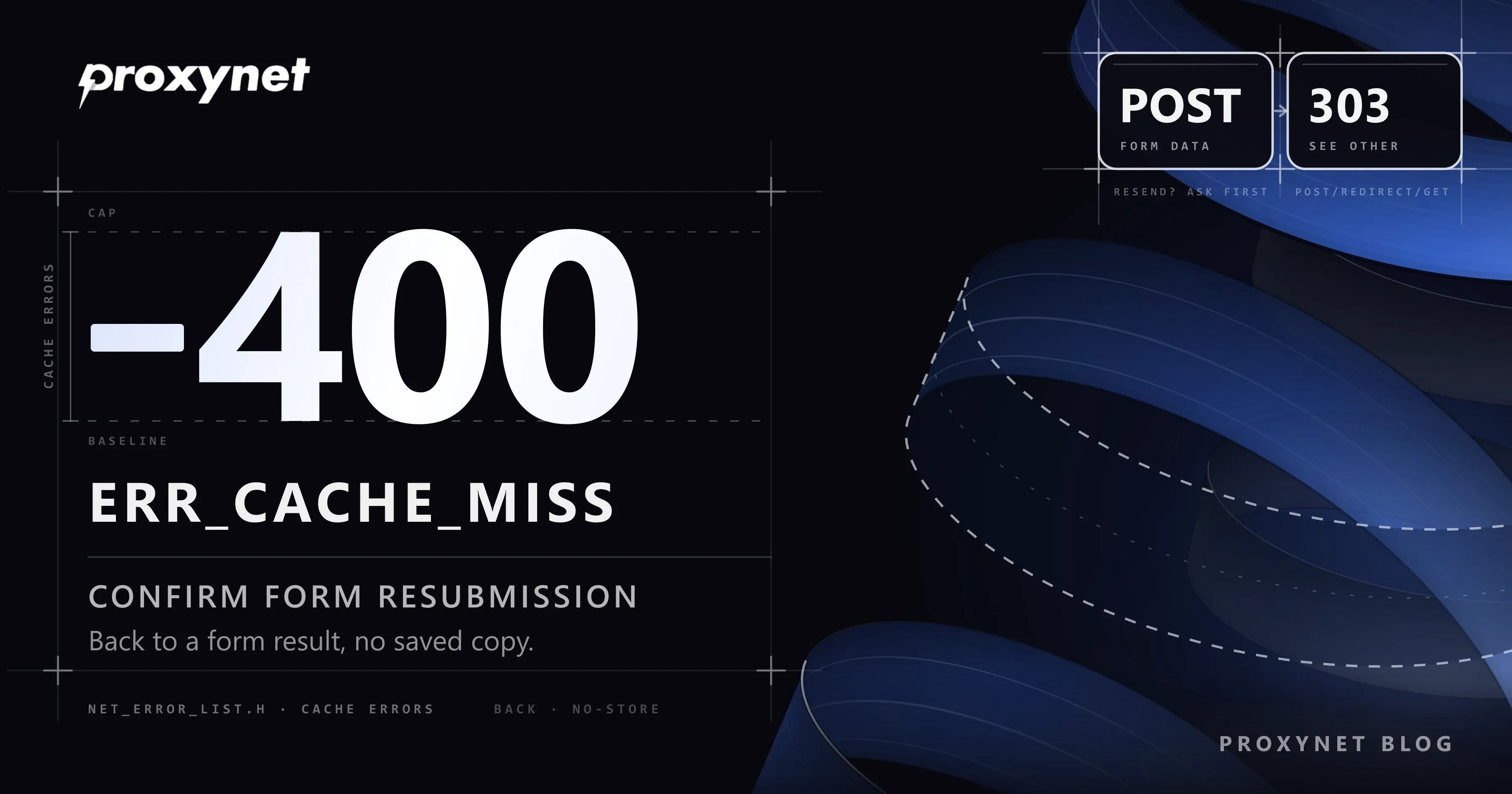
It means a request that could only be answered from Chrome's cache found nothing there. The cache is the folder where the browser keeps copies of pages, images and scripts it has already downloaded, so that they open faster next time. Chromium's list of network errors gives the code the number -400 and one line: "The cache does not have the requested entry." The numbers from -400 to -499 are reserved for cache errors.
The code says nothing about your connection, and the website did not send it. Chrome, Edge, Brave and Opera share Chromium's network code and report it alike, as do Android apps that show web pages in a web view.
The usual reason Chrome limits itself to the cache is a form. Sending a form makes a POST request: the browser hands the data you typed to the server, and the server acts on it by booking the room, posting the comment or charging the card. Loading that page from the network again would mean sending the data again, so on Back and Forward Chrome may only use the copy it already has.
What does the error page say?
We reproduced the error in Chromium 145 with a small test form on our own machine: send the form, open another page, press Back. The page showed exactly these lines:
| Line on the screen | What it means |
|---|---|
| "Confirm Form Resubmission" | The heading for a missing copy of a form result |
| "This webpage requires data that you entered earlier in order to be properly displayed. You can send this data again, but by doing so you will repeat any action this page previously performed." | Chrome would have to send your form again |
| "Press the reload button to resubmit the data needed to load the page." | The only way forward Chrome offers |
ERR_CACHE_MISS | The code |
The page has no button of its own; the reload it mentions is the browser's Reload this page button or F5. Pressing it opens a dialog with the same title and the text "The page that you're looking for used information that you entered. Returning to that page might cause any action you took to be repeated. Do you want to continue?" Selecting Continue sends the form again. We took this wording from Chromium's source, since an automated browser reloads without showing the dialog.
If the code turns up on a page that was not a form result, Chromium uses its general cache page instead: "This site can't be loaded from the cache", the line "The saved (cached) copy of this site was unreadable." and a Reload button. That variant is rarer and points at an emptied or damaged cache rather than at a form.
How does going Back end in ERR_CACHE_MISS?
- You send a form. Chrome sends a POST request with your data; the server carries out the action and returns a result page, for example "Order received".
- Chrome keeps a copy. The result goes into the browser's cache, tied to that entry in the tab's history, unless the site sent
Cache-Control: no-store, the response header that tells browsers not to store a page at all. - You move on. You click a link on the result page or open another address in the same tab.
- You press Back. For a history entry created by a form, Chrome reads only from the cache and skips the usual check for a fresher version. The HTTP caching standard, RFC 9111, allows exactly that: a browser's history may show an earlier copy even after it has expired, and it may honour
no-store. - The copy is there, or it is not. If it is, the page appears at once and nothing is sent. If not, Chrome stops at
ERR_CACHE_MISSand leaves the decision to you.
Our test server changed one thing at a time:
| What the site sent with the result page | Back after leaving it | Form sent again? |
|---|---|---|
| No caching header | Result page shown from the cache | No |
Cache-Control: private, max-age=600 | Result page shown from the cache | No |
Cache-Control: no-store | ERR_CACHE_MISS | No |
| No caching header, cache emptied before Back | ERR_CACHE_MISS | No |
| A 303 redirect to an ordinary page | That page loads again | No |
How long a page may be kept made no difference; only "do not keep it" and an emptied cache did. The first row stayed the same with Chrome's back/forward cache (whole recent pages held in memory) switched off: the copy came from the disk cache.
What causes ERR_CACHE_MISS?
- The site asks browsers not to store the page. Banks, checkouts, account pages and sign-in forms often send
no-storeon purpose, so that the next person at the same computer cannot open the page from disk. On such sites the error after Back is expected. - The saved copy is gone. Deleting cached images and files, a cleaning program that empties browser caches on a schedule, or Chrome dropping old entries when its cache is full all remove the copy that Back would have used.
- A script asked for a cache-only answer. A web page that calls
fetch()withcache: "only-if-cached"for an address that is not in the cache fails with the same code. - An Android app's web view is limited to its cache. Apps show web pages through Android's WebView component; when the app lacks the internet permission, or has set its web view to read only from the cache, every page that is not already saved fails with
ERR_CACHE_MISS. - A damaged cache, rarely. Chromium's developers note that the cache page generally appears after the disk cache was corrupted by an improper shutdown.
Is it safe to send the form again?
It depends on what the form did, and only you know that. Sending it again repeats the request exactly as before, so the server performs the action a second time unless the site checks for duplicates itself.
| Form you sent | Send again? |
|---|---|
| Search, filter or sort | Yes; nothing changes on the server |
| Sign-in | Usually yes; you are simply signed in again |
| Comment, message or contact form | It may be posted or sent twice |
| Order, payment, booking or money transfer | Not before you check your account or email |
If you are not sure, do not send it again. Open the site's own page for what you did, such as the order history, the sent messages or the booking list, and check whether the first attempt went through.
How do you fix ERR_CACHE_MISS in Chrome?
Most of the time one of the first two steps is enough.
- Send the form again, if that is harmless. Select Reload this page at the top left or press F5 (on Windows, Ctrl + R works too), then select Continue in the "Confirm Form Resubmission" dialog.
- Or move on without sending it. Click the site's logo or type its address, then open the page you need from its menu; it loads with an ordinary request and shows the current state, such as the order you already placed.
- Test in an Incognito window if the error appears on pages that were not form results. Select More > New Incognito window and open the same site; if it works there, switch extensions off one at a time under More > Extensions > Manage Extensions.
- Delete cached images and files. Select More > Delete browsing data (or press Ctrl + Shift + Delete; ⌘ + Shift + Delete on a Mac), pick a time range such as All time, tick Cached images and files, untick Cookies and other site data if you want to stay signed in, and select Delete data. Google's help page on deleting browsing data explains every option. This fixes the "can't be loaded from the cache" variant, but it cannot bring a form result back, because it deletes the very copy Back needs.
- Update Chrome. Select More > Help > About Google Chrome and, if it appears, Relaunch.
In Microsoft Edge
Edge runs on the same Chromium engine, reports the same code and takes the same steps. To clear its cache, select Settings and more > Settings > Privacy, search, and services, then Clear browsing data and Choose what to clear next to "Clear browsing data now". Pick a Time range, tick Cached images and files and select Clear now.
On Android
In Chrome for Android, reload the page and confirm, or open the site again from its address. To clear the cache, tap More on the right of the address bar, then Delete browsing data, tap More options, tick Cached images and files and tap Delete data.
When the error appears inside another app rather than in Chrome, it comes from that app's web view. Check that the phone is online, open the same link in Chrome to compare, and update the app; if it keeps happening, only the app's developer can fix it.
How do site owners and developers prevent it?
- Redirect after every form (Post/Redirect/Get). Once the form is processed, answer with a 303 See Other that points to an ordinary page showing the result, instead of returning the result page directly. RFC 9110 names this as the main use of the 303 status code. Back and Reload then request that page with GET, which can be repeated safely. In our test server, the form handler needed two lines:
res.writeHead(303, { Location: "/done" });
res.end();- Point the redirect at a different page. A result address that redirects to itself, or back to the form handler, goes round until Chrome gives up with a loop error; How to Fix err_too_many_redirects shows how to find such a loop.
- Keep
no-storewhere it protects data. With Post/Redirect/Get the result page is an ordinary GET page, so a payment page can keepno-storeand Back simply loads it again. - Make a repeat harmless. Give each form a one-time token and ignore a second submission with the same token, so a visitor who selects Continue does not create a second order.
In JavaScript and browser automation
fetch(url, { cache: "only-if-cached", mode: "same-origin" }) answers only from the cache. For an address that was not cached, Chromium 145 logged "Failed to load resource: net::ERR_CACHE_MISS" and rejected the promise with "TypeError: Failed to fetch"; MDN describes a 504 response instead, so handle both. In our test, Playwright's page.goBack() also failed with net::ERR_CACHE_MISS on the no-store result page.
In an Android WebView
A WebView can load pages from the network only if the app requests the internet permission in its manifest with <uses-permission android:name="android.permission.INTERNET" />. Android's WebSettings reference says network loads are blocked by default when that permission is missing, and Chromium's WebView code turns that block into cache-only loading, so the very first page fails with ERR_CACHE_MISS.
The second thing to check is setCacheMode. LOAD_CACHE_ONLY means "Don't use the network, load from the cache", which suits an offline mode but fails for anything not yet saved; LOAD_DEFAULT is the normal setting.
How is ERR_CACHE_MISS different from similar errors?
| Code | Number | What it means |
|---|---|---|
ERR_CACHE_MISS | -400 | No saved copy where only a saved copy was allowed |
ERR_CACHE_READ_FAILURE | -401 | A saved copy exists but could not be read |
ERR_INTERNET_DISCONNECTED | -106 | The device has no network connection |
ERR_TOO_MANY_REDIRECTS | -310 | Redirects went round in a loop |
ERR_PROXY_CONNECTION_FAILED | -130 | Chrome could not reach the proxy server set on the device |
Read the code at the bottom of the error page first; it names the problem more precisely than the heading. A proxy code points at a proxy setting on your device, a case covered in What Is err_proxy_connection_failed and How to Fix It.
A proxy does not cause ERR_CACHE_MISS: the saved copy lives in your own browser, and for an HTTPS site a proxy only relays encrypted traffic it can neither read nor store. What a proxy can change is the repeat. On a Residential Proxy with rotating sessions, a form you send again may leave from a different IP address than the first time, so use a sticky session, which keeps one address for 1 to 60 minutes, for sign-ins and checkouts.
Where you might run into it
- Pressing Back after a checkout, booking or payment page.
- Banking and account pages that are never stored on disk.
- Search and filter forms on shops and job sites that send their data with POST.
- Links opened inside apps that show web pages through a web view.
Common mistakes
- Clearing the cache to get a form result back. It deletes the copy Back would have shown.
- Selecting Continue after a payment without checking. The site may process it twice.
- Resetting the network or changing DNS. This error never reaches the network.
- Reinstalling Chrome. The browser is doing what it was built to do.
- Removing
no-storefrom sensitive pages. Add a redirect after the form instead. - Shipping a WebView app without the internet permission. Every page that is not cached fails.
Decision guide
| Situation | What to do |
|---|---|
| After Back, on a search or filter result | Reload and select Continue |
| After Back, on an order or a payment | Check your account or email; do not send it again |
| On pages that were not form results | Incognito test, then delete cached images and files |
| "This site can't be loaded from the cache" | Delete cached images and files, update Chrome |
| Inside an Android app | Compare in Chrome, update the app, tell its developer |
| Your own site shows it after a form | Post/Redirect/Get with a 303 |
| Your WebView app fails on the first page | Add the internet permission, check the cache mode |
Frequently asked questions
Is ERR_CACHE_MISS dangerous?
No. It is a safety stop, not an attack or a virus: Chrome refuses to repeat something you did without asking you first. The only risk lies in sending again a form that charges money or sends a message.
Why does ERR_CACHE_MISS appear on YouTube or Facebook?
The code has nothing to do with those services as such. In a browser it is the same Back-after-a-form case as on any site; inside an app, the app's web view could not load the page from the network and found no saved copy. Reload, check your connection, and open the link in Chrome to compare.
How do I fix ERR_CACHE_MISS on Android?
In Chrome, reload and confirm, or open the site again from its address. If it happens inside another app, update that app; a missing permission or a cache-only setting in its code can only be fixed by its developer.
Does Microsoft Edge show ERR_CACHE_MISS too?
Yes. Edge runs on Chromium and reports the same code for the same reasons, and the same fixes apply.
If I send a payment form again, will I be charged twice?
You might be. Some sites detect a duplicate order and stop it, but you cannot tell from the outside, so check your banking app, your email or the order history before you select Continue.
Does clearing the cache fix ERR_CACHE_MISS?
Only the rarer variant that says the site can't be loaded from the cache. On a "Confirm Form Resubmission" page it does the opposite, because it deletes the copy Chrome would have shown.
Summary
ERR_CACHE_MISS means Chrome needed a saved copy of a page and had none, almost always for a form result reached with Back. Send harmless forms again, check orders and payments first, and clear the cache only when the error is not about a form. Site owners prevent it with a 303 redirect after each form; Android developers check the internet permission and the WebView cache mode. If you work through proxies, our proxy page explains rotating and sticky sessions.