You search for a recipe and one result shows a star rating and a cooking time under its title. You search for a product and see the price and "In stock" before you click. Or a plugin on your own site says it has added product schema, and Search Console starts showing a Merchant listings report with warnings. Behind all three is schema markup: labelled facts in the page's code that visitors never see.
This post explains what schema markup is, compares the three formats and walks through adding a JSON-LD block, tested in two official validators. It also covers which rich results Google still shows in November 2026, what Google says about rankings and AI answers, the spam rules, and why markup can differ by country.
What is schema markup?
Schema markup is code that describes the things on a page, such as a product, an article, an event or a business, using the shared vocabulary published at schema.org. A person knows that the number next to the button is the price; a program sees only text. The markup says it outright: this is a Product, it has an Offer, and the offer's price is 24.90 in EUR.
schema.org was founded by Google, Microsoft, Yahoo and Yandex and has been developed as an open project since 2011, today through a W3C community group. On 17 November 2026 its vocabulary held 826 types and 1,540 properties. Types are kinds of things (Product, Article, LocalBusiness, Event), properties are their fields (name, author, openingHours), and some properties hold another type, as offers holds an Offer.
Because the vocabulary is shared, one block of markup can be read by any search engine or tool that knows schema.org, not only by Google.
Is schema markup the same as structured data?
In SEO, practically yes: both terms refer to the same labelled data on a web page. Structured data is the general idea, information kept in named fields instead of free text, the way a form differs from a letter. Schema markup is structured data written with the schema.org vocabulary, which is what Google means by "structured data".
Two other uses of the word cause confusion. A database schema describes the tables of a database, and JSON Schema is a standard for checking the shape of JSON documents. Neither affects search results.
JSON-LD, Microdata or RDFa: which format should you use?
Use JSON-LD unless your platform already writes one of the other two correctly. Google supports all three and calls them equally fine when valid, but its introduction to structured data recommends JSON-LD as the easiest to implement and maintain at scale.
| Format | Where it lives | Good at | Watch out for |
|---|---|---|---|
| JSON-LD | One <script> block, apart from the visible text | Easy to generate, read and nest | Must stay in sync with the page |
| Microdata | itemscope and itemprop attributes on visible HTML | Sits on the text people see | Template changes can break it |
| RDFa | typeof and property attributes on visible HTML | Also serves vocabularies beyond schema.org | Same fragility as Microdata |
JSON-LD is JSON for linked data, a W3C Recommendation since 2014 (version 1.1 since July 2020): ordinary JSON with a few reserved keys that start with @. A shop's template can print it from the same product record that fills the page. Google also reads JSON-LD that JavaScript adds after loading, but warns that for products this can make Shopping crawls less frequent and less reliable.
How does schema markup work, step by step?
You pick a type, fill in the properties Google asks for, place the block in the page, test it and watch it in Search Console.
- Choose the type that matches the page. A product page is a
Product, a blog post anArticle, a branch page aLocalBusiness. Google's search gallery lists the features it supports; use the most specific type that fits. - Look up the required and recommended properties in Google's guide for that feature. schema.org lists far more properties than Google uses, and Google says its own documentation decides how Google Search behaves. A missing required property makes the item ineligible.
- Write the JSON-LD block into the page, in the
<head>or the<body>. On a CMS, look for a built-in setting or a plugin first, and fill the values from the same data that renders the page. - Validate it with the Schema Markup Validator and the Rich Results Test (shown below).
- Publish, then inspect a live URL with the URL Inspection tool in Search Console to confirm that Google found the markup.
- Monitor the reports. Rich result reports sit under Enhancements in Search Console, with product snippets and merchant listings under Shopping. A broken template shows up as a jump in invalid items.
What does a JSON-LD example look like?
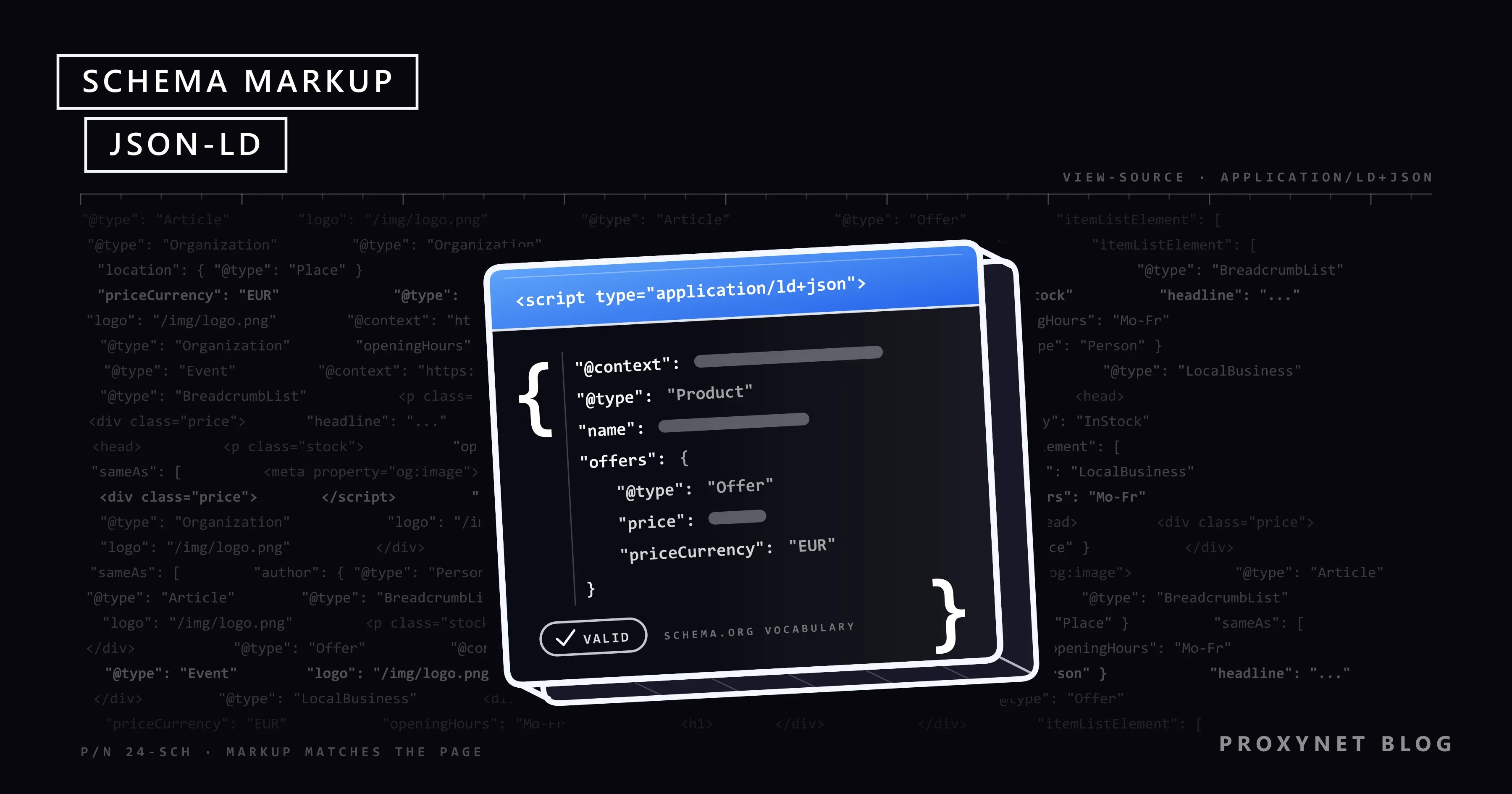
Here is a complete block for a product page. The shop and the product are made up; example.com is a domain reserved for documentation.
<script type="application/ld+json">
{
  "@context": "https://schema.org",
  "@type": "Product",
  "name": "Example Steel Bottle 750 ml",
  "image": "https://example.com/img/steel-bottle-750.jpg",
  "description": "Double-walled steel water bottle, 750 ml.",
  "sku": "SB-750",
  "brand": { "@type": "Brand", "name": "Example Outdoor" },
  "offers": {
    "@type": "Offer",
    "url": "https://example.com/steel-bottle-750",
    "price": 24.90,
    "priceCurrency": "EUR",
    "availability": "https://schema.org/InStock"
  }
}
</script>@contextnames the vocabulary, and@typesays what the page is about.name,imageanddescriptionrepeat what the page shows.offersholds anOffer:priceis a plain number with a dot as the decimal separator, andpriceCurrencyis the three-letter ISO 4217 code, not a symbol.availabilitytakes a schema.org value such asInStock,OutOfStockorPreOrder.
The block belongs on the product's own page, and every value in it should be visible to a shopper there too.
How do you test schema markup?
Test with two tools, because they answer different questions: the Schema Markup Validator checks markup against the schema.org vocabulary, and Google's Rich Results Test checks whether it qualifies for Google's rich results. We pasted the example above into the code input of each on 17 November 2026.
The Schema Markup Validator, run by schema.org, found one Product with 0 errors and 0 warnings. It replaced Google's old Structured Data Testing Tool in 2021 and accepts a URL or a code snippet.
Google's Rich Results Test reported "2 valid items detected": the product qualified both for product snippets and for merchant listings. Each came with two non-critical issues:
- Product snippets:
Missing field "review" (optional)andMissing field "aggregateRating" (optional) - Merchant listings:
Missing field "hasMerchantReturnPolicy" (optional)andMissing field "shippingDetails" (optional)
Optional means what it says. Return and shipping details are worth adding if the shop publishes them; the review fields should stay out unless the page shows real customer reviews.
Then we broke the example on purpose. With the price written as much of Europe writes it, "price": 24,90, the validator reported "No items detected" and one JSON-LD error: Missing '}' or object member name. The comma ends the value early, so the whole block fails. With a typo, "priceCurency", the product was found, but the property was flagged as not recognized for an Offer.
What are rich results, and which ones does Google still show?
Rich results are search listings with extra details taken from structured data: a price and stock status, review stars, a breadcrumb trail or event dates. Markup makes a page eligible, and Google decides whether to show them; it does not guarantee they will appear, even when the markup passes every test.
The list changes, so check it before you invest in a type. On 17 November 2026, Google's search gallery listed 25 features, among them Article, Breadcrumb, Event, Job posting, Local business, Organization, Product, Recipe, Review snippet and Video. Several well-known ones are gone:
| Rich result | Status on 17 Nov 2026 | Since |
|---|---|---|
| HowTo | No longer shown, guide removed | September 2023 |
| FAQ | No longer shown, guide removed | 7 May 2026 |
| Sitelinks search box | No longer shown | November 2024 |
| Course info, estimated salary, vehicle listing | No longer shown | September 2025 |
| Breadcrumb | Shown on desktop only | January 2025 |
| Product, merchant listing, review snippet | Shown | Still supported |
FAQ rich results had been limited in September 2023 to well-known government and health websites; Google ended them in May 2026. FAQPage markup is still valid schema.org, but it no longer adds questions under a Google result.
Does schema markup help SEO and AI answers?
Schema markup helps by making a page eligible for rich results; Google does not present it as a way to rank higher. A result with a price or rating tells searchers more before they click, which is where the gain comes from. Google's guidelines even say that a structured data manual action removes rich results but does not affect ranking in web search.
For AI features, Google's guide to optimizing for generative AI search, updated in July 2026, lists overfocusing on structured data among common misconceptions: structured data "isn't required for generative AI search", and no special schema.org markup is needed, though the guide recommends keeping it for rich results. Being cited in AI answers depends on the content and on ordinary SEO work, which our guide to generative engine optimization (GEO) covers.
Who else reads the JSON-LD on your pages?
Any program that loads the page can read it, because the block is plain JSON inside the HTML. Price comparison sites, price trackers, shopping feed tools and AI assistants that fetch a page for a user all receive the same block. Labelled fields such as price and availability are easier to read reliably than a price buried in a layout that changes with every redesign.
That is why price trackers check for JSON-LD first and fall back to the HTML when there is none, as How to Track Competitor Prices shows. For a site owner the lesson is accuracy: a wrong price in your markup travels to every tool that reads it. Machine-readable does not mean free to reuse; descriptions, images and reviews remain the site's content.
What counts as schema markup spam?
Markup that describes something visitors cannot see, or something that is not true, breaks Google's structured data guidelines. The rules that catch most sites:
- Mark up only visible content. A rating, price or question that exists only in the JSON-LD is against the rules.
- No fake or undisclosed incentivized reviews. Google added this rule in July 2026: reviews must come from real experience, and reviews given for money, discounts or free products need a clear disclosure.
- No self-serving reviews. Review stars for
LocalBusinessandOrganizationare only for sites that review other businesses. - No ratings copied from other websites, and no aggregate rating the page does not show.
- Markup on the page it describes, with the most specific type.
When Google finds a violation, the Manual actions report in Search Console shows a "Structured data issue". The affected pages lose their rich results, while their ranking is not affected by that action. Fix the markup, then request a review in the same report.
Why can a page's JSON-LD differ from country to country?
A shop that localises prices builds its JSON-LD from the same data as the visible page, so a visitor in Germany may get "priceCurrency": "EUR" and a visitor in the United Kingdom "GBP", with a different price or stock status. The site usually decides from the visitor's IP address, so the markup a tool sees depends on where the request comes from.
Checking that each market's markup matches its visible page means loading the page as a visitor from that market. Across many products, this fits into price monitoring: compare the visible price with the JSON-LD price per country and flag the pages where they differ.
A Residential Proxy sends the request through a home connection in the country and city you choose, so the site serves the page a local shopper would get. Use it to check your own markets, or public prices in line with each site's terms, not to get around regional restrictions.
Where is schema markup used?
- Online shops:
ProductandOffer, plus return policy and shipping details. - News sites and blogs:
Articlewith author and dates. - Local businesses:
LocalBusinesswith address and opening hours. - Events, job boards, recipes and videos, each with their own types.
- The home page:
Organizationwith the official name, logo and profiles insameAs.
Common mistakes
- A comma as the decimal separator.
"price": 24,90breaks the whole block; write24.90. - Currency symbols in the price. Put the number in
priceand the code, such asEUR, inpriceCurrency. - Misspelled property names. A browser ignores
priceCurencysilently; only a validator flags it. - Markup that disagrees with the page, such as a cached JSON-LD price older than the visible one.
- Adding reviews to clear a warning. An optional missing field is not an error; invented reviews break the rules.
- Adding markup for FAQ or HowTo rich results. Neither appears in Google any more.
- Testing one URL and stopping. Templates break; watch the invalid item counts in Search Console.
Decision guide
| Your situation | What to do |
|---|---|
| New site, no markup yet | Organization on the home page, then the main type of your key pages |
| Online shop | Product and Offer on every product page, generated from the catalogue |
| Blog or news site | Article with author and dates |
| A plugin already adds markup | Test a few URLs; remove duplicate blocks |
| Rich Results Test shows only optional issues | Add the real data you have; leave the rest |
| You were counting on FAQ rich results | Keep the FAQ for readers; the rich result is gone |
| Prices differ by country | Check each market's page and markup from that market |
Frequently asked questions
Does schema markup help SEO?
Yes, indirectly: it helps search engines understand a page and can make it eligible for rich results, but Google does not present it as a way to rank higher. Measure the effect in clicks, comparing similar pages before and after in Search Console's Performance report.
What is the difference between schema markup and Open Graph tags?
Open Graph tags such as og:image tell social and messaging apps how to show a link preview; schema markup describes the things on a page for search engines and other programs. Most sites use both, and Google noted in March 2026 that it uses schema.org markup and the og:image tag when choosing a page's thumbnail.
How can I check whether a page has schema markup?
View the page source (Ctrl+U in most desktop browsers) and search for application/ld+json; Microdata shows up as itemprop attributes. The source shows only what the server sent, so also test the address in the Rich Results Test, which renders the page and finds markup added by JavaScript.
What happened to Google's Structured Data Testing Tool?
Google moved it to schema.org in 2021, where it became the Schema Markup Validator. It checks schema.org syntax for any type but does not say whether a page qualifies for Google's rich results; the Rich Results Test does that.
Do I need a schema markup generator?
Not necessarily. A generator is handy for a single page, but on a real site the markup should come from the CMS or page template, so that it updates when the price, date or author changes. Validate the result before you publish.
Do I need schema markup to appear in AI Overviews?
No. Google's guide to generative AI search says its AI features need no special schema.org markup, and it says the same of llms.txt files. Other AI systems that fetch your page receive the JSON-LD along with the rest of the HTML.
Summary
Schema markup is structured data written with the schema.org vocabulary, best added as one JSON-LD block generated from the same data as the visible page. Choose the type Google documents, fill in the required properties honestly, test with both validators and follow the item counts in Search Console. Markup earns eligibility for rich results rather than higher rankings, and FAQ and HowTo results are gone from Google. If your markup changes with the visitor's country, check each market from that market; our proxy products cover the locations for that.