The product page said more than a hundred million residential IPs. You pointed a price check at one city, sent 200 requests through the gateway and counted the addresses in your log: a little over 150 different ones, and a few showed up three times. Was the pool smaller than promised? Usually not. You were never drawing from the whole pool, only from the slice that matched your city at that moment, and random picks from any slice repeat sooner than intuition says.
This post explains what a proxy pool is, how it is sliced and kept healthy, why the headline size is not your size, and how to estimate and test what a job needs.
What is a proxy pool?
A proxy pool is a collection of exit IP addresses managed as one resource, so that requests can leave from different addresses without you configuring each one. An exit IP is the address the target website sees; the pool is every exit that can be chosen.
You meet two forms. With a gateway (also called backconnect), you connect to a single host:port such as pr.proxynet.io:8000 and the provider chooses the exit from the pool behind it. With a static setup, you receive a fixed set of addresses and your own code spreads requests across them. Both are pools; they differ in who does the choosing.
"IP pool" also means the range of addresses a DHCP server or an internet provider hands out to its own customers. That is a different thing. Here a pool is always the set of proxy exits available to your requests. Our Residential Proxy network is an example of the gateway form: more than 140 million IPs, and more than 160 million together with mobile, across more than 190 countries.
How does a proxy pool work?
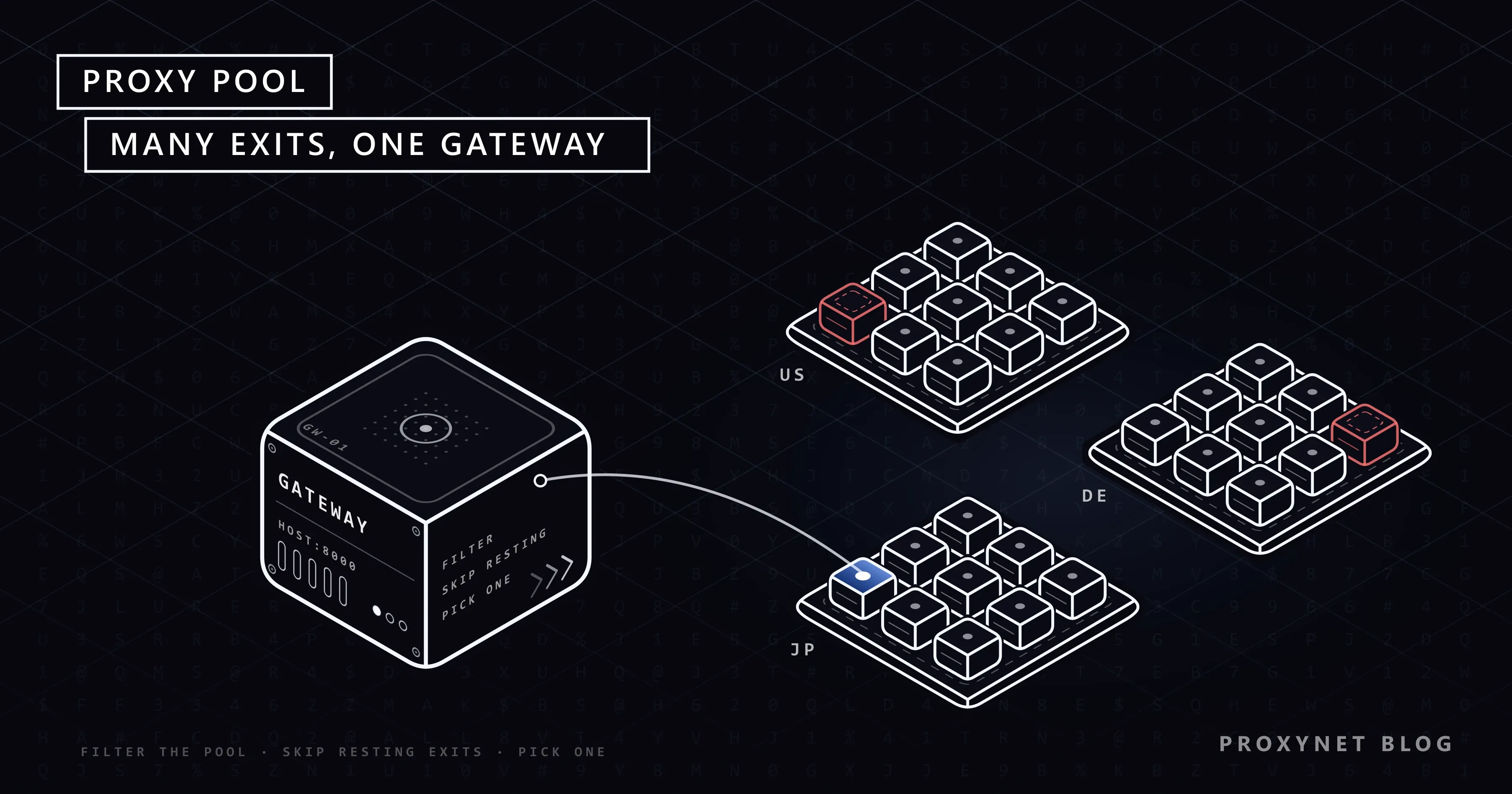
A pool works by filtering first and choosing second: each new connection narrows the pool to the addresses that fit your request, then takes one of them.
- You connect to the gateway over HTTP, HTTPS or SOCKS5 and authenticate with a username and password or an allowlisted IP.
- The gateway reads your parameters. Country, city, network and session settings usually arrive as parameters attached to the username.
- The pool is filtered to a slice. Only exits that match every parameter stay as candidates.
- Unhealthy exits are skipped. Addresses that recently failed, went offline or are resting after errors are left out.
- One exit is chosen. Either a fresh exit, or the exit already bound to your session ID.
- Traffic is relayed. The target sees the chosen exit's address. A failed or timed-out connection feeds back into step 4.
Steps 3 and 4 are the subject of this post. Step 5, the rules that decide when the exit changes, is covered in What Is IP Rotation and How Does It Work?, so we only summarise it below.
Proxy pool vs proxy list: what is the difference?
A proxy list is a fixed set of addresses you manage yourself; a gateway pool is a changing set the provider manages for you.
| Proxy list | Gateway pool | |
|---|---|---|
| What you receive | Addresses, one per line | One endpoint |
| Who picks the exit | Your code | The gateway |
| Who removes dead exits | You | The gateway |
| Do you know every IP? | Yes | No, only the slice rules |
| Typical billing | Per IP | Per GB |
A list gives you control: you can allowlist each address and keep it for months. A gateway pool gives you reach, with health handled on the other side.
How is a proxy pool sliced?
A pool is sliced by attributes of each exit address, and every filter you add shrinks the candidate set. The three common slices are country, city and network.
Country is the slice almost every job needs, because prices, language and stock change at the border. City narrows it for things that vary by region: delivery estimates, local ads, store availability. Network means the autonomous system an address belongs to. In the words of RFC 1930, an autonomous system is a group of IP prefixes run by one or more operators with a single, clearly defined routing policy; in practice, one internet provider's network, identified by an autonomous system number (ASN).
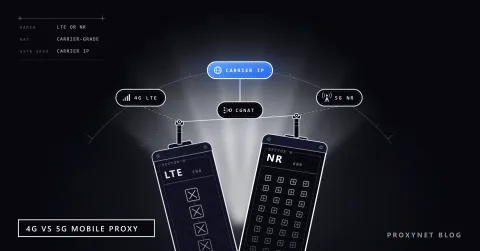
On our network you choose country and city on residential and mobile proxies, and residential adds ASN targeting at no extra cost. Every filter is a trade: the Mobile Proxy slice for one city is far smaller than the slice for its country, so a narrow target buys precision with fewer distinct addresses.
Why is the pool size not the size you get?
The advertised size is the total across every country and network; your job gets the matching slice, at that moment, minus the addresses currently resting. Three things shrink it.
The slice comes first: a country holds a fraction of the pool, a city a fraction of that. Then time: residential and mobile exits are real connections that come and go through the day. Then health: failing or cooling-down addresses are skipped until they recover.
Even inside a healthy slice, random selection repeats. On our test machine we simulated uniform random picks with a short Node.js script: 100 picks from a slice of 5,000 exits gave about 99 distinct addresses on average, yet at least one address came up twice in roughly 6 runs out of 10. From a slice of 500, the same 100 picks gave about 91 distinct addresses. That is plain probability, not a fault. Real gateways do not pick perfectly at random, so treat these numbers as a model, not a measurement of any service.
What keeps a proxy pool healthy?
A pool stays healthy when failing exits are taken out quickly and exits that a site asked to slow down get time before they are used again. The gateway does the first part; your client does the second.
On the gateway side, an exit that refuses connections, times out or drops off the network leaves the candidate set and is checked again later. This is why a sticky session can still move: if the bound exit disappears, the session goes to another one.
On your side, read the response. A 429 Too Many Requests means the client sent too many requests in a given time, and RFC 6585 notes that the standard does not define how the server identifies the user or counts requests. A site may count per account, cookie or session, so switching exits does not reset its counter.
The respectful response is a cooldown: stop, wait, and come back slower. When the response carries a Retry-After header, its value in seconds or as a date tells you how long. A large pool spreads load across addresses; it does not make a higher total rate acceptable.
Rotating or sticky: how do you draw from the pool?
You draw from a pool either with a new exit for each new connection (rotating) or with the same exit for a session you name (sticky). The choice decides how many distinct addresses your job touches.
With rotating selection, a job of 1,000 independent page loads can touch up to 1,000 addresses. With a sticky session you attach a session ID to the username and the gateway keeps that ID on one exit; on our residential and mobile proxies the duration is set from 1 to 60 minutes. Twenty workers with twenty session IDs use twenty exits at a time. Rotate for independent public pages; stick for anything with state, such as a login, a cart or pagination.
Shared or dedicated: who else draws from the pool?
A shared pool is drawn from by many customers; a dedicated pool is a set of addresses assigned to you alone. Gateway pools for residential and mobile traffic are shared: the exit you use now may serve another customer an hour later.
An address carries its own history, so a site may react to an exit because of what was sent through it before. When a job needs an address that answers only for your traffic, such as an allowlist entry or a long-lived account, use a dedicated one. A set of such addresses is what people usually mean by a "private proxy pool".
When is your pool a list of static IPs?
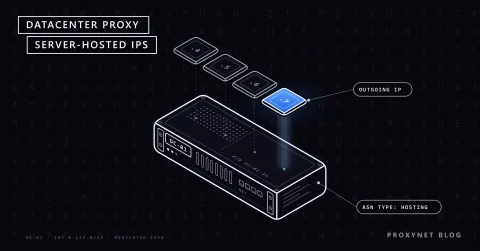
Your pool is a static list when you rent fixed, dedicated addresses and spread work across them yourself. Our static ISP proxies offer more than 240,000 dedicated IPs in more than 20 countries, and our Datacenter Proxy product more than 2,000,000 dedicated IPv4 addresses in more than 50 countries, hosted in TIER 3+ data centers.
A static pool is small and predictable: perhaps 10 or 50 addresses, each known, picked in turn by your code and set aside when it starts failing. Two details belong in the plan. These per-IP products are delivered for the target site you name when ordering, and use on all websites is a paid add-on called "Access to all websites". Bandwidth on static products is unlimited subject to the fair-use policy.
How many IPs does a job actually need?
A job needs as many addresses as it runs sessions at the same time, drawn from a slice large enough that repeats do not matter for the work. Here is a worked example with assumed numbers:
- The job: check 12,000 public product pages on one retail site each day, as seen from one country.
- The pace: the site is comfortable with about one request every 7 seconds from you in total, roughly 500 pages an hour. The site sets the pace, not the pool.
- The sessions: 4 workers, each with a 10-minute sticky session. That is 4 exits at a time and 4 × 6 × 24 = 576 sessions a day.
- The slice: a country slice of a few thousand healthy exits covers 576 sessions with few repeats; a single city might not, which is acceptable for public pages.
- The traffic: at 1.5 MB per page with its resources, the day moves about 18 GB. That figure, not the number of IPs, is what a per-GB plan bills.
For the billing side, the questions to ask before you buy are in What to Look for When Buying a Proxy.
How do you test a proxy pool?
You test a pool by sampling it: send requests on new connections to a service that echoes your IP, then count the distinct addresses and check their locations. With a country target and rotating selection, a sample of 50 should return mostly different addresses.
for i in $(seq 1 50); do
  curl -s -x http://user:pass@pr.proxynet.io:8000 https://api.ipify.org; echo
done | sort | uniq -c | sort -rn
Each curl call opens its own connection, so connection reuse cannot hide rotation, and repeated addresses rise to the top of the output. We checked the counting pipeline on our test machine against a small local echo server; replace the placeholder credentials with your own.
The same address on almost every line means a sticky session ID or a static address is in use. A few repeats in a narrow city slice are normal. To confirm the country of each exit and check for leaks, follow Is My Proxy Working? How to Test a Proxy.
Where you meet proxy pools
Price monitoring teams use country or city slices to see the prices and stock a local shopper sees. Ad verification checks that the right ad and landing page appear in each market, often on mobile exits for in-app placements. Localization and app testing teams check language, currency and regional content before a launch, with sticky sessions so a multi-step flow stays on one address. Market research collects public listings across many regions. Accounts and allowlisted APIs sit on dedicated static addresses instead.
Common mistakes
- Judging the pool by its headline number. Your job uses the slice you target, at that hour, minus resting addresses.
- Targeting one city when the country would do. A narrower slice gives fewer distinct exits.
- Treating a bigger pool as permission to send faster. The site sets the pace. A
429means slow down, whichever exit you use. - Retrying on a new exit at once. If the site asked for a pause, a new address does not change that.
- Giving every worker the same session ID. All workers share one exit and behave like a single client.
- Using a shared pool where an allowlist needs one fixed IP. A shared exit changes; an allowlist needs a dedicated address.
Decision guide
| Need | Recommendation |
|---|---|
| Many public pages, one country | Gateway pool, country slice, rotating |
| Login, cart or multi-step flow | One sticky session per flow |
| What one provider's customers see | Residential pool with ASN targeting |
| In-app ads or mobile-only content | Mobile pool, country or city slice |
| API allowlist or long-lived account | Dedicated static ISP or datacenter IP |
| Few fixed addresses you manage | Static list, rotated in your code |
The site returns 429 | Cooldown and a lower rate, not more exits |
Frequently asked questions
What does proxy pool mean?
A proxy pool is the group of exit IP addresses that a proxy service or your own code can choose from for outgoing requests. Instead of one proxy address you have many, and each request or session leaves from one of them according to the rules you set.
How many proxies do I need?
You need as many addresses as you run sessions at the same time, from a slice large enough that repeats do not affect your results. Start from the pace the target site accepts and your number of parallel workers. With a gateway pool you do not buy addresses one by one; you choose the slice and pay for traffic.
Is a bigger proxy pool always better?
No. A bigger pool helps only if the slice you target is larger and healthy at the hours you work. For one site in one country, a well-maintained slice often matters more than the total. For allowlists and accounts, one dedicated address beats any pool.
What is the difference between a proxy pool and a rotating proxy?
The pool is the set of addresses; a rotating proxy is the service that picks a new address from it for each new connection. Rotation is one way of drawing from the pool, and a sticky session is another way of drawing from the same pool.
What is a private proxy pool?
A private proxy pool is a set of addresses assigned only to you, usually static ISP or datacenter addresses. No other customer sends traffic through them while they are yours, so their history is your own. They suit accounts, allowlists and long-running monitoring.
Are free proxy pools safe?
Free proxy lists collected from the internet are a poor choice for anything that matters. You do not know who runs the servers, they can read or alter unencrypted traffic, and many stop working within hours. Use proxies from a provider you have an agreement with.
Summary
A proxy pool is the set of exit addresses a gateway or your own code chooses from. The gateway filters the pool to your country, city or network, skips failing and resting exits, and picks one per connection or per session. Plan a job from the slice, not the headline: count parallel sessions, check that the slice is large enough for the repeats you can accept, keep the pace the site sets, and test with a sample of distinct addresses. Use a shared gateway pool for public work across many places and a dedicated static address where one identity must not change.