


































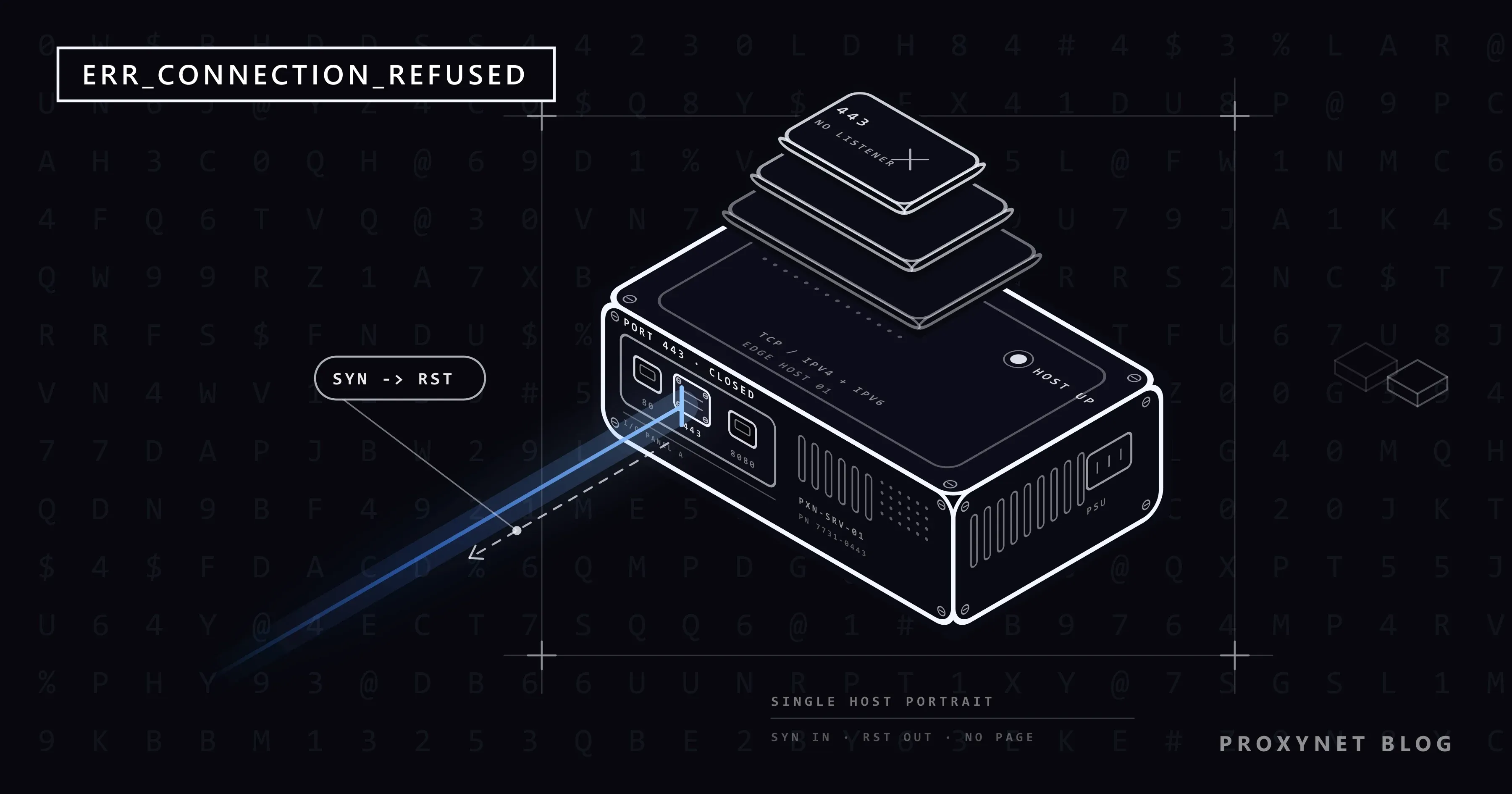
You type your router's address, open a small online shop, or start a project on your own computer and go to localhost:3000. Instead of the page, Chrome shows "This site can't be reached", a grey line such as "localhost refused to connect." and ERR_CONNECTION_REFUSED at the bottom. Reloading brings the same screen back just as quickly.
That speed is a clue: the browser found the machine, and the machine said no. Below: what the refusal means and how it differs from a timeout, the checks for visitors and phones, what to change if the server is yours, why localhost refuses to connect, and the same error inside scripts that use a proxy.
What does ERR_CONNECTION_REFUSED mean?
Every server has numbered doors called ports, and each program on it waits behind one of them. Web pages use port 443 for https:// and port 80 for http://; a number after a colon, as in localhost:3000, picks another door.
"Refused" means your knock reached the machine, but no program was listening behind that door. The machine answers with a short reset signal (RST), the answer the TCP standard prescribes for a request that matches no waiting program (RFC 9293, section 3.5.2).
So the address is right and the machine is on; the program is missing or sits behind another door. That is why clearing the cache or changing DNS does not help: the page never arrived, and the name had already been found.
How does a refusal happen, step by step?
- The browser turns the site's name into an IP address, the server's numeric address. If that fails, you get a DNS error instead.
- It picks the port: 443, 80, or the number after the colon.
- It sends a "may I connect?" request to that address and port.
- The server's operating system finds no program listening on that port.
- It sends back a reset, usually within milliseconds, and the browser shows "refused to connect".
A firewall set to reject connections, rather than ignore them, can send the same answer on the server's behalf.
What does the error look like in each browser?
| Browser | What the screen says | Code |
|---|---|---|
| Chrome, Edge, Brave, Opera | "This site can't be reached", "example.com refused to connect." and a Try: list with "Checking the connection" and "Checking the proxy and the firewall" | ERR_CONNECTION_REFUSED |
| Firefox | "Unable to connect" | None |
We pointed Chromium, the open-source engine behind Chrome, Edge, Brave and Opera, at a closed port and got exactly these lines. Firefox's title comes from Mozilla's own text files. Safari uses its own wording; the checks below are the same.
Refused, timed out or reset: which one do you have?
The same grey screen carries several codes, each pointing to a different step. Here they are next to the proxy error people often mix them up with:
| Code | What happened | Usual cause | First step |
|---|---|---|---|
ERR_CONNECTION_REFUSED | The machine answered: nothing listens there | Stopped service, wrong port or https | Check the address |
ERR_CONNECTION_TIMED_OUT | No answer at all | Server off, a firewall dropping traffic | Is it down for everyone? |
ERR_CONNECTION_RESET | A connection opened, then was cut | Security software, VPN, network filter | Try another network |
ERR_PROXY_CONNECTION_FAILED | Your proxy setting does not work | A leftover or stopped proxy | Remove or fix the proxy |
A refusal arrives within a few seconds at most, while a timeout makes you wait much longer. All codes on this screen are covered in This Site Can't Be Reached: What It Means and Why It Happens.
How do you fix it as a visitor?
Reload after each step. The first two settle whose problem it is.
- Check the address. If you typed
https://for a device that only serveshttp://, such as an older router or printer, the browser knocks on port 443, where nothing listens; use the address on the device's label. A number after a colon must match the port the service really uses, and an old bookmark may keep one the site has left. What Is Port 8080? explains these numbers. - Try the site on your phone with Wi-Fi off. If it is refused over mobile data too, the site's server has stopped or is restarting, often for maintenance. Wait; nothing on your side will change it.
- If only the computer fails, turn off any VPN and reload. A VPN changes the route and the address the site sees, and its server or rules can be the cause.
- Pause your security software's web protection for one test, then turn it back on. Chrome's hint "Checking the proxy and the firewall" points here. If the site opens, add an exception for it instead of leaving protection off.
- Look at the hosts file. This small Windows text file can send a site's name to a fixed address, and some ad blockers and old development setups send sites to
127.0.0.1, your own computer. OpenC:\Windows\System32\drivers\etc\hostsin Notepad: lines starting with#are notes, but a line with the site's name next to127.0.0.1sends it to your computer, where nothing serves it. Editing it needs administrator rights.
Big sites rarely show this error. They sit behind a CDN, a network of servers that answers visitors first, so a failing server shows the CDN's own error page; Cloudflare calls a refusal from the site's server "error 521".
Can a proxy setting cause ERR_CONNECTION_REFUSED?
In Chrome, rarely, and the screen tells you which case you have. A proxy is a middle server that forwards your traffic. When Chrome cannot reach the proxy it is set to use, it shows a different page: "No internet", "There is something wrong with the proxy server, or the address is incorrect." and ERR_PROXY_CONNECTION_FAILED. Firefox says "The proxy server is refusing connections".
We tested it in Chromium: a proxy setting pointing at a closed port on 127.0.0.1 gave ERR_PROXY_CONNECTION_FAILED, while opening that port directly gave ERR_CONNECTION_REFUSED. If you see the proxy page and never set a proxy, a program or an old VPN left it behind; How to Remove a Proxy from Chrome and Windows walks through it. In programs and scripts, though, a proxy that is not running does show up as "connection refused", with the proxy's address; the scraper section covers that.
Why does it appear on a phone?
Chrome on Android shows the same page and code; on iPhone, Safari words it its own way. Common situations:
- An address meant for a computer. On a phone,
localhostand127.0.0.1mean the phone itself. To test a site running on your computer, open the computer's home-network address, such as192.168.1.20:5173, and start the development server so it listens on the network (Vite does that with--host). The computer's firewall must allow the connection. - The Android emulator. There,
127.0.0.1is the emulated phone and your computer is10.0.2.2, as the Android emulator networking guide states. - Home devices from outside. A router or camera page works only on your home Wi-Fi; on mobile data you get a refusal or a timeout.
- A VPN, ad-blocking or "security" app filtering the phone's traffic. Pause it and reload.
If it's your site or server: why are visitors refused?
Visitors are refused when the machine is on but no program accepts connections on their port. Check in this order:
- The web server or app is not running. It crashed, failed to start after an update, or is restarting; its logs say why.
- It listens only on the local address. A program bound to
127.0.0.1accepts connections from the same machine only. Bind it to the public address or0.0.0.0(all IPv4 addresses), or put a public web server in front. - HTTPS is missing on port 443. The site works on
http://, but visitors asking forhttps://knock on a closed door. - A firewall rule rejects the port. A reject rule sends an answer back, which visitors usually see as a refusal; a deny rule drops traffic silently, so they see a timeout. Ubuntu's
ufwfirewall has both kinds.
The listening address is one line in most programs. In Node.js:
// Only this machine can connect:
server.listen(3000, "127.0.0.1");

// Every IPv4 address of the machine accepts connections:
server.listen(3000, "0.0.0.0");
Why does localhost refuse to connect?
localhost is your computer's name for itself, with two addresses: 127.0.0.1 (IPv4) and ::1 (IPv6). A refusal means no program was listening on that port at the address that was tried.
- The development server is not running. It stopped with an error, or its terminal was closed. Read the terminal output first.
- It runs on another port. Some tools move to the next free port when theirs is busy. Open the exact address the server printed.
- IPv4 and IPv6 do not match. A server may listen on
::1only while a client tries127.0.0.1, or the reverse. Browsers try both: in our Chromium test, a server on::1opened atlocalhostbut was refused at127.0.0.1. From version 17, Node.js may look uplocalhostas::1first, and until versions 18.18 and 20 switched onautoSelectFamilyby default (Node.js net documentation), it tried only that address and failed withconnect ECONNREFUSED ::1:3000. Upgrade, or write127.0.0.1in the client's URL. - A Docker port that was never published. A container's program cannot be reached from outside the host until you publish its port:
docker run -p 8080:80links port 8080 on your computer to port 80 in the container (Docker's port publishing guide). Inside, the program must listen on0.0.0.0; there127.0.0.1means the container itself.
Advanced: see which address refused with one command
You can skip this section. curl ships with Windows 10, Windows 11 and macOS (in PowerShell, type curl.exe), and -v prints every connection attempt:
curl -v http://localhost:3000/Key lines from our run with nothing on port 3000 (curl 8.21.0, Windows 11):
* IPv6: ::1
* IPv4: 127.0.0.1
*   Trying [::1]:3000...
*   Trying 127.0.0.1:3000...
* connect to ::1 port 3000 from :: port 54810 failed: Connection refused
* connect to 127.0.0.1 port 3000 from 0.0.0.0 port 54811 failed: Connection refused
curl: (7) Failed to connect to localhost:3000 after 2226 ms: Could not connect to server- Both addresses refused: nothing listens on that port. Start the server or use its real port.
- One refused, then "Established connection to localhost (127.0.0.1 port 3000)": the server listens on that address only, and clients that try only the other one fail.
- curl waits and reports a timeout: something drops the traffic, usually a firewall. That is a different error.
If you're writing a scraper or using a proxy in code
In code, the message names the address that refused, so it tells you whether the proxy or the target said no. What we got against closed ports (Windows prints its message in the system language; this is the English text):
| Tool | What it prints |
|---|---|
| Python on Windows | ConnectionRefusedError: [WinError 10061] No connection could be made because the target machine actively refused it |
| Python Requests 2.34, closed proxy port | ProxyError: ... (Caused by ProxyError('Unable to connect to proxy', NewConnectionError(...))) |
Node.js 24 fetch | TypeError: fetch failed with [cause]: AggregateError [ECONNREFUSED] |
| curl 8.21, closed proxy port | curl: (7) Failed to connect to example.com:443 over proxy 127.0.0.1 after 2031 ms |
On Linux, the same Python error reads [Errno 111] Connection refused, the "errno 111" people search for. Microsoft's list of Windows socket errors describes 10061 as a connection to a service that is not running on the other machine.
The usual causes:
- A wrong proxy port. Copy the host and port from the endpoint builder. If you use HTTPS Proxy and SOCKS5 on one account, each protocol has its own port. Depending on the provider's firewall, a wrong port is refused at once or times out.
- A local proxy tool that is not running. Debugging proxies and local proxy managers listen on
127.0.0.1, often port 8080; while closed, they refuse every request. - A leftover environment variable. Python Requests and curl read
HTTP_PROXYandHTTPS_PROXY, so an old variable sends requests to a proxy that is gone.
This script shows a forgotten variable and tells a refusal at the proxy from a failure behind it. If you route requests through Residential Proxy, put the gateway address from the endpoint builder in PROXY:
import requests
from requests.utils import get_environ_proxies

PROXY = "http://user:pass@pr.proxynet.io:8000"  # host and port from the endpoint builder
URL = "https://example.com/"

# A forgotten HTTP_PROXY or HTTPS_PROXY variable is a common hidden cause.
print("Proxy from environment variables:", get_environ_proxies(URL) or "none")

with requests.Session() as s:
    s.trust_env = False  # use only the proxy below, never a leftover variable
    s.proxies = {"http": PROXY, "https": PROXY}
    try:
        r = s.get(URL, timeout=15)
        print("Connected, HTTP status", r.status_code)
    except requests.exceptions.ProxyError as e:
        if "Tunnel connection failed" in str(e):
            print("The proxy answered but could not reach the site")
        else:
            print("The proxy refused the connection: check the host and the port")
We ran it through a local test proxy with user:pass authentication (Requests 2.34.2, Python 3.13): with a forgotten HTTPS_PROXY variable, with a wrong proxy port, and with a working proxy and a closed target port:
Proxy from environment variables: {'https': 'http://127.0.0.1:8080'}
Connected, HTTP status 200
Proxy from environment variables: none
The proxy refused the connection: check the host and the port
Proxy from environment variables: none
The proxy answered but could not reach the site
In the third case the target's port was closed. Check its address and port, and don't retry in a tight loop: a closed port stays closed until its owner starts the service. Try later with growing pauses.
Where you might run into it
- The admin page of a router, NAS, printer or camera.
- A website you are building, at
localhostor on a phone. - Self-hosted tools after an update or restart.
- Monitoring tools that check a service while it restarts.
- Scripts whose proxy port or target port is wrong.
Common mistakes
- Clearing the cache, cookies or DNS. None of them is involved.
- Switching the firewall or antivirus off for good. Pause one feature for one test.
- Treating
localhostand127.0.0.1as the same in every tool. A server can listen on only one of them. - Retrying in a tight loop. A closed port does not open because you ask again.
- Reinstalling the browser. Every browser gets the same answer from the same server.
Decision guide
| Your situation | What to do |
|---|---|
| Refused on every device and network | The site's server is down; wait or tell the owner |
| Opens on the phone, refused on the computer | Turn off the VPN, pause web protection, check the hosts file |
| A router or printer page is refused | Use the home Wi-Fi and the address on its label |
| The page says "No internet" and mentions the proxy server | A different error: fix or remove the proxy setting |
localhost is refused | Start the dev server and open the address it prints |
| Your script says "Unable to connect to proxy" | Check the proxy host, port and environment variables |
Frequently asked questions
Is ERR_CONNECTION_REFUSED my fault or the website's?
Try the site on mobile data. If it is refused there too, the site's server is not accepting connections and only its owner can fix it. If it opens, check your computer's VPN, security software and hosts file.
Why does localhost refuse to connect?
Nothing on your computer listens on that port at the address that was tried: the dev server is not running, uses another port, or listens on ::1 while the client tries 127.0.0.1.
What do errno 111 and WinError 10061 mean?
Both are the system's number for a refused connection: 111 on Linux, 10061 on Windows. Nothing listens on that address and port.
How do I fix ERR_CONNECTION_REFUSED on Android?
Check that you did not open an address meant for another device, such as localhost or a home router while on mobile data. Then pause any VPN or filtering app. If every network fails, the problem is the site's.
Can a VPN or proxy cause ERR_CONNECTION_REFUSED?
A VPN can, so test with it off. A broken proxy setting in Chrome shows ERR_PROXY_CONNECTION_FAILED instead.
Does clearing the cache or flushing DNS fix it?
No. The server's address was found and the browser was turned away before any page arrived. The exception is the hosts file, which can send a site's name to your own computer.
Summary
ERR_CONNECTION_REFUSED means the server's machine answered but nothing was listening on that port. Visitors check the address and try another network; a refusal everywhere is the site's to fix. Owners look for a stopped service, a program bound to 127.0.0.1 or a rejecting firewall rule; developers for a stopped dev server, a wrong port or the ::1 mismatch. In code, the address in the message shows whether the proxy or the target refused. Which proxy types exist and what each is for is on our proxy page.


