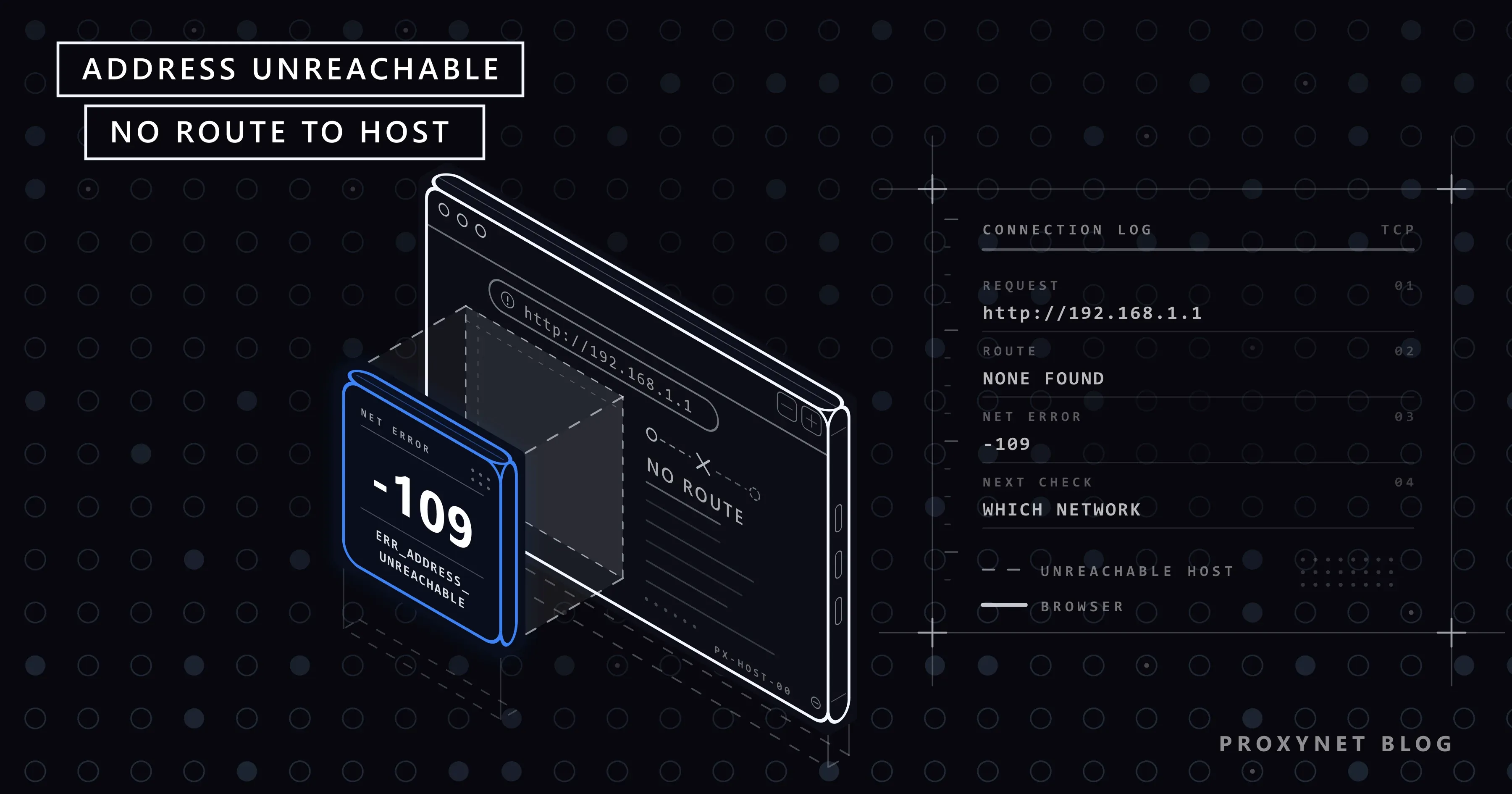
Every website opens except the one page you need. You type 192.168.1.1 to reach your router's settings, or the address of a printer or a home storage box, and Chrome answers before you can blink: "This site can't be reached", the address in bold followed by "is unreachable", and ERR_ADDRESS_UNREACHABLE at the bottom. Reload gives the same page just as fast.
Below: what the code means, how it differs from a timeout, what causes it, the fixes on Windows, Mac, Android and iPhone, and what IPv6 and proxies have to do with it.
What does ERR_ADDRESS_UNREACHABLE mean?
It means Chrome was told there is no way to reach the IP address it wanted to connect to. Chromium's list of network errors gives the code the number -109 and this description: "The IP address is unreachable. This usually means that there is no route to the specified host or network." Chrome, Edge, Brave and Opera share the code.
A route is the path a packet takes. Your device keeps a short list of them, the routing table: addresses in your own network go straight to the device, everything else goes to your router (the "default gateway"), and a VPN adds entries of its own. When no entry fits, the operating system reports "network unreachable" or "no route to host", and Chrome turns either into -109.
The heading "This site can't be reached" is shared by many codes; This Site Can't Be Reached explains the others.
What does the error page look like?
We reproduced the error in Chromium 145 on Windows 11 by opening an IPv6 address on a network without IPv6. The page showed the heading "This site can't be reached", the line "http://[2001:db8::1]/ is unreachable.", a link "Try running Windows Network Diagnostics.", the code ERR_ADDRESS_UNREACHABLE and one button, "Reload". On other systems the diagnostics link changes or disappears; the heading and code stay.
Two things set it apart. There is no "Try:" list about the proxy and the firewall, and the page arrives at once: in our tests within 6 to 388 milliseconds. A note from Chromium's developers says this message "means we can't find a route to the server".
How does a connection end with no route?
The failure happens before any data reaches the site:
- Chrome gets an IP address. You typed it, or a DNS lookup turned the site's name into one.
- Chrome asks the operating system to connect. The browser never picks a path itself.
- The system checks its routing table. Same network: direct. Elsewhere: through the router. Inside a VPN's range: into the tunnel.
- No path, so the attempt fails at once. No entry fits, a rule blocks the path (a VPN, a Mac privacy setting), or a router reports that the address can't be reached.
- Chrome shows -109. When a site has both IPv6 and IPv4 addresses, Chrome starts an IPv4 attempt after 300 milliseconds if IPv6 has not connected, so ordinary websites rarely end here.
Unreachable, timed out or refused: which one do you have?
The code tells you how far the connection got.
| Error | What failed | Typical cause | First check |
|---|---|---|---|
ERR_ADDRESS_UNREACHABLE (-109) | No route to the address | Other network, VPN, Mac permission, IPv6 | Which network you are on |
ERR_CONNECTION_TIMED_OUT (-118) | Packets left, no answer came | Device off, packets dropped | Is the device on? |
ERR_CONNECTION_REFUSED (-102) | The device answered "no" | Nothing listening on that port | Address and port |
ERR_NAME_NOT_RESOLVED (-105) | The name was not found | Typo, DNS problem | Spelling |
ERR_PROXY_CONNECTION_FAILED (-130) | The proxy was not reachable | Old proxy setting | Proxy settings |
The same mistake does not always give the same code. On our Windows test PC, private addresses of another network (10.254.254.254, 192.168.250.1) and an unused address in our own network all ended in a timeout after 21 to 26 seconds, because nothing reported a missing route and the PC simply waited. If you waited that long, read err_connection_timed_out: Site Took Too Long to Respond instead.
What causes ERR_ADDRESS_UNREACHABLE?
A router or home device opened from another network. Addresses such as 192.168.1.1 come from the private ranges in RFC 1918 (10.x, 172.16-31.x and 192.168.x), which exist only inside their own network. From mobile data, a café, the office or a guest Wi-Fi kept apart from your home network, that address leads nowhere, or to someone else's router.
Chrome on a Mac without Local Network permission. Since macOS 15, apps need your permission to reach devices on your local network. Apple's technical note on local network privacy exempts Safari and command-line tools such as ping, so a Mac can ping the router and open it in Safari while Chrome shows -109.
A VPN that took over the routes. A VPN sends your traffic into its tunnel by changing the routing table, and some VPN apps also block the local network while connected unless you allow it in their settings. Company addresses work the other way round: they exist only while the work VPN is on.
An IPv6 address on a connection without IPv6. See the IPv6 section below.
A device with no gateway. If an address was set by hand with an empty gateway field, or a Linux machine lost its default route, every address outside the home network is unreachable.
Usually not a firewall. Chromium has a separate code, ERR_NETWORK_ACCESS_DENIED, which its source describes as "most likely caused by a firewall".
How do you fix ERR_ADDRESS_UNREACHABLE on Windows 10 and 11?
Reload after each step.
- Check the address. Look for a typo; the router's address is usually printed on its label.
- Join the right network. Be on the same Wi-Fi as the device you are opening, not on a guest network or a phone hotspot.
- Turn the VPN off. Select the Network, Volume or Battery icons on the taskbar and switch VPN off, or disconnect under Settings > Network & internet > VPN.
- Check the proxy. Under Settings > Network & internet > Proxy, Use a proxy server should be off unless you use one on purpose.
- Run the built-in check. Select Try running Windows Network Diagnostics on the error page.
- Restart the router. Unplug it for 30 seconds.
- Network reset, last. Settings > Network & internet > Advanced network settings > Network reset, then Reset now and Yes. It removes all network adapters, including VPN leftovers; VPN apps may need reinstalling.
How do you fix it on a Mac?
Start with the permission, because it explains most Mac cases.
- Allow Chrome on the local network. Open Apple menu > System Settings > Privacy & Security > Local Network and turn on Google Chrome and any other Chromium browser you use, as Apple's guide to controlling local network access describes. Quit Chrome completely and open it again.
- Compare with Safari. If Safari opens the address and Chrome does not, the permission is still the cause.
- Turn the VPN off in its app or from the VPN status menu in the menu bar.
- Check proxies. System Settings > Network, select your connection, Details, then Proxies: everything off unless you use a proxy.
How do you fix it on Android, iPhone and Linux?
On Android, Chrome uses the same network code as on a computer, so -109 means the same thing. Join your home Wi-Fi, because mobile data can't reach a 192.168.x.x address. Turn off VPN apps under Settings > Network & internet > VPN. Then check the Wi-Fi proxy: Settings > Network & internet > Internet, tap your network, Edit, Advanced options, set Proxy to None and Save.
Chrome on iPhone loads pages through Apple's WebKit engine, and Chromium's iOS code turns WebKit's "cannot connect to host" error into ERR_CONNECTION_FAILED; nothing in it produces -109, so expect that code or another one on an iPhone. The checks are the same: the right Wi-Fi, the VPN off under Settings > General > VPN & Device Management, and HTTP Proxy off under Settings > Wi-Fi after tapping the info button next to your network.
On Linux, the error on every site usually means the default route is missing: reconnect from the network menu and, if the address was set by hand, fill in the gateway.
Advanced: check the route with ping
You can skip this. On Windows, open Command Prompt and ping the address from the error page. We ran it with an IPv6 test address:
ping 2001:db8::1Pinging 2001:db8::1 with 32 bytes of data:
PING: transmit failed. General failure.
PING: transmit failed. General failure.
PING: transmit failed. General failure.
PING: transmit failed. General failure.
Ping statistics for 2001:db8::1:
Packets: Sent = 4, Received = 0, Lost = 4 (100% loss),"General failure" means Windows had nowhere to send the packet, the same situation as -109. With ping 10.254.254.254 every line read "Request timed out.": the packets left and nobody answered, which matches a timeout. If ping gets replies but Chrome shows -109 on a Mac, the Local Network permission is the cause, because ping is exempt from it.
What if the address is IPv6?
An IPv6 address only works on a connection that has IPv6, and many home connections still have none. Our test network had only the local IPv6 address every computer creates for itself, so http://[2001:db8::1]/ (a range reserved for examples) and a real public IPv6 address both failed with -109 in milliseconds.
You meet this mostly with addresses in square brackets. For site names, Chrome first checks whether the device has an IPv6 route and asks DNS for IPv6 addresses only if it does; a site with only an IPv6 address showed ERR_NAME_NOT_RESOLVED in our test.
Use the device's IPv4 address or its name, or turn on IPv6 in the router if your provider offers it; turning IPv6 off on the PC removes a route rather than adding one. For work that must reach IPv6 destinations from a network without IPv6, an IPv6 Proxy makes the IPv6 connection on its side.
Can a proxy cause ERR_ADDRESS_UNREACHABLE?
Rarely, because Chrome reports a proxy failure under its own code. We pointed Chromium 145 at a proxy address with no route: within about 10 milliseconds it showed "No internet", "There is something wrong with the proxy server, or the address is incorrect." and ERR_PROXY_CONNECTION_FAILED.
So -109 means Chrome tried to go direct. Local addresses usually skip the proxy anyway; Windows has a Don't use the proxy server for local (intranet) addresses box for that. A proxy matters when a proxy or VPN app on a phone changes routes, or when a forgotten setting from an old app breaks other pages. How to Remove a Proxy from Chrome and Windows covers every place a proxy hides.
Where people run into it
- The router's page, opened from mobile data or a guest Wi-Fi.
- A printer, camera or storage box, opened in Chrome on a newer Mac.
- Office tools after the work VPN disconnects.
- An IPv6 link on a home connection without IPv6.
Common mistakes
- Clearing cache and cookies. The connection never started; nothing stored caused it.
- Changing DNS. By the time -109 appears, the address is already known.
- Factory-resetting the router. It wipes your settings and creates no route from another network.
- Reinstalling Chrome on a Mac. The permission belongs to macOS; fix it in System Settings.
- Turning the firewall off. A blocked connection shows a different code.
Decision guide
| Situation | What to do |
|---|---|
| Router or home device, from outside the home | Connect to the home Wi-Fi first |
| Mac: Safari opens it, Chrome does not | Turn Chrome on under Local Network |
| Only while the VPN is on | Allow local access in the VPN app, or disconnect |
| Office addresses with the VPN off | Connect the work VPN |
| Address in square brackets (IPv6) | Use the IPv4 address or name |
| Every site fails, no gateway | Fix the network settings or reset the network |
| You waited 20 seconds first | That is a timeout, not -109 |
Frequently asked questions
What does ERR_ADDRESS_UNREACHABLE mean?
Your device found no route to the IP address Chrome tried to open. The device or site may be working; the path from your current network to it is missing.
Why does ERR_ADDRESS_UNREACHABLE appear only on some websites?
Because the code is about one address, not your whole connection. The pages that fail usually sit at addresses your current network has no path to: a home device's private address, an IPv6 address, or a company address that exists only inside a VPN.
Why do I get ERR_ADDRESS_UNREACHABLE on my Android phone?
Usually because the phone is on mobile data or a different Wi-Fi than the device you are opening, or a VPN app is running. Join the home Wi-Fi, turn the VPN off and check that the Wi-Fi proxy is set to None.
Why does 192.168.1.1 show ERR_ADDRESS_UNREACHABLE?
Because your device is not on the network that address belongs to, or, on a Mac, Chrome lacks Local Network permission. Connect to the router's own Wi-Fi or cable and check the address on the router's label.
Can a VPN cause ERR_ADDRESS_UNREACHABLE?
Yes. A VPN rewrites your routes and can block the local network while connected, so the router and home devices vanish. Disconnect it to test, then look for a local network option in the VPN app.
Does clearing the cache fix ERR_ADDRESS_UNREACHABLE?
No. The error happens before Chrome exchanges any data with the address, so the cache is not involved. Check the network, the VPN and the Mac permission instead.
Summary
ERR_ADDRESS_UNREACHABLE means there is no route from your current network to the address Chrome tried to open. The fix is about the path: join the network the device lives on, take the VPN out of the way, give Chrome Local Network permission on a Mac, and use IPv4 where your connection has no IPv6. If you set up proxies on purpose, our proxy page explains how a proxy connection is made and which address the site sees.