


































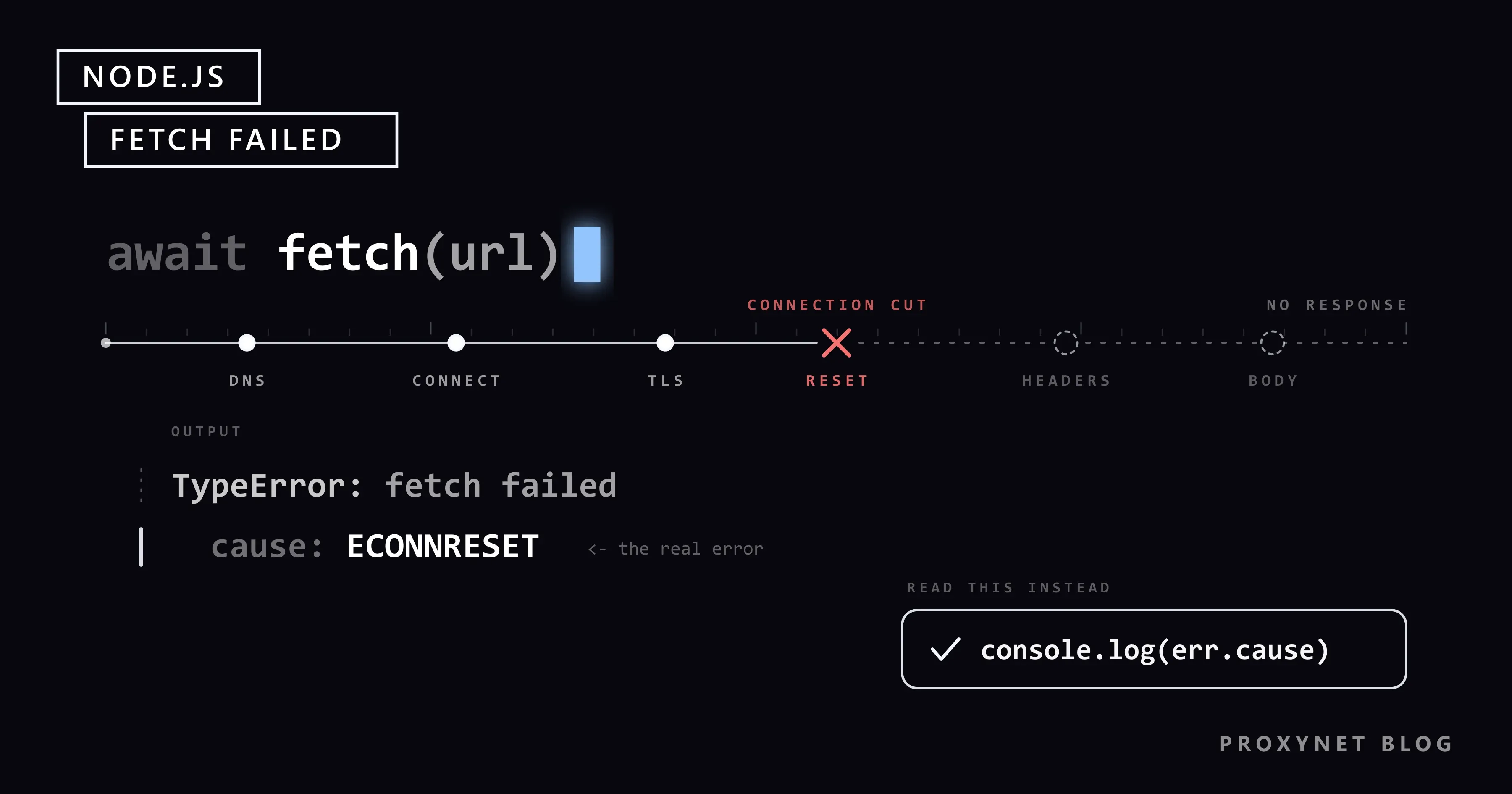
Your Node.js script has called the same API every ten minutes for weeks. You move it to a CI runner, or a colleague starts it on the office network, and every call now ends with one line: TypeError: fetch failed. No host name, no status code. The URL opens in a browser and curl reaches it from the same machine, so the message seems to say nothing.
It does say something, just not in the message. This guide shows where Node.js keeps the real reason, the causes we reproduced on Node.js 22, 24 and 26, why fetch ignores proxy variables, the undici mismatch that breaks proxy agents on Node.js 26, and a tested script that names the cause.
What does "TypeError: fetch failed" mean?
Node.js's global fetch(), available since version 18, is built on undici, an HTTP client that ships inside every Node.js release. The Fetch standard says that a request ending in a network error rejects with a TypeError. Undici uses one fixed message for all of them, fetch failed, and attaches the actual error as cause.
A network error is anything that goes wrong before a response: the name lookup, the TCP connection, the TLS handshake, the proxy tunnel, or a connection that closes before the headers arrive. A 404 or 500 is not one; fetch resolves normally and res.ok is false.
When nothing catches the error, Node.js prints the cause itself. This is the real output of a one-line script with a misspelled host on Node.js 26.10.0:
[TypeError: fetch failed] {
  [cause]: Error: getaddrinfo ENOTFOUND api.example-typo.invalid
      at GetAddrInfoReqWrap.onlookupall [as oncomplete] (node:dns:122:26) {
    errno: -3008,
    code: 'ENOTFOUND',
    syscall: 'getaddrinfo',
    hostname: 'api.example-typo.invalid'
  }
}
The trouble starts when code catches the error and logs only the message, as many frameworks and SDKs do. Printing the cause takes one more line:
try {
  await fetch("https://api.example-typo.invalid/v1/items");
} catch (err) {
  console.log(err.message);                         // fetch failed
  console.log(err.cause?.code, err.cause?.message); // ENOTFOUND getaddrinfo ENOTFOUND api.example-typo.invalid
}
How do you find the real error behind fetch failed?
- Log
err.cause, noterr.message. If a framework swallows it, wrap the call yourself. - Read
cause.code. Codes starting withE(ENOTFOUND,ECONNRESET) come from the operating system, codes starting withUND_ERR_from undici, and codes such asUNABLE_TO_GET_ISSUER_CERT_LOCALLYfrom the TLS layer. - Check for an
AggregateError. Forlocalhost, Node.js tries several addresses. In our test,cause.messagewas empty andcause.errorsheld oneECONNREFUSEDfor::1and one for127.0.0.1. - Go one level deeper for proxy errors. A rejected proxy login gave
Request was cancelled.with no code; the status was inerr.cause.cause:Proxy response (407) !== 200 when HTTP Tunneling. - Note the timing. Milliseconds mean a refusal, reset or DNS answer; about 10 seconds is the connect timeout; five minutes the default wait for headers.
err.cause codes: what each one means and what to fix
We produced every row on Windows 11 with Node.js 24.21.0 and 26.10.0, using a local test proxy and local servers that refuse, reset, stall or present test certificates; both gave the same codes. The undici errors reference documents the UND_ERR_ codes and advises matching on error.code, not instanceof, since the dispatcher may come from another undici copy.
cause.code and message | What happened | Check first |
|---|---|---|
ENOTFOUND getaddrinfo ENOTFOUND host | The host name does not resolve | Spelling, DNS, VPN |
ECONNREFUSED connect ECONNREFUSED 127.0.0.1:8999 | Nothing listens on that port | Service, port, proxy port |
ECONNREFUSED inside an AggregateError | Same, for every address of localhost | Start the server |
UND_ERR_CONNECT_TIMEOUT Connect Timeout Error | No TCP connection within 10 s | Address, firewall |
ECONNRESET read ECONNRESET | Cut with a TCP reset | Proxy, firewall; retry |
UND_ERR_SOCKET other side closed | Closed before any response | Server logs; retry |
UND_ERR_HEADERS_TIMEOUT Headers Timeout Error | Connected, no headers in time | Your time limit |
UNABLE_TO_GET_ISSUER_CERT_LOCALLY, SELF_SIGNED_CERT_IN_CHAIN | Root certificate not trusted | Company root certificate |
UNABLE_TO_VERIFY_LEAF_SIGNATURE | Server sent no intermediate | Server's certificate chain |
ERR_SSL_WRONG_VERSION_NUMBER | TLS sent to a plain HTTP port | https:// in the proxy URL |
UND_ERR_INVALID_ARG invalid onError method | Agent from another undici major | Undici's own fetch |
| No code: Request was cancelled. | Proxy refused the tunnel | Proxy credentials |
One related message is not fetch failed: if the headers arrive but the body stalls, res.text() or res.json() throws TypeError: terminated, in our test with UND_ERR_BODY_TIMEOUT as the cause.
ENOTFOUND and ECONNREFUSED: the request never reached a server
ENOTFOUND comes from the name lookup: the resolver said the name does not exist. Look for a typo, a VPN with its own DNS servers, or a container that cannot reach your company's internal DNS. Behind a proxy, the proxy resolves the name, so a bad host comes back as the proxy's status code instead: our test proxy answered 502, reported as Proxy response (502) !== 200 when HTTP Tunneling.
ECONNREFUSED means the machine answered but nothing accepts connections on that port. If the address in the message is your proxy's, the proxy setting is wrong, not the target. With localhost, Node.js tries both ::1 and 127.0.0.1; in our test, a server bound only to 127.0.0.1 still answered http://localhost. When neither answers, the dev server is down, uses another port, or your code runs in Docker, where localhost is the container itself.
ECONNRESET, "other side closed" and "socket hang up"
All three mean a connection opened and then broke. We compared fetch with the http module and Axios 1.20:
- A server that answered with a TCP reset produced
read ECONNRESETin all three. - A server that closed the connection without a response produced
UND_ERR_SOCKET(other side closed) in fetch, andsocket hang upwith codeECONNRESETinhttpand Axios.
Typical reasons: the server crashed mid-request, a load balancer or proxy closed an idle keep-alive connection just as your client reused it, or a firewall dropped a long connection. Some servers and bot filters also close connections they do not want to serve; that means slow down or ask for access, not retry harder.
Retry idempotent requests (GET, HEAD) once or twice with a growing delay. Do not blindly retry a POST that creates an order: the server may have done the work before the connection broke.
Timeouts: UND_ERR_CONNECT_TIMEOUT, UND_ERR_HEADERS_TIMEOUT and AbortSignal.timeout()
Fetch in Node.js has no overall time limit. Undici gives up on a TCP connection after 10 seconds, then waits up to 300 seconds for the headers and up to 300 seconds between body chunks. A server that accepts and stalls can hold a request for five minutes. Set your own limit:
try {
  const res = await fetch("https://api.example.com/v1/items", { signal: AbortSignal.timeout(5_000) });
  console.log(res.status);
} catch (err) {
  if (err.name === "TimeoutError") console.log("gave up after 5 s");
  else console.log(err.message, err.cause?.code);
}
Against a local server that never answers, it printed gave up after 5 s on Node.js 24 and 26. As MDN on AbortSignal.timeout() notes, the signal aborts with a TimeoutError, not fetch failed, so check err.name. The limit covers the body too: a stalled body made res.text() throw the same TimeoutError. Changing undici's own limits needs an Agent from the npm package, which raises the version question below.
Why does fetch ignore HTTP_PROXY and HTTPS_PROXY?
curl, pip and many other tools read the proxy environment variables; Node.js's fetch does not. With HTTPS_PROXY set, fetch on Node.js 22.23.3, 24.21.0 and 26.10.0 went straight to the target and our proxy log stayed empty, while curl used the proxy. Where only the proxy reaches the internet, the cause then names the target (ENOTFOUND, UND_ERR_CONNECT_TIMEOUT), never the skipped proxy.
Node.js's built-in proxy support turns this on: NODE_USE_ENV_PROXY=1 (Node.js 22.21.0 and 24.0.0 or later) or the --use-env-proxy flag (22.21.0 and 24.5.0 or later). Node.js then reads HTTP_PROXY, HTTPS_PROXY and NO_PROXY at startup, for fetch and the http and https modules. The documentation still marks it as under active development.
NODE_USE_ENV_PROXY=1 HTTPS_PROXY="http://user:pass@pr.proxynet.io:8000" NO_PROXY="localhost,127.0.0.1" node app.mjsIn PowerShell:
$env:NODE_USE_ENV_PROXY = "1"
$env:HTTPS_PROXY = "http://user:pass@pr.proxynet.io:8000"
node app.mjs
Our test proxy then logged CONNECT example.com:443 on all three versions; Node.js 22 also warned that EnvHttpProxyAgent is experimental. Three details catch people out:
- The proxy URL starts with
http://, even forhttps://targets. The tunnel request is plain HTTP and TLS runs inside it;https://in front of a plain HTTP proxy gaveERR_SSL_WRONG_VERSION_NUMBER. http.setGlobalProxyFromEnv()does the same from code, from Node.js 24.14.0 and 25.4.0; Node.js 22 lacks it.- A wrong password hides one level deeper, in
err.cause.cause.
A provider gateway such as our Residential Proxy goes into the same variable as http://user:pass@pr.proxynet.io:8000, or without credentials once your server's IP is on the whitelist.
For per-request proxies, Axios and SOCKS5, follow our guide to using a proxy in Node.js.
Node.js 26 and "invalid onError method": the undici version mismatch
Each Node.js release carries its own undici, separate from the npm undici package: Node.js 22.23.3 bundles undici 6.28.1, 24.21.0 bundles 7.29.1 and 26.10.0 bundles 8.10.2. Undici 8.0.0 removed the wrappers that let older handler code talk to newer code. Per the Node.js release schedule, Node.js 26 becomes the Active LTS line on 28 October 2026, so many projects will meet this during the upgrade.
The error appears when a ProxyAgent or Agent from the npm package is passed as dispatcher to the global fetch. We tried four npm majors on three Node.js versions:
| npm undici | Node.js 22.23.3 | Node.js 24.21.0 | Node.js 26.10.0 |
|---|---|---|---|
| 5.29.0 | works | works | invalid onError method |
| 6.29.0 | works | works | invalid onError method |
| 7.30.0 | works | works | works |
| 8.11.2 | invalid onRequestStart method | invalid onRequestStart method | works |
Each failure was TypeError: fetch failed with UND_ERR_INVALID_ARG as the cause. A quieter variant is worse: on Node.js 26, setGlobalDispatcher(new ProxyAgent(...)) from undici 5 or 6 raised no error, fetch ignored it, and the request went out directly while our proxy saw nothing.
The fix is to take fetch from the same package as the agent:
import { fetch, ProxyAgent } from "undici"; // fetch and the agent from the same package

const proxy = new ProxyAgent("http://user:pass@pr.proxynet.io:8000");
const res = await fetch("https://example.com/", { dispatcher: proxy });
console.log(res.status); // 200 in our test, through a local test proxy
This worked with undici 8.11.2 on Node.js 24 and 26. If the mismatch sits in a tool you did not write, such as a CLI that bundles an old undici and builds an agent from your proxy variables, update the tool or keep it on Node.js 24 until it is fixed.
Certificate errors behind fetch failed
A failed TLS check also arrives as fetch failed, with the certificate code in cause.code. At work, the usual source is a company proxy or antivirus that inspects HTTPS and re-signs traffic with its own root certificate. Node.js checks against its own bundled list of root authorities, not the operating system's, so it rejects that root with UNABLE_TO_GET_ISSUER_CERT_LOCALLY or SELF_SIGNED_CERT_IN_CHAIN.
Point NODE_EXTRA_CA_CERTS at a PEM file with the company root, or run Node.js with --use-system-ca (from 22.15.0 and 23.8.0) if the root is installed on the machine. In our test, NODE_EXTRA_CA_CERTS fixed the first case but not UNABLE_TO_VERIFY_LEAF_SIGNATURE, where the server leaves out its intermediate certificate and only its owner can fix it. The fixes for npm, Git, Python and curl are in Unable to Get Local Issuer Certificate.
A fetch wrapper that names the cause and retries
The script uses the global fetch, so it needs no packages. It walks the whole cause chain, limits every attempt with AbortSignal.timeout(), and retries only resets, closed sockets and timeouts, with exponential backoff plus jitter. DNS failures, refusals, certificate errors and a rejected proxy login fail the same way every time, so it stops on them. On 429 and 503 it waits for Retry-After.
A 429 is the server asking you to slow down; what the header means and how to pace a job is covered in HTTP 429 Too Many Requests.
// fetch-check.mjs: name the real cause behind "TypeError: fetch failed" and retry only what can recover.
// Tested on Node.js 22, 24 and 26. Optional proxy: NODE_USE_ENV_PROXY=1 HTTPS_PROXY=http://user:pass@pr.proxynet.io:8000

const RETRY_CODES = new Set(["ECONNRESET", "UND_ERR_SOCKET", "UND_ERR_CONNECT_TIMEOUT"]);
const CERT_CODES = /CERT|SELF_SIGNED|UNABLE_TO_(GET|VERIFY)/;
const sleep = (ms) => new Promise((resolve) => setTimeout(resolve, ms));

/** The error and every error wrapped inside it, outermost first. */
function causes(err) {
  const chain = [];
  for (let e = err; e && chain.length < 8; e = e.cause) {
    chain.push(e);
    if (e instanceof AggregateError) chain.push(...e.errors); // "localhost": one error per address
  }
  return chain;
}

/** The first string error code in the chain, such as "ECONNRESET". */
const codeOf = (err) => causes(err).map((e) => e.code).find((c) => typeof c === "string") ?? "";

/** One line: what failed and what to check first. */
function explain(err) {
  if (err.name === "TimeoutError") return "no answer before our AbortSignal.timeout(): slow server or proxy";
  const chain = causes(err);
  const text = chain.map((e) => e.message).join(" | ");
  const code = codeOf(err);
  const tunnel = text.match(/Proxy response \((\d{3})\)/);
  if (tunnel?.[1] === "407") return "proxy wants credentials (407): check user:pass or the IP whitelist";
  if (tunnel) return `proxy refused the tunnel (${tunnel[1]}): the proxy could not or would not reach the target`;
  if (code === "ENOTFOUND") return `name ${chain.find((e) => e.hostname)?.hostname} does not resolve: typo, DNS or VPN`;
  if (code === "ECONNREFUSED") return "nothing listens on that address and port: wrong port, service down or wrong proxy port";
  if (code === "ECONNRESET") return "the connection was cut (TCP reset): server, proxy or firewall dropped it";
  if (code === "UND_ERR_SOCKET") return "the other side closed the connection before answering";
  if (code === "UND_ERR_CONNECT_TIMEOUT") return "no TCP connection within 10 s: wrong IP, firewall or blocked outbound port";
  if (code === "UND_ERR_HEADERS_TIMEOUT") return "connected, but no response headers in time";
  if (code === "ERR_SSL_WRONG_VERSION_NUMBER") return "TLS spoken to a plain-HTTP port: the proxy URL should start with http://";
  if (CERT_CODES.test(code)) return `certificate not trusted (${code}): add your CA with NODE_EXTRA_CA_CERTS`;
  return `unrecognised, read the innermost error: ${chain.at(-1).message}`;
}

/** GET with a hard time limit, backoff for network blips, and Retry-After for 429/503. */
async function getWithRetry(url, { attempts = 3, timeoutMs = 15_000 } = {}) {
  for (let attempt = 1; ; attempt++) {
    const backoff = 500 * 2 ** (attempt - 1) + Math.random() * 250; // 0.5 s, 1 s, 2 s ... plus jitter
    let res;
    try {
      res = await fetch(url, { signal: AbortSignal.timeout(timeoutMs) });
    } catch (err) {
      const code = codeOf(err);
      const retryable = RETRY_CODES.has(code) || err.name === "TimeoutError";
      if (!retryable || attempt === attempts) throw err;
      console.log(`  attempt ${attempt}: ${code || err.name}, retrying in ${Math.round(backoff)} ms`);
      await sleep(backoff);
      continue;
    }
    if ((res.status === 429 || res.status === 503) && attempt < attempts) {
      const wait = Number(res.headers.get("retry-after")) * 1000 || backoff; // seconds form only
      await res.body?.cancel();
      console.log(`  attempt ${attempt}: HTTP ${res.status}, waiting ${Math.round(wait)} ms`);
      await sleep(wait);
      continue;
    }
    return res;
  }
}

for (const url of process.argv.slice(2)) {
  console.log(url);
  try {
    const res = await getWithRetry(url, { timeoutMs: 5_000 });
    console.log(`  OK: HTTP ${res.status}`);
  } catch (err) {
    console.log(`  FAILED: ${err.name}: ${err.message} -> ${explain(err)}`);
  }
}
What the output looks like
We ran it on Node.js 26.10.0 against a misspelled host, a closed port on localhost, and local servers that reset every connection (port 8902), never answer (8901), use a certificate from our own test authority (8906) and answer 429 twice before succeeding (8910):
https://api.example-typo.invalid/
  FAILED: TypeError: fetch failed -> name api.example-typo.invalid does not resolve: typo, DNS or VPN
http://localhost:8999/
  FAILED: TypeError: fetch failed -> nothing listens on that address and port: wrong port, service down or wrong proxy port
http://127.0.0.1:8902/
  attempt 1: ECONNRESET, retrying in 652 ms
  attempt 2: ECONNRESET, retrying in 1115 ms
  FAILED: TypeError: fetch failed -> the connection was cut (TCP reset): server, proxy or firewall dropped it
http://127.0.0.1:8901/
  attempt 1: TimeoutError, retrying in 658 ms
  attempt 2: TimeoutError, retrying in 1024 ms
  FAILED: TimeoutError: The operation was aborted due to timeout -> no answer before our AbortSignal.timeout(): slow server or proxy
https://127.0.0.1:8906/
  FAILED: TypeError: fetch failed -> certificate not trusted (UNABLE_TO_GET_ISSUER_CERT_LOCALLY): add your CA with NODE_EXTRA_CA_CERTS
http://127.0.0.1:8910/items
  attempt 1: HTTP 429, waiting 1000 ms
  attempt 2: HTTP 429, waiting 1000 ms
  OK: HTTP 200
Then through the local test proxy with NODE_USE_ENV_PROXY=1: the right password, a wrong one, and https:// in front of the proxy address:
https://example.com/
  OK: HTTP 200
https://example.com/
  FAILED: TypeError: fetch failed -> proxy wants credentials (407): check user:pass or the IP whitelist
https://example.com/
  FAILED: TypeError: fetch failed -> TLS spoken to a plain-HTTP port: the proxy URL should start with http://
Node.js 22.23.3 and 24.21.0 printed the same lines, apart from the random backoff values.
Where you run into this error
- Next.js and other server-side frameworks, whose error pages often show only the message.
- MCP servers and AI agent tools, often run behind a VPN or company proxy.
- SDKs built on fetch, some of which dropped the cause in older versions.
- CI runners and Docker builds that lack the host's proxy variables and company root certificate.
- Scraping and monitoring jobs, which meet most of the table on long runs.
Long collection jobs gain the most from the wrapper. If such a job works with a few known targets and needs exit IPs that stay the same for weeks, a Datacenter Proxy gives you dedicated IPv4 addresses with unmetered traffic.
Common mistakes
- Logging
err.message. It always saysfetch failed. - Expecting fetch to read
HTTPS_PROXY. Not withoutNODE_USE_ENV_PROXY=1or--use-env-proxy. - Passing an npm undici agent to the global fetch. Import
fetchfrom the same package. - Turning off certificate checks.
NODE_TLS_REJECT_UNAUTHORIZED=0disables verification for the whole process, so an attacker in the path looks like your company proxy. - Retrying everything. A typo fails the same way every time; a POST after
ECONNRESETmay run twice. - No time limit. A stalled server can hold a request for five minutes.
Decision guide
What you see in err.cause | What to do |
|---|---|
ENOTFOUND | Fix the host name or DNS; no retry |
ECONNREFUSED with your proxy's address | Recopy the proxy host and port |
ECONNREFUSED on localhost | Start the server; check the port and Docker |
ECONNRESET, UND_ERR_SOCKET | Retry GET requests with backoff |
UND_ERR_CONNECT_TIMEOUT | Check the firewall; behind a company proxy, set NODE_USE_ENV_PROXY=1 |
Long wait, then UND_ERR_HEADERS_TIMEOUT | Add AbortSignal.timeout() |
| A certificate code | NODE_EXTRA_CA_CERTS or --use-system-ca |
Proxy response (407) one level deeper | Check user:pass or the IP whitelist |
invalid onError method | Import fetch from the agent's undici package |
Frequently asked questions
Why doesn't fetch throw on a 404 or 500?
Because the server answered. Fetch rejects only on network errors; an HTTP error resolves with res.ok set to false, so check it before reading the body.
Is "fetch failed" the same as "Failed to fetch" in the browser?
Related, not the same. Chrome rejects with TypeError: Failed to fetch and does not tell the page why, so a CORS block looks identical; open the Network tab in DevTools. Node.js puts the reason in cause.
How do I set a timeout for fetch in Node.js?
Pass signal: AbortSignal.timeout(ms). When it fires, fetch rejects with a TimeoutError, and the limit also stops a stalled body.
Does Node.js fetch use HTTP_PROXY and HTTPS_PROXY?
Only with NODE_USE_ENV_PROXY=1 (22.21.0, 24.0.0 and later) or --use-env-proxy (22.21.0, 24.5.0 and later). Otherwise the variables are silently ignored.
Why does curl work when fetch fails on the same machine?
Usually for one of two reasons: curl reads the proxy variables and fetch does not, and many curl builds, including the one in Windows, use the system certificate store, while Node.js uses its own list unless you pass --use-system-ca.
Can a proxy fix "TypeError: fetch failed"?
Only when the network path is the cause, such as a company network where only the proxy reaches the internet. It does not fix a typo, a certificate problem or a server that is down, and it is no way around a site that resets or rate-limits you: slow down, use its official API or ask for access.
Summary
TypeError: fetch failed is a wrapper: the reason is in err.cause, sometimes one level deeper. Read the code, fix what it names, give every call an AbortSignal.timeout(), and retry only resets and timeouts. Behind a proxy, set NODE_USE_ENV_PROXY=1, keep http:// in the proxy URL, and take fetch and its agent from the same undici package, especially on Node.js 26. When your code is ready for a proxy, compare the options on our proxy services page.


