






























A small recruiting agency has five recruiters. One works from home, one from a coworking space, one splits the week between client offices, and two travel to candidate fairs. Every few days someone opens LinkedIn and gets an email code instead of their inbox. The founder reads about "LinkedIn proxies" and asks a fair question: would a fixed address for each recruiter calm this down, and is it even allowed?
This post answers that question honestly. It starts with what LinkedIn itself says about proxies and sign-in checks, then covers the narrow cases where a proxy makes sense for work, the "one account, one IP" rule, how a static ISP address differs from a sticky residential one, and how to set it up in Chrome and on an iPhone. It ends with what LinkedIn's User Agreement rules out, because no proxy changes those rules.
Does LinkedIn allow you to use a proxy?
LinkedIn's User Agreement does not mention proxies or VPNs at all, so using one is not listed as a breach. What LinkedIn does say is practical advice: its help page on security verification when signing in lists "Avoid using a VPN or a proxy server" among the ways to see fewer security challenges.
So a proxy is not forbidden, but every change of address is a signal LinkedIn's security system weighs. A proxy that changes your address often makes sign-ins look less familiar; one that keeps the same address for months can make a scattered team look more consistent. The rest of this post follows from that difference.
The rules that do lead to restrictions are about the account, not the connection: one account per person in their real name, no sharing, no automation tools. How restrictions work and how to recover from one is covered in our post on LinkedIn account restrictions.
Why does LinkedIn check where you sign in from?
LinkedIn checks your location to make sure the person signing in is the account owner. Its help says security prompts may appear when you sign in "from an unfamiliar location or device", or when it detects suspicious activity. A stolen password used from another continent looks exactly like that, so the check is there to stop account takeover.
The prompts come in a few forms:
- App approval: a notification on your phone where you tap "Yes, it's me" or "No, it's not me".
- Email code: a verification code sent to the address on your account.
- CAPTCHA: a picture or audio puzzle that tells people from programs.
- Identity verification: offered if you started the sign-in but cannot pass the other checks.
You can see what LinkedIn records about each sign-in yourself. Go to Me > Settings & Privacy > Sign in & security > Where you're signed in. Each session lists the browser, the IP address and an approximate city. This is also the easiest way to check later whether your proxy is doing what you expect.
When does a proxy make sense for LinkedIn?
A proxy makes sense when the problem is an unstable location for work accounts, not when you want to look like someone else. These are the cases that hold up:
- Remote recruiting and sales teams. Each person has their own account but works from changing places: home, coworking spaces, hotels. One fixed address per person gives each account the same sign-in location every day, much like an office line would.
- Agencies working for clients. Staff manage client Pages from their own personal accounts with admin roles, and the agency wants all that work to come from addresses it controls.
- Company security policy. Some companies route work traffic through known addresses so that sign-ins can be audited and unknown locations stand out.
- Checking public pages from another country. A team hiring abroad looks at its public, logged-out company and careers pages as a visitor in that country would see them.
What these cases share: every person signs in as themselves, the address stays the same, and the proxy adds consistency rather than hiding anything. Our LinkedIn proxy page describes the business setups this fits.
It does not make sense for a job seeker, a traveller who simply wants to log in from a hotel, or anyone trying to change what LinkedIn shows them. For those cases, your normal connection plus two-factor authentication is the better answer.
How does "one account, one IP" work in practice?
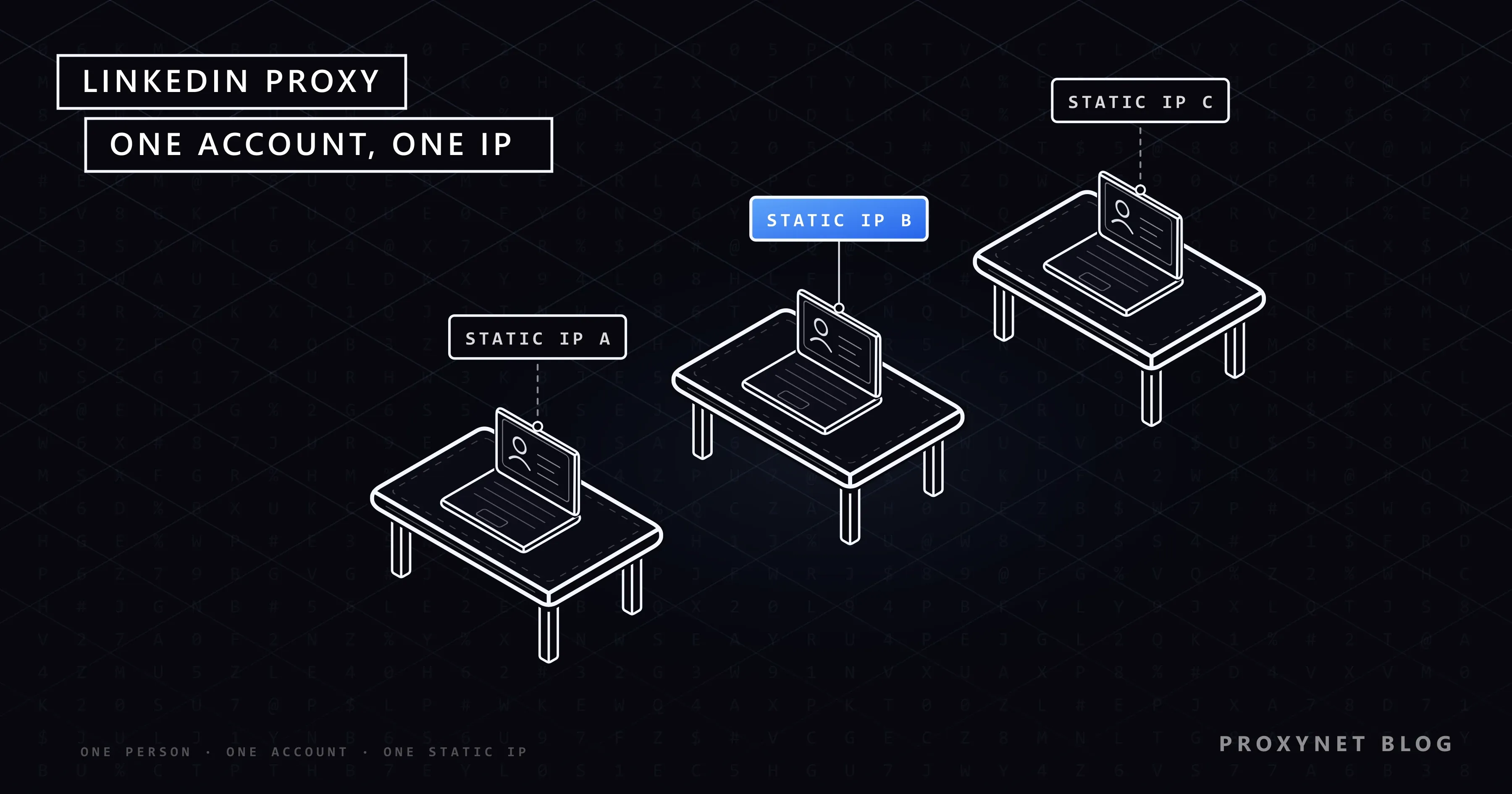
"One account, one IP" means each person's LinkedIn account always signs in through the same dedicated address, and that address is not used for anyone else's account. It is a working practice, not a LinkedIn rule. Offices put many colleagues behind one address every day and that is normal; the point for a remote team is that each person's location stays stable wherever they sit.
The steps for a team:
- Give every person their own account. Real name, their own email, their own password and two-factor authentication. No shared logins.
- Assign one static address per person. Pick it in the country where that person actually lives or works, so the address matches the profile.
- Use that address every working day. Same browser, same address. Do not switch it on and off between morning and afternoon.
- Expect one check at the start. The first sign-in through the new address is a new location, so a code or app approval is likely. Complete it once.
- Keep the session. LinkedIn says it remembers your most recent sign-in for a while when cookies are on, so do not sign out every hour; signing out at the end of the day is fine.
- Check the session list. After a few days, Where you're signed in should show the proxy's city every time.
If one person also uses LinkedIn on a phone, decide whether the phone uses the same static address or the normal connection, and keep it that way. Switching back and forth is what creates a pattern of many locations.
Static ISP or residential sticky: which proxy type fits?
A static ISP proxy fits a LinkedIn account best, because the address stays the same for as long as you keep it. A static ISP address is registered to an internet service provider, so it looks like a home or office connection, but it does not change the way a home line's address can. Other types change the address by design, which works against the one thing you want here.
| Proxy type | How the address behaves | Fit for a LinkedIn account |
|---|---|---|
| Static ISP | Same address for as long as you keep it | Best fit for daily use |
| Residential, sticky session | Same address for 1-60 minutes, then a new one | Short checks of public pages only |
| Residential, rotating | New address per connection or request | Wrong tool for an account |
| Datacenter | Server address, not a home connection | Not advised for LinkedIn accounts |
Our ISP Proxy offers 240,000+ addresses in 20+ countries. These addresses are bought one by one, and by default each works for the target sites you choose; a paid add-on, "Access to all websites", lifts that limit if the person also needs the address elsewhere. Bandwidth on static products is unlimited, subject to the fair-use policy.
A sticky residential session suits a different job: opening a public careers page as a visitor from a given country for a few minutes, without signing in. For a logged-in account it means a new address every session.
How do you set up a LinkedIn proxy in Chrome?
The simplest way on a laptop is a browser extension, so only Chrome uses the proxy and the rest of the computer keeps its normal connection.
- Create a separate Chrome profile for work. Chrome lets you add profiles with their own cookies and extensions, which keeps the LinkedIn session and the proxy apart from personal browsing.
- Install the extension in that profile. Our extension, Proxynet — Proxy Manager, applies a proxy to Chrome.
- Add the static address. Use the host, port and login from your dashboard. Authentication is a username and password, or an IP whitelist of up to 10 addresses if the person always works from a known line.
- Check the exit address. Open any IP check page and confirm it shows the static address and the expected country.
- Sign in to LinkedIn. Complete the security prompt if one appears.
- Leave it on. From now on, LinkedIn in this profile always goes through the same address.
Signing in from another browser on the same machine without the proxy brings back two locations, so keep LinkedIn in that one work profile.
How do you set up a LinkedIn proxy on iPhone?
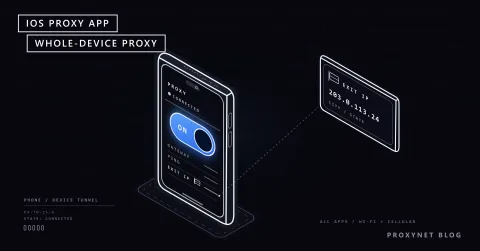
On an iPhone, the Proxynet.io app routes the whole device through the proxy you choose, so the LinkedIn app and Safari both use the same address. The built-in iOS proxy setting sits inside each Wi-Fi network's settings, so it does not cover cellular data; that is why an app is needed. Our post on the iPhone proxy app explains how it works in detail.
- Install Proxynet.io from the App Store and sign in with your Proxynet account.
- Choose the same static ISP proxy that the person uses on their laptop.
- Tap connect. The app shows the active gateway, the assigned exit IP with its country and the latency.
- Open the LinkedIn app and complete the security prompt if it appears.
Two honest notes. While the app is connected, iOS shows its standard "VPN" indicator, because the app uses Apple's Network Extension framework to carry the traffic; it is a proxy tunnel, not a VPN service. And it routes all of the phone's traffic, not only LinkedIn, so leave it connected for work hours rather than toggling it for every app. The app's interface is in English.
What does LinkedIn's User Agreement rule out?
The User Agreement rules out the things people most often combine with proxies, and a proxy does not make any of them acceptable.
- More than one account per person. Section 2.1 of the User Agreement says you will have only one account, in your real name. A second profile for "outreach" breaks it, whatever address it uses.
- Sharing an account. You agree not to share or transfer your account. LinkedIn's Service Terms add the same rule for paid seats such as Recruiter and Sales Navigator: one named user per seat, no shared access.
- Automation tools. Section 8.2 forbids bots and software, naming crawlers, browser plugins and add-ons, that scrape the service or automate actions such as adding contacts or sending messages. LinkedIn's help on prohibited software adds that members using such tools risk having accounts restricted or shut down.
- Getting around limits. Members agree not to get around security features, access controls or use limits. Rotating addresses to send more invitations falls here.
- Fake identities. No profile for anyone other than yourself.
For agencies the legitimate route is Page admin roles: a client's super admin adds staff as Content admin, Analyst or a paid media role, and each person works from their own account. Our social media proxy page covers agency setups across several networks.
How do you check LinkedIn jobs and ads in another country?
Use LinkedIn's own tools first; neither task needs a proxy. Job search takes any city or country as the location, and job alerts can be saved for it; our guide to searching LinkedIn jobs in another country walks through it.
For ads, LinkedIn's Ad Library is a public database of ads that ran on LinkedIn after June 1, 2023. You can search it by advertiser, keyword, country and date range, and an ad stays in it for one year after it last ran. That answers most "what are competitors running in Germany" questions.
A proxy only adds something for public, logged-out pages, such as your careers site as a visitor in another country sees it. Use a short sticky residential session and do not sign in, so your account's sign-in history stays clean.
Where you meet this
- A recruiting agency whose staff work from home, coworking spaces and client offices.
- An SDR team spread over several cities that wants every rep's sign-ins to come from one known address.
- A company whose security policy sends work traffic through approved addresses.
- A social media agency that manages clients' LinkedIn Pages as admins.
- An HR team checking how its public careers page looks to candidates abroad.
Common mistakes
- Using a rotating proxy for a logged-in account. Every new address is another unfamiliar sign-in.
- Choosing a free or public proxy. You share the address with strangers and cannot know what it was used for.
- Picking a country to pretend to be somewhere else. The address should match where the person actually is and what the profile says.
- Turning the proxy on and off during the day. It creates the same "many locations" pattern as having no proxy at all.
- Sharing one login among the team "because it is the same IP". The address does not matter; the agreement forbids sharing the account.
- Adding an automation extension because "the proxy makes it safe". The ban on automation has nothing to do with the address.
- Expecting a proxy to lift a restriction. A restriction sits on the account; a new address only adds another unusual sign-in.
Decision guide
| Your situation | What to do |
|---|---|
| You use LinkedIn from home and your phone | No proxy; turn on two-factor authentication |
| You travel and get codes abroad | No proxy; complete the check, keep contact details current |
| Remote team, each with their own account | One static ISP address per person, used every day |
| Agency managing client Pages | Page admin roles on personal accounts; fixed addresses if policy requires |
| Checking jobs or ads in another country | Job search location filter and the Ad Library |
| Viewing your public careers page from abroad | Short sticky residential session, logged out |
| A tool promises "safe automation with proxies" | Do not use it; automation breaks the User Agreement |
Frequently asked questions
Will LinkedIn ban me for using a VPN or proxy?
No rule in the User Agreement names VPNs or proxies, so the connection alone is not a listed reason for a restriction. It does bring more security checks, which is why LinkedIn advises avoiding them. Restrictions come from what happens on the account: fake identities, automation tools, spam-like activity or a shared login.
Does LinkedIn track your IP address?
Yes. LinkedIn records the IP address of each sign-in, and you can see it yourself under Where you're signed in, next to the browser and an approximate city. It uses this, among other signals, to decide whether a sign-in looks familiar.
Can I use a free proxy for LinkedIn?
It is a bad idea. A free or public proxy is shared with unknown users, the address may already be flagged for abuse, and whoever runs it can see your traffic, including anything sent to pages that do not use HTTPS. For a work account, use an address that is assigned to you.
Can colleagues share one LinkedIn account if they use the same IP?
No. The User Agreement allows one account per person and forbids sharing it, and paid seats such as Recruiter or Sales Navigator are licensed to one named user each. Using the same address changes nothing; each colleague needs their own account.
Does a proxy hide that I viewed someone's profile?
No. Profile views are tied to your account, not your address. To view profiles privately, change the setting under Me > Settings & Privacy > Visibility > Visibility when viewing other profiles to "Private profile characteristics" or "Private mode".
Can I use a proxy to pay another country's price for LinkedIn Premium?
Do not plan on it. The User Agreement says prices can differ by location and that taxes are calculated from the billing information you provide, so the price follows your account and payment details, not your connection.
Summary
LinkedIn does not forbid proxies, but it advises against them because every change of address is something its security checks weigh. Most people should simply use their own connection with two-factor authentication. A proxy earns its place only when it adds consistency to real work accounts, such as a remote team or an agency: one person, one account, one static address used every day, in a Chrome work profile and through the app on the iPhone. Rotating addresses, shared logins and automation tools work against you, and no proxy changes what the User Agreement allows. If your team fits the case, start with one static ISP address per person.