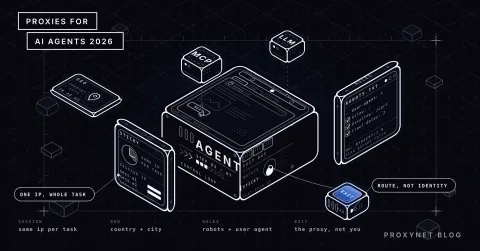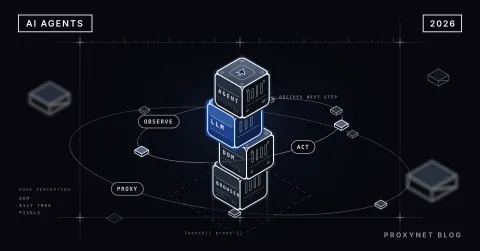
When you ask a chatbot to "compare this product's price on the three biggest e-commerce sites", it either gives you old information it remembers from training data or says it can't do that. Give the same request to an AI agent and it breaks the job into steps: it searches for the sites, opens each product page, extracts the price, tries another route where it can't find one, and finally builds a table. The same kind of language model can sit behind both systems; the difference comes from the loop, tools and memory built around the model.
In this article we explain what an AI agent is and how it differs from a chatbot, the perceive-plan-act-evaluate loop an agent repeats at every step, and how planning, tool use (function calling) and memory work. Then we cover how agents get to the web, why they make mistakes, and how to decide whether a job needs an agent or a predefined workflow.
What is an AI agent, and how is it different from a chatbot?
A chatbot produces one response per message. It may remember the conversation history, but it doesn't start an action on its own or check the result of a job and take a new step. You ask, it answers.
An AI agent works towards a goal and decides for itself which steps to take to reach it. Anthropic's Building effective agents article draws the line this way: systems that connect a language model and tools through code paths defined in advance are workflows; systems where the model dynamically directs its own process and tool use are agents.
| Feature | Chatbot | Workflow | AI agent |
|---|---|---|---|
| Who decides the steps? | The user, in every message | The developer, in code | The model, at run time |
| Tool use | None or one-off | In a predefined order | When needed, chosen by the model |
| Number of steps | One response | Fixed | Variable, depending on the goal |
| When something fails | The user asks again | A defined fallback path | The model tries another route |
| Predictability | High | High | Low |
| Cost and latency | Low | Medium | High, depending on the number of steps |
| Suitable work | Q&A, text generation | Repetitive, well-defined processes | Open-ended work whose steps aren't known in advance |
How does the agent loop work?
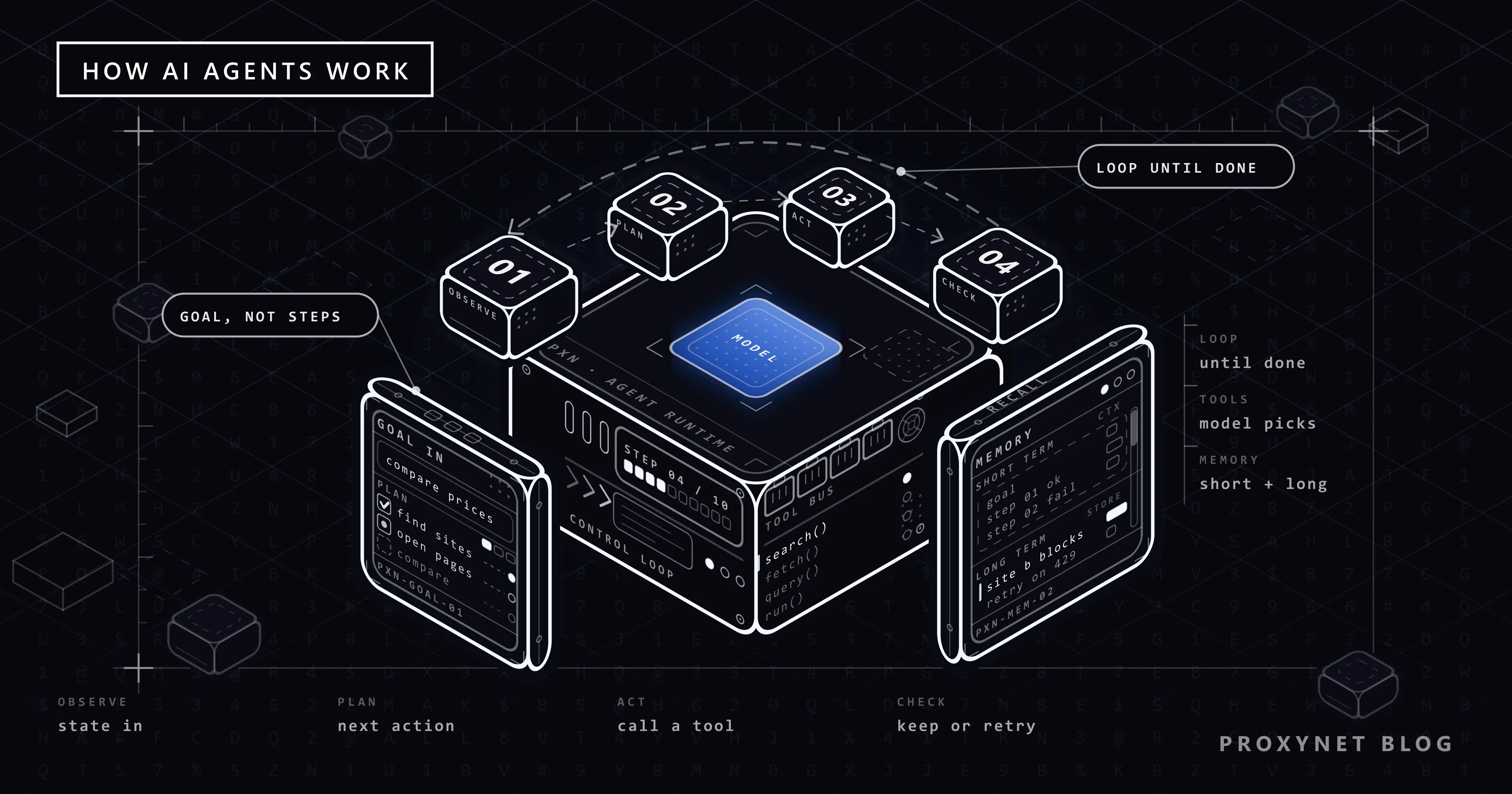
The most accurate model of how an agent works is the repetition of a single loop. The loop continues until the goal is reached or a stop condition is met.
- Perceive. The agent gathers the current situation: the user's goal, the conversation history, the results of earlier steps and any information retrieved from memory. All of it goes into the model's context window.
- Plan. Looking at that context, the model chooses the next action. Sometimes it is a single step like "I should search first", sometimes a plan of several steps.
- Act. The model produces a tool call: it writes in a structured format which tool it wants to run and with which parameters. The application actually executes the call.
- Evaluate. The tool's result is given back to the model. The model checks whether the result brings it closer to the goal: did the expected data arrive, did an error occur, should the plan change?
- Repeat or finish. If the goal is reached, the model produces the final response. If not, the loop goes back to step one. Stop conditions such as a maximum number of steps, a budget limit or user approval keep the loop from running forever.
One of the most cited expressions of this loop is the ReAct paper, published in 2022. The paper shows that having the model alternate between "reasoning" (reasoning text) and "acting" (tool calls) gives better results than approaches that rely on reasoning alone or on acting alone. Most of today's agent frameworks use some variant of this idea.
The skeleton below shows the loop independent of any provider. The call_model function is replaced with the API of the model you use:
MAX_STEPS = 10

def run_agent(goal, tools, call_model):
    messages = [{"role": "user", "content": goal}]
    for step in range(MAX_STEPS):
        reply = call_model(messages, tools)          # plan
        messages.append(reply.as_message())
        if not reply.tool_calls:                      # no tool requested: the job is done
            return reply.text
        for call in reply.tool_calls:                 # act
            try:
                result = tools[call.name](**call.arguments)
            except Exception as exc:                  # give the error back to the model
                result = f"Tool error: {exc}"
            messages.append({"role": "tool", "tool_call_id": call.id, "content": str(result)})
        # evaluation happens on the next call_model call
    return "Step limit reached, the job could not be completed."
Two critical details of the loop can be read from the code: tool errors don't crash the program but are given back to the model so it can try another route, and there is always a stop condition such as MAX_STEPS.
How is planning done?
Planning is the agent breaking a big goal into executable steps. Common approaches:
- Step by step (ReAct style): the model picks only the next action in each loop. It is flexible, because each step's result affects the next. On long jobs it risks losing its way.
- Plan first, then execute: the model produces a full plan at the start, then carries out the steps in order. It is efficient when the job is predictable; when an unexpected result comes up, the plan has to be redone.
- Task decomposition: a main agent splits the job into subtasks and hands each to a separate sub-agent or a separate model call. It is used for parallel research work.
- Self-evaluation (reflection): the model critiques the result it produced in a separate step and corrects it if needed. Quality goes up, but every evaluation means extra cost and latency.
Which approach to choose depends on the structure of the job. For a job whose steps are largely known in advance, planning up front fits better; for a research job where each step's result determines the next, the step-by-step approach does.
How does tool use (function calling) work?
A language model cannot open a web page, query a database or write a file on its own. So that it can, the application gives the model tool definitions. When the model wants to use a tool, it produces a structured call that follows that tool's schema instead of plain text. OpenAI's function calling documentation and other providers' equivalent documentation describe this flow with the same logic.
A tool definition has three parts: a name, a description that lets the model understand what the tool is for, and a definition of the parameters in JSON Schema. For example, a tool that gets the price from a product page could be defined like this:
{
  "name": "get_product_price",
  "description": "Opens the given product page URL and returns the price and currency shown on the page. Only use it for URLs on allowed domains.",
  "input_schema": {
    "type": "object",
    "properties": {
      "url": {
        "type": "string",
        "description": "The full address of the product page, starting with https://"
      },
      "country": {
        "type": "string",
        "enum": ["TR", "DE", "US"],
        "description": "Which country the price should be seen from"
      }
    },
    "required": ["url"]
  }
}
The field name for the parameter schema varies by provider; some APIs use input_schema, others parameters. The logic is the same.
The flow of a tool call:
- The application sends the user's request and the tool definitions to the model.
- If the model decides it needs the tool, it returns a call containing the name
get_product_priceand arguments such as{"url": "https://...", "country": "TR"}. - The application receives the call, validates the arguments and runs the tool in its own code.
- The tool's result (
{"price": "...", "currency": "TRY"}or an error message) is sent back to the model. - The model uses the result to either call a new tool or reply to the user.
The most important point here is step three: it is always the application that runs the tool. The model only asks for it to be run. That is why authorisation, validation and security checks are the responsibility of the code executing the tool, not of the model. It is also why tool descriptions need to be clear: the model uses a tool correctly only as far as it understands it from the description.
We explain MCP, the protocol for sharing tools between different applications in a standard way, in What Is MCP (Model Context Protocol)?.
Memory: short-term and long-term
Language models don't remember anything from one call to the next on their own. An agent's "memory" is simply what the application gives the model on each call.
Short-term memory is the context window: the user's goal, the conversation history, tool calls and their results. As the loop gets longer, this window fills up. When the context window limit gets close, the application usually picks one of these routes:
- Summarising older steps and dropping the detail.
- Shortening large tool outputs (such as a whole HTML page) or keeping only the part that is needed.
- Keeping only the result of completed subtasks.
Deciding on every call what goes into this window, in what order and within which token budget is the work of context engineering; we compare it with prompt engineering in Context Engineering vs Prompt Engineering: Key Differences.
Long-term memory is kept outside the context window, in a database, file or vector store. The agent retrieves information from this store with a tool when needed. User preferences, information learned from earlier tasks and large document collections are stored this way.
| Component | Role | Typical implementation |
|---|---|---|
| Model | Interpreting the situation, choosing actions | Large language model |
| Loop (orchestration) | Calling the model, running tools, checking the stop condition | Application code, agent framework |
| Tools | Taking actions in the outside world | Search API, HTTP client, browser, database |
| Short-term memory | Context of the current task | Message history, context window |
| Long-term memory | Information across tasks | Database, file, vector store |
| Guardrails | Permissions, limits and approval | Allowlists, rate limits, human approval |
How does an agent get to the web?
Most agents that need current information reach the web in one of three ways:
- Search API. The agent sends a search query and gets a list of titles, addresses and short snippets. It is fast and cheap, but it only sees snippets.
- HTTP client. The agent fetches a specific address and gets the page's HTML or text. It works well on static pages and comes back empty on pages whose content loads with JavaScript.
- Browser. The agent drives a real browser: opens pages, clicks, fills in forms, takes screenshots. It is the most capable route, but also the slowest and most expensive. When the agent is built into the browser you use every day, the result is an AI browser, which we explain with its risks in What Is an AI Browser? Agentic Browsers and Their Risks.
Behind these tools there are ordinary HTTP requests on the network side, and every rule of web scraping applies here too: rate limits, robots.txt, site terms, session management. Because an agent can open dozens of pages in seconds, these rules matter even more for agents.
A proxy sits at the network layer in this setup and is used for three things:
- Location: letting the agent see a product's price in Türkiye and in Germany separately.
- Egress control: limiting and logging from a single point which domains the agent reaches and how fast.
- Isolation: keeping agent traffic separate from the company's main IP addresses.
How to design this layer, along with measures against prompt injection, is explained in Safe Web Access for LLMs: Rate Limits and Permissions. How websites approach agent traffic and why agents get blocked is covered in Why Are AI Shopping Agents Blocked on Websites?. For an example of how a language model can be used to extract structured data from web pages, see Web Scraping with GPT-6 Astra.
Why do agents make mistakes?
The failures of agent systems differ from the mistakes of a single model call, because errors accumulate across steps.
- Error accumulation. Even if each step has a small chance of error, those chances multiply over a ten-step job. Opening the wrong page early on bases every later step on wrong data.
- Wrong tool arguments. The model can produce a parameter that doesn't exist, a malformed address or a made-up ID number. Without validation on the tool side, the error moves on silently.
- Getting stuck in loops. Calling the same failing tool with the same arguments again and again. Without a step limit and repeat detection, cost grows out of control.
- A full context. Large tool outputs fill the context window and the model starts missing the instructions at the start of the task.
- An ambiguous goal. A goal with undefined criteria, such as "find the most suitable product", leaves the agent unable to decide when to stop.
- Untrusted content. Web pages, documents and emails can contain text that looks like instructions to the model. If the agent confuses this text with the user's request, it can take unexpected actions. This risk is called indirect prompt injection.
- Lost error messages. If a tool error isn't given back to the model clearly, the model may assume the job finished successfully.
Most of these failures come from system design, not the model, and are reduced by design: validating tool arguments, setting step and budget limits, shortening tool outputs, asking for human approval before critical actions, and treating web content as data rather than instructions.
Workflow or agent?
Agents are impressive, but they aren't the right tool for every job. The recommendation in Anthropic's article is to start with the simplest structure that solves the job and add complexity only when it brings a measurable benefit. In practice that means:
- For a job whose steps are known in advance and done in the same order every time (pulling prices from the same 50 pages every day and writing them to a table), a workflow defined in code is cheaper, faster and more predictable. A language model can be used inside that workflow only at a specific step, for example extracting data from irregular text.
- For a job whose steps change with the situation and where it isn't known in advance which sources to look at (compiling information about a new market from scattered sources), an agent makes sense.
The cost and reliability difference between a classic scraping pipeline and an agent-based approach should also be judged within this framework. Extraction with selectors gives the same result on every page; an agent can adapt when the page structure changes, but it carries the cost of a model call for every page.
Use cases
- Market and competitor research: the agent compiles product, price and campaign information from different sources and flags inconsistencies. The research setup is on our market research solution page.
- Exception handling in a data collection pipeline: a classic scraping pipeline handles most pages; pages where selectors fail are handed to an agent. The general data collection setup is on our data scraping solution page.
- Internal knowledge assistant: the agent searches internal documents, retrieves the relevant sections and answers with sources.
- Software development: the agent searches the codebase, reads files, proposes changes and runs tests.
- Customer support triage: the agent classifies the request, queries order status and hands over to a human only when needed.
Common mistakes
- Building an agent for a job a simple workflow could handle. Cost, latency and unpredictability rise for no reason.
- Not setting a stop condition. An agent without a step limit, budget limit or timeout can generate uncontrolled cost.
- Writing short, vague tool descriptions. The model calls the tool in the wrong situation or with wrong arguments.
- Not validating tool arguments. Every value the model produces should be treated as untrusted input.
- Treating web content as instructions. Text on a page should not have the same authority as the user's request.
- Leaving critical actions without approval. Irreversible actions such as payments, sending email or deleting data should require human approval.
- Suspending site rules for the agent. Every page an agent opens is subject to the same rate limits and terms as a page a scraper opens. For the legal framework, see Is Web Scraping Legal?.
Decision guide
| Structure of your job | Recommendation |
|---|---|
| One question, one answer | A single model call |
| Steps are fixed and known in advance | Workflow defined in code |
| Fixed flow, irregular text at one step | Workflow + a model call at that step |
| Steps change with the situation | Agent, with step and budget limits |
| The agent will access the web | Allowlist, rate limits, logging and egress control |
| There are irreversible actions | Agent + human approval |
| Sharing tools across several applications | MCP server |
Frequently asked questions
What is the key difference between an AI agent and a chatbot?
A chatbot produces one response per message and doesn't start actions on its own. An AI agent plans several steps to reach a goal, calls tools, evaluates results and keeps the loop going until the goal is reached.
Does the agent run the tools itself?
No. The model only writes, in a structured format, which tool it wants to run with which arguments. The application running the agent is always the one that runs the tool, gives the result back to the model and performs security checks.
Where is an agent's memory kept?
Information about the current task is kept in the model's context window, that is, the message history sent to the model on every call. Information that needs to persist across tasks is stored in a database or file managed by the application and retrieved with a tool when needed.
Which rules should an agent follow when collecting data from websites?
The same rules a scraper follows: robots.txt, site terms, rate limits and personal data laws. Being an AI system doesn't change those rules; because it can work fast, it's even more important to enforce limits at the system level.
Why can agents give different results for the same job?
Language models may not produce exactly the same output on every call, and the route the agent chooses at each step affects the next. Also, because external sources such as the web change, the same query can reach different data. For work where repeatability matters, the workflow approach is a better fit.
How do I know whether a job suits an agent?
If you can draw the job's steps in advance as a flowchart, a workflow is probably enough. If the steps can only be decided as intermediate results come in, and the benefit of that flexibility is worth the extra cost, an agent makes sense.
Summary
An AI agent is a system in which a language model works through a perceive-plan-act-evaluate loop until it reaches a goal. Planning breaks the job into steps, tool use lets the model act in the outside world, and memory is managed through the context window and external stores. It is always the application that runs the tools, so permissions, validation, rate limits and human approval are part of system design. Choose a workflow for jobs whose steps are known in advance and an agent for open-ended jobs. To manage your agents' web access with location and egress control, take a look at our proxy services.