

































You open a provider's order page and read "rotating residential, HTTP and SOCKS5". The next product says "static ISP, dedicated". A forum thread recommends an "elite proxy", and a developer on your team says the site already runs behind a "reverse proxy". All four sound like entries in one list of proxy types, so it is hard to tell which ones you are supposed to choose between.
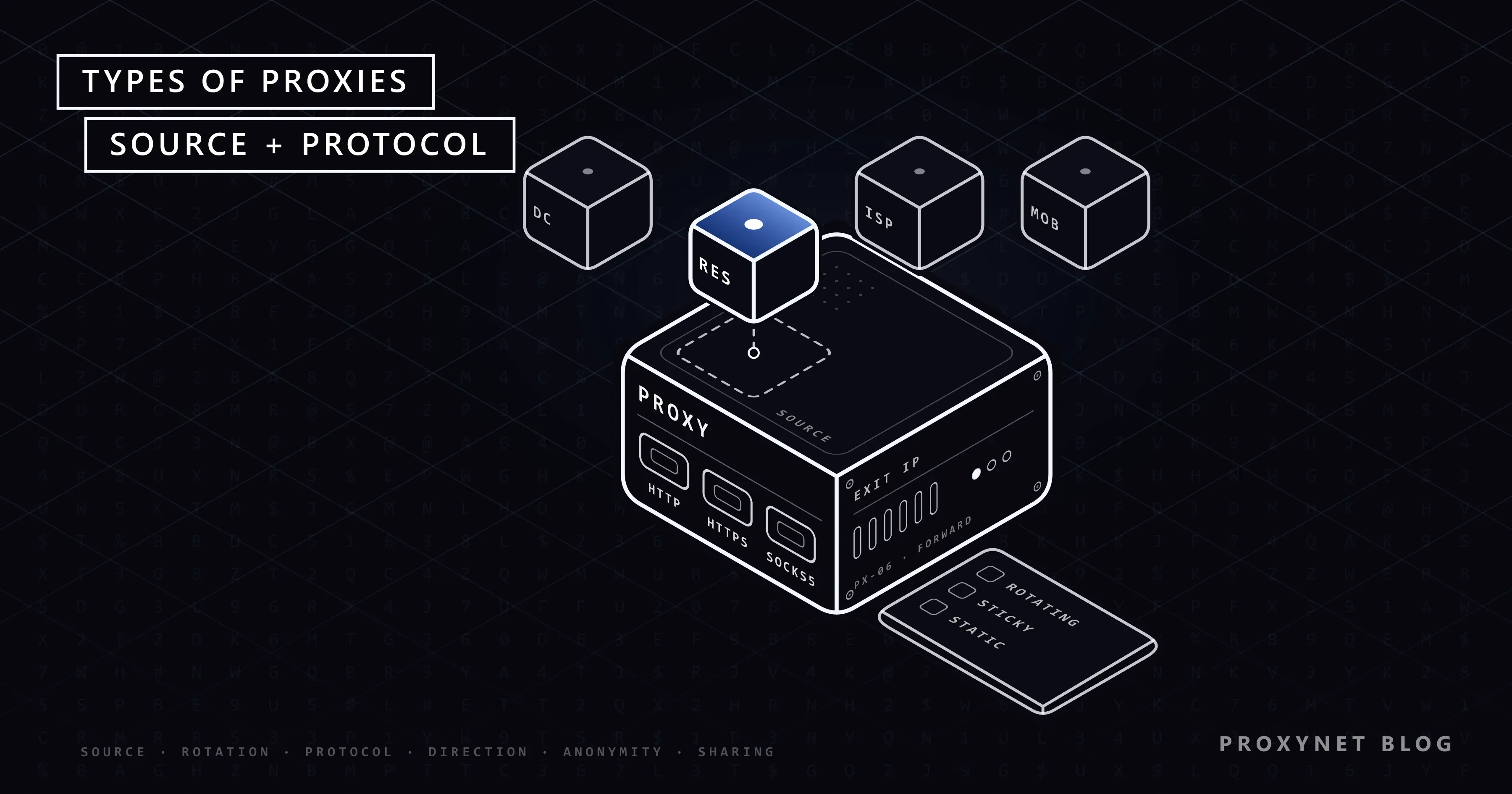
They are not one list. Each word answers a different question about the same connection: where the IP address comes from, when it changes, which protocol you speak to the proxy, which side the proxy works for, what it reveals about you, and who else uses the address. This article goes through those six axes one at a time, with a table for each, then shows how they combine into the product names you see and which combination fits which job.
What does "type of proxy" mean?
A type of proxy is the answer to one question about how the proxy behaves, and there are six such questions. A proxy is any server that receives your request and sends it on to the target with its own IP address; if that idea is new, our guide What Is a Proxy Server and How Does It Work? covers the basics first.
Lists that put "residential", "SOCKS5" and "rotating" side by side mix up the axes: a single proxy can be all three at once. The table below separates the questions.
| Axis | Question it answers | Types |
|---|---|---|
| Source | Who is the IP registered to? | Datacenter, residential, ISP, mobile |
| Rotation | When does the IP change? | Rotating, sticky, static |
| Protocol | How does your app talk to it? | HTTP, HTTPS, SOCKS5 |
| Direction | Whose side is it on? | Forward, reverse |
| Anonymity | What does it reveal about you? | Transparent, anonymous, elite |
| Sharing | Who else uses the IP? | Public, shared, dedicated |
Read against this table, "rotating residential HTTP" says the address belongs to a home connection, changes on its own and is reached over HTTP. The axes a name leaves out still have a value; it is simply not printed.
Where in a request does each type matter?
Each axis acts at a different moment of the same request. Follow one request from a script to a target site and the six questions line up in order:
- Your app connects to the proxy. The protocol decides how: an HTTP proxy expects HTTP messages, a SOCKS5 proxy expects the SOCKS handshake. Pointing an app at the wrong kind gives an error before any page loads.
- The proxy checks who you are. Most paid proxies ask for a username and password, or accept only connections from IP addresses you have allowed.
- The proxy picks an exit IP. Source, rotation and sharing all act here: the address comes from a datacenter, home or mobile range, it is new or reused, and it is yours alone or not.
- The request is passed on. For plain HTTP, the proxy may add headers that name itself or carry your real IP. That is where the anonymity level is set.
- The target answers the exit IP. The site sees the proxy's address and looks up the network it belongs to. The response travels back the same way.
All five steps describe a forward proxy, the kind you configure on your own device. The direction axis is about the case where the site owner runs the proxy instead.
What types of proxies are there by IP source?
By source there are four types: datacenter, residential, ISP and mobile. The source is the network the exit IP is registered to, and target sites can look it up in public registration records, so it is the axis that most affects how a site treats your traffic.
| Type | Registered to | Use it when |
|---|---|---|
| Datacenter | A hosting or cloud provider | Speed and volume matter more than looks |
| Residential | A home internet provider | The site checks for home connections |
| ISP (static residential) | An ISP, hosted in a data center | You need a home-type IP that never changes |
| Mobile | A mobile operator (4G/5G) | You test or view the mobile version of a service |
Datacenter proxies run on servers in data centers, which makes them fast and cheap per address. Their ranges are openly registered to hosting companies, so sites that are strict about automated traffic notice them first.
Residential proxies exit through IP addresses that internet providers assign to household connections. To the target site the request looks like it comes from an ordinary home user in that city. Speed depends on the connection behind each address and varies more than in a data center.
ISP proxies combine the two: the address is registered to an internet provider, but it lives on a server, so it stays the same and runs at server speed. Providers also call them static residential proxies.
Mobile proxies exit through mobile operator networks. Operators put many phones behind each public address with a technique called carrier-grade NAT, so one mobile IP is normally shared by many real subscribers at the same moment. A block on one mobile address would hit all of them, which is why sites treat these addresses with care.
The IP version is a sub-question of source. Most proxies are IPv4; IPv6 proxies offer far larger address ranges, but only sites that accept IPv6 connections can be reached through them.
What types are there by rotation?
By rotation there are three types: rotating, sticky and static. Rotation describes how long you keep the same exit IP.
| Type | How long the IP stays | Use it when |
|---|---|---|
| Rotating | One request, or a short interval | Requests do not depend on each other |
| Sticky | A set session, often minutes | A flow needs the same IP for several steps |
| Static | Until you release it | The IP itself is part of your setup |
A rotating proxy gives you one endpoint, and the provider's gateway picks a new exit IP for each new connection or after a short interval. It suits jobs made of many independent requests.
A sticky proxy keeps the same exit IP for a session you set, usually by adding a session ID to the username. Checkout tests, sign-in flows and anything that keeps a cart or a cookie need this, because a site that sees the IP change mid-session may log you out.
A static proxy is a single address that stays yours for the whole rental period. Use it when a partner allowlists your IP or an account should always see the same address. ISP and datacenter proxies are usually sold this way.
What types are there by protocol?
By protocol there are HTTP, HTTPS and SOCKS5 proxies. The protocol is the language your application uses to talk to the proxy, not the protocol of the site you visit.
| Type | What it carries | Use it when |
|---|---|---|
| HTTP | Web requests; HTTPS sites through a tunnel | Browsers, scripts, most scraping tools |
| HTTPS | The same, with TLS to the proxy itself | The path to the proxy is untrusted |
| SOCKS5 | Any TCP connection, plus UDP | Non-web apps, mail, custom protocols |
An HTTP proxy understands web traffic. For a plain http:// page it reads the request and fetches it. For an https:// site the client sends a CONNECT request, and the proxy opens a tunnel and then only relays encrypted bytes. The HTTP standard, RFC 9110, describes CONNECT as a request to establish a tunnel to the destination and then forward data blindly in both directions.
"HTTPS proxy" has two meanings. Most providers mean an HTTP proxy that handles HTTPS sites through CONNECT. Strictly, it means a proxy you reach over TLS, so that even your login to the proxy is encrypted. Check which one is meant before you rely on the second.
A SOCKS5 proxy works one layer lower and does not read your traffic at all. RFC 1928, the SOCKS5 standard, added UDP, IPv6 addresses and an authentication framework, including username and password, to the older SOCKS4. Use it for applications that do not speak HTTP. Many tools support both protocols; an HTTP proxy is the simpler choice for anything web-based.
What types are there by direction?
By direction there are forward proxies and reverse proxies. A forward proxy works for the client and a reverse proxy works for the server.
| Type | Who runs it | Use it when |
|---|---|---|
| Forward | You or your network admin | Your requests should leave from another IP |
| Reverse | The site owner | Your site needs one front door for its servers |
| Transparent (interception) | A network operator | Not your choice: it is in the network path |
Everything a proxy provider sells is a forward proxy: you point your browser, script or app at it. A reverse proxy stands in front of a site's servers, receives visitors' requests and passes each one to a backend; CDNs and load balancers are built on it. Our article What Is a Reverse Proxy? follows one request through it.
There is a third case with a confusing name. RFC 9110 calls a proxy that sits in the network path without the client choosing it an "interception proxy", also known as a transparent proxy. Company networks, schools and some public Wi-Fi use them to filter or cache traffic. You do not configure it, and that meaning of "transparent" has nothing to do with the anonymity level below.
What types are there by anonymity?
By anonymity there are transparent, anonymous and elite proxies. The level depends on which HTTP headers the proxy adds to your request.
| Type | What the site learns | Use it when |
|---|---|---|
| Transparent | Your real IP, and that a proxy is used | Caching or filtering, not privacy |
| Anonymous | That a proxy is used, not your IP | Rarely a deliberate choice today |
| Elite (high anonymity) | Neither, from the headers alone | Any job where the exit IP should stand alone |
A transparent proxy passes your address on in a header such as X-Forwarded-For. MDN calls X-Forwarded-For a de-facto standard header for identifying the original client behind a proxy and notes that it exposes the client's IP by design. An anonymous proxy leaves your IP out but announces itself, for example with a Via header. An elite proxy adds neither.
The levels apply only to plain HTTP requests. Inside a CONNECT tunnel or a SOCKS5 connection the proxy cannot add headers to your traffic, so with HTTPS sites, which are most of the web today, the question mostly answers itself. The three labels come from the era of open public proxies and are still printed on free proxy lists.
What types are there by sharing?
By sharing there are public, shared, semi-dedicated and dedicated proxies. Sharing describes how many customers use the same exit IP at the same time.
| Type | Who uses the IP | Use it when |
|---|---|---|
| Public (free) | Anyone who finds it | Avoid for anything with a login |
| Shared | Several customers at once | Low-stakes tasks on a tight budget |
| Semi-dedicated | A small, fixed group | A middle ground some sellers offer |
| Dedicated | You alone, for the rental period | Accounts, allowlists, steady reputation |
The reason sharing matters is reputation. Sites judge an IP address by the traffic it has sent recently; on a shared address someone else's behaviour counts against you, while on a dedicated one the history is your own.
Public proxies are a separate risk. Whoever runs an open proxy can read every unencrypted request you send through it and alter the pages it returns. Never send a password through one.
Rotating residential and mobile pools sit outside this scale: you get exits from a large pool rather than one reserved address, and an address may serve other customers at other times. For static products it is simple: a dedicated IP is yours for the period you pay for.
How do the axes combine into one proxy?
Every proxy you buy is one value on each axis, and some combinations are far more common than others. Source and rotation are usually printed in the product name; protocol is often a setting in the dashboard; direction is "forward" for anything a proxy provider sells.
| Combination | Typical job |
|---|---|
| Rotating residential, HTTP | Checking public prices on many pages by country |
| Sticky residential, HTTP or SOCKS5 | Testing a checkout or sign-in from one city |
| Static ISP, dedicated | Managing an account that should always see one IP |
| Datacenter, dedicated | High-volume requests to tolerant targets, API access |
| Mobile, sticky | Checking how ads and apps look on a carrier network |
Some names that look like separate types are the same thing. "Static residential" and "ISP proxy" describe one product. "Backconnect proxy" is an older name for the gateway model behind rotating proxies: one address you connect to, many exits behind it. "Private proxy" usually means dedicated.
Common mistakes when choosing a proxy type
- Choosing a protocol to change how sites see you. SOCKS5 does not look more like a home user than HTTP. The site sees the exit IP, and that is decided by the source axis.
- Buying rotation for a logged-in flow. A new IP on every request breaks sessions. Use sticky or static for anything with a cart, a login or a multi-step form.
- Paying for "elite" on HTTPS traffic. Through a tunnel the proxy cannot add headers anyway, so the label adds nothing for HTTPS sites.
- Treating "HTTPS proxy" as encryption to the proxy. Most of the time it only means the proxy supports CONNECT. Your credentials may still cross the local network in a readable header.
- Using the most expensive source for every job. A datacenter address is enough for targets that do not check the network type, and it costs far less per request.
- Confusing forward and reverse. A reverse proxy protects your own site; it does not give you another exit IP.
Where proxies fit
Proxynet sells forward proxies, so the direction axis is already settled. What you choose is the source, the rotation and the protocol. Our proxies work over HTTP, HTTPS and SOCKS5, and you sign in with a username and password or an IP allowlist of up to ten addresses.
- Residential Proxy: a pool of 140M+ home IP addresses with country and city targeting and free ASN targeting, rotating or sticky for 1-60 minutes.
- Mobile Proxy: 20M+ mobile operator IPs with country and city targeting, rotating or sticky.
- ISP Proxy: 240,000+ dedicated ISP addresses in 20+ countries that stay the same for the whole rental period.
- Datacenter Proxy: 2,000,000+ dedicated IPv4 addresses in 50+ countries for volume work.
Residential and mobile are billed per GB of traffic, the static products per IP per month, all from one wallet balance that does not expire.
Decision guide
| Your need | Proxy type |
|---|---|
| Many independent requests by country | Rotating residential, HTTP |
| A multi-step flow from one place | Sticky residential |
| One IP that never changes, home-type | Static ISP, dedicated |
| Volume where IP type is not checked | Datacenter, dedicated |
| Mobile app or mobile ad checks | Mobile, sticky |
| A non-web app or UDP traffic | SOCKS5 on any source |
| One front door for your own servers | Reverse proxy, not a proxy plan |
Frequently asked questions
How many types of proxies are there?
There is no single count, because proxies are sorted along several axes at once. The useful set is six axes with two to four types each, and any proxy has one value on each.
What are the two main types of proxies?
When people say two types, they usually mean forward and reverse. A forward proxy sends your requests out from another IP address; a reverse proxy receives requests on behalf of a website's servers. In buying guides, the two often mean residential and datacenter instead, the two most common sources.
Which type of proxy is best?
None is best in general; the right type depends on the job. Rotating residential suits many independent requests to strict sites, sticky or static suits logged-in flows, and datacenter suits volume work on tolerant targets.
What is the most common type of proxy server?
The forward HTTP proxy is the most common. Every browser and most command-line tools can use one with a single setting, and companies run them to filter and cache their staff's web traffic.
Is a VPN a type of proxy?
No, though the two overlap. A VPN creates an encrypted tunnel for all of a device's traffic at the operating-system level, while a proxy handles the traffic of the apps you point at it and does not have to encrypt it. Both change the IP address that sites see.
What types of residential proxies are there?
Residential proxies come in rotating and sticky forms, and the static form is sold as an ISP or static residential proxy. Rotating ones change the IP per request or interval, sticky ones hold an IP for a session, and static ones keep one address for the rental period.
Summary
"Type of proxy" covers six separate questions, not one list. Source tells a site who the IP belongs to, rotation decides how long you keep it, protocol decides how your app connects, direction separates your proxies from a site's front door, anonymity decides what headers reveal, and sharing decides whose history the IP carries. Choose the source and rotation for the job first, then the protocol your tool speaks.